
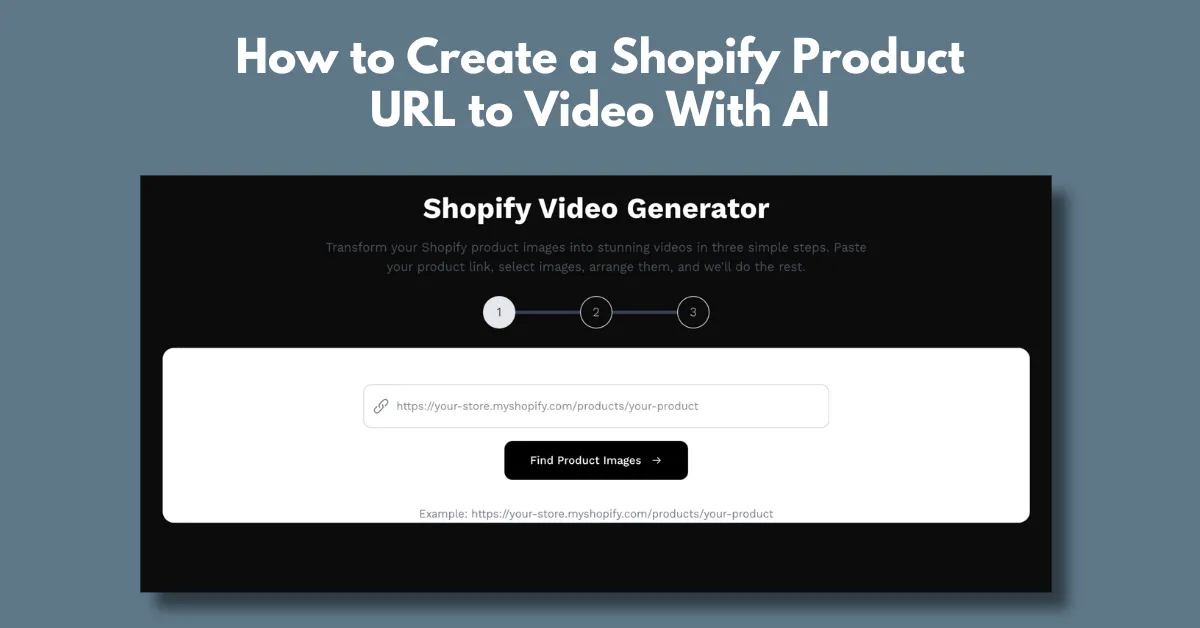
How to create a Shopify product URL to video with AI? Use the best AI video generator like Shhots AI to paste the URL, and it turns images into videos.
If you run a Shopify store, you know the struggle. Making marketing or explainer videos for every product is hard. When you have 100 products, you can’t shoot 100 videos. It’s almost impossible. Each item needs its own script, its own shoot, and its own editing. The work keeps piling up, and the process slows you down.
If you’re dealing with this, it’s time to take a smarter route. Bring AI into your workflow, and it can change everything. You don’t need editing skills. You don’t wait for creators. You don’t even write a script. You simply scale your content with ease. Let us show you how to create a Shopify product URL to video with AI.
How to Create a Shopify Product URL to Video With AI?
Here is a quick and easy way to create a Shopify product URL to video using artificial intelligence.
Step 1: Choose the Best Generator
The first step is simple. Pick an AI tool that can read a Shopify product link and turn it into a video. We will use Shhots AI, a well-known AI ad generator.

Check the tool for these important features:
- Product URL to video AI
- Prompless generation
- Drag and drop
- Arrange images
- Excellent and faster output (No flaws)
- Affordable pricing plan
Step 2: Copy the URL of your Shopify Product
Next, open your Shopify store and head to the product page or the video you wish to turn into an AI video. Copy the link from the bar and move to the next step.
Step 3: Paste the URL in the Tool
Once you enter Shhots AI, click on “Try It Now” or follow “Tools > AI Video Generator” in the navigation bar.

Paste your product URL in the box. The tool reads the link on its own and turns it into a video. You just need to arrange the images.

Step 4: Download the AI Video
Once your output looks good, render the video and download it by clicking the arrow icon. You can then add it to your Shopify store. Place it on your home page or even your testimonial page.
That’s it. You can try Shhots AI for just $5. It’s a simple one-time payment. You get 300 video credits, which is enough for a 30-second video. Your videos come without any watermark. And if you need help, email support is available.

Why Create AI Videos from Shopify Product URL?
Why you should make AI videos for your Shopify product URLs and the benefits of doing so.
Increased Interest in the Product
As online shopping grows more crowded, simple photos no longer make an impact. Brands need visuals that feel alive. Using AI-generated clips like AI UGC videos is now an advanced way to draw attention.
AI can turn your Shopify product listings into something more lively. Visitors stay on your page for a longer time. This simple URL to video download feature can help you draw more attention and boost sales.
Budget-friendly
Product shoots usually need a full team, models, props, and many extra elements. All of this can drain your budget fast. But with AI, you don’t have to spend on these costly requirements anymore. It lets you create the same high-quality visuals without the heavy expense. You only need a product link and a few details. Brands can then create batch videos for their Shopify listings.
Higher SEO Rankings
SEO depends on many elements, but an AI video generator from URL can make a clear difference. Search engines give more value to rich media and content that keeps users engaged. AI also helps fine-tune your Shopify videos and text with strong keywords.
Conclusion
URL to AI video tools are changing how e-commerce brands work. Platforms like Shhots AI help brands create steady content without extra effort. This gives you a clear idea of why AI videos matter for your Shopify store. You can increase sales on Shopify Store with these AI videos. So go ahead, convert URL to video and give your engagement and conversions a steady lift.
FAQs
How do I create an AI video for my product?
To create your product in an AI video, try Shhots AI. This platform is one of the best AI ad generators, which lets you generate a video from just a URL. The navigation on this platform is very easy.
How do I add a video to my product page on Shopify?
Open your Shopify admin and head to the Products section. Select the product you want to update. In the Media area, you can add an image, a 3D model, or a video. Just click Upload new and choose the file you want.
Can I use Shhots AI for free?
To use Shhots AI, you need to purchase a paid plan. There is no free plan available as of now. But the paid plan is quite affordable; you can start creating AI videos for as low as $5.