Most marketers who try to scale paid campaigns hit the same wall. You find a creative that works. You pour budget into it. CTR drops. CAC climbs. The audience gets fatigued. You go back to the drawing board, brief a designer, wait a week, get something that costs you $400 and converts worse than the original.
This is the cycle AI-generated ads are supposed to break. The promise is simple: produce 10x more creative in 10% of the time, test more angles, find more winners, scale faster.
The reality is more nuanced. Most teams that try to scale with AI-generated ads end up with a worse problem than before. A wall of mediocre variants that nothing really tests. No clear signal on what is winning. A Meta Ads account that looks busy but is not growing.
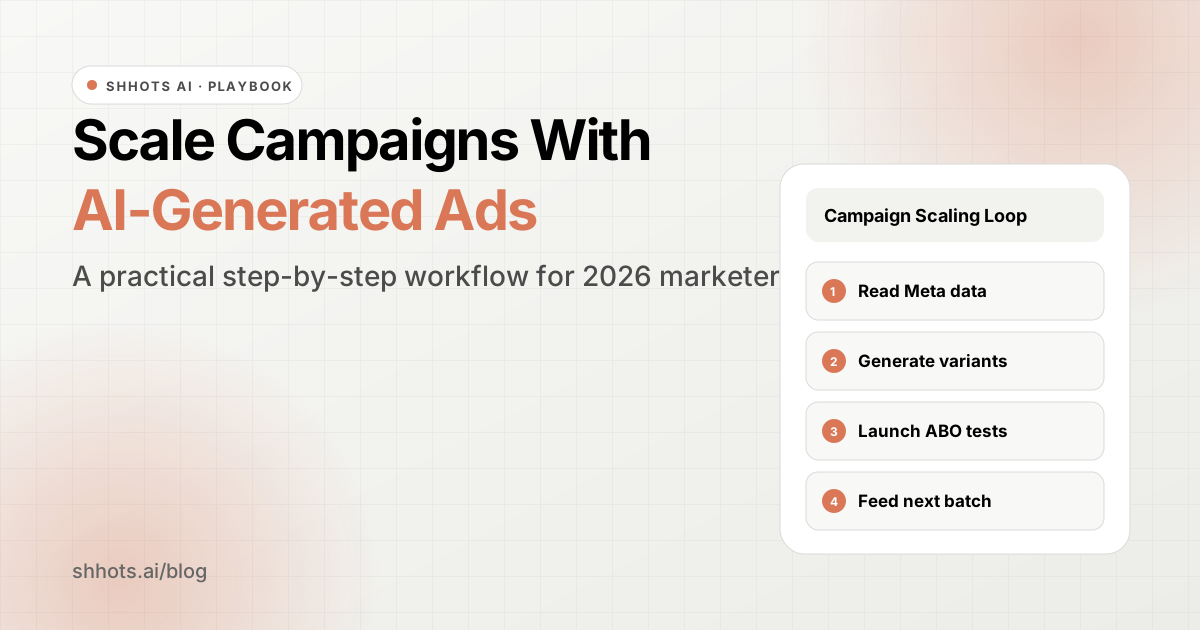
This guide walks you through the workflow that actually works — built on the one-variable testing discipline covered in our social video ad testing methodology. We will cover what scaling means in 2026, why most AI ad workflows fail, and how to combine Shhots AI, Claude, and Meta Ads Manager to find winning angles, generate fresh variants, and scale them without losing your creative edge.
What scaling campaigns actually means
Scaling is more than spending more. You can double your daily budget on Meta tomorrow and watch your CAC double with it. That is just volume.
Scaling means three things happening at the same time:
- You are spending more
- Your unit economics are holding (or improving)
- You are testing enough new creative to keep the audience fresh
The third part is where AI-generated ads earn their keep. Creative fatigue is the silent killer of scaled campaigns. For most performance accounts, an ad’s effective lifespan sits in the 1 to 2 week range before frequency builds, CTR slips, and CAC starts climbing. If you cannot replace creative as fast as the audience burns through it, you cannot scale.
So the question is not “should I use AI to make ads.” The question is how to use AI to keep the creative engine running so your scale does not crush your unit economics.
Why most AI ad workflows fail to scale
Three patterns kill most attempts:
Generating volume without signal. Marketers spin up 50 AI variants, upload them all, and let Meta’s algorithm sort it out. The algorithm picks the cheapest impressions, not the best business outcome. You get clicks but not customers.
Treating AI as a generator, not a partner. The team that uses AI only to mass-produce creative ends up with a sea of forgettable assets. The team that uses AI to analyze what is already working and brief the creative engine on those insights ends up with variants that are designed to win.
Skipping the human review step. AI-generated ads still drift in tone, miss product details, or violate Meta policy. Skipping review to scale faster is how you end up with rejected ads, suspended accounts, or ads that go live and embarrass the brand.
Anthropic’s own growth marketing team wrote about this earlier this year. Austin Lau, a growth marketer there, built a Figma plugin that cut ad creation time from 30 minutes to 30 seconds per ad. The interesting part is what is underneath. He built it after months of doing the work manually, so he understood exactly which steps could be automated and which still needed human judgment. The output is faster. The strategy is still his.
That distinction matters. AI scales the production. You own the strategy.
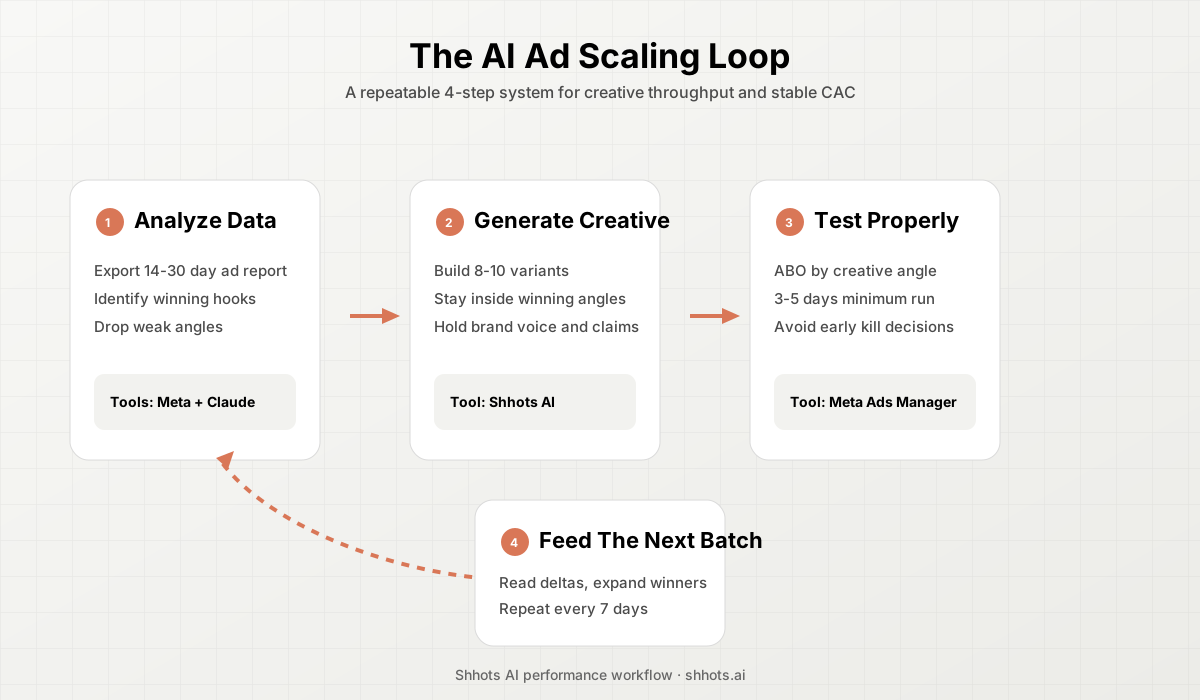
The four-step workflow
Here is the workflow that produces actual scale. You need three things:
- A Meta Ads account with at least 14 days of recent campaign data
- A Claude account (the free plan works fine for analyzing CSV exports of your data)
- Shhots AI for ad creative generation
That is it. No fancy MCP setups required to get started. If you are on a paid Claude plan and have set up a Meta Ads MCP connector, you can skip the manual data export step. And if you connect the Shhots MCP server — now live for Claude and ChatGPT — Claude can generate the ad creative for you too, analysis and production in the same chat. Once you want all four layers wired together, the 2026 AI ad stack is the full setup guide. The workflow works either way.
Step 1: Pull your Meta Ads data and find winning angles
Open Meta Ads Manager. Set the date range to the last 14 to 30 days. Export your ad-level performance data with these columns:
- Ad name
- Spend
- Impressions
- Link clicks
- CTR (link)
- CPM
- CPC
- Purchases (or your primary conversion event)
- ROAS
- Frequency
Save it as a CSV. If you have access to the Meta Ads connector for Claude, you can ask Claude to pull this data directly. Either path gets you to the same place.
Open a new Claude chat and upload the CSV. Use a prompt like this:
I am sharing my Meta Ads performance data for the last 14 days. Identify my top 5 ads by ROAS that have spent at least $100. For each winner, tell me:
- What creative format it is (static image, video, UGC, lifestyle, product shot)
- What the angle or hook seems to be (problem-solution, social proof, before-after, lifestyle, founder story)
- What pattern, if any, is shared across the winners
- Which of my losing ads share angles that are not working
Adjust the spend threshold to whatever statistical-significance level your account allows. For most ecommerce brands running on Meta, $50 to $100 of spend per ad is enough to read a directional signal.
What you get back is a brief on what is already winning in your account. This is the most underrated step in the entire workflow. Most teams skip it and go straight to “give me 20 fresh ad variants.” That is how you generate noise. The point is to find what your audience already responds to and double down on it.
Step 2: Brief Shhots AI with the winning angles
Take the winners from Step 1 and generate fresh variants of those angles. Shhots AI does the heavy lifting here.
Open Shhots and pick the format that matches your winners. You have three modes:
- AI Photoshoots for static product images, lifestyle shots, and hero banners
- AI Video Shoots for cinematic product videos and UGC-style ads
- Faceless Videos for short-form scripted content with voiceover and on-screen captions
Upload your product photo or paste your product page URL. Pick the intent (Facebook ad, Instagram Reels, TikTok). Pick the style that matches the winning angle from Step 1.
If your winning angle was “lifestyle on the kitchen counter,” generate 5 to 8 lifestyle variants with different counters, different lighting, different times of day. If your winner was UGC-style, generate 5 to 8 UGC videos with different opening hooks. The point is variant testing within the proven winning angle, not random exploration.
A practical batch looks like this:
- 5 variants of your top-performing static angle, with different backgrounds or compositions
- 3 variants of your top-performing video angle, with different opening hooks
- 2 fresh angles to test as expansions, only after you have a clear winner
Ten creatives is enough for a meaningful test. Most teams over-produce here. Resist the urge.
Step 3: Launch test campaigns the right way
Take your 10 new creatives into Meta Ads Manager. Do not dump them all into your existing top-performing ad set. That kills your learning. Instead:
- Create a dedicated ABO (ad set budget optimization) test campaign
- Use one ad set per creative angle, not one ad set with all 10 ads
- Set a daily budget that gets each ad to roughly 50 link clicks per day at your CPC, usually $20 to $50 per ad set
- Run for 3 to 5 days minimum before reading results
If you are using the Claude Meta Ads connector, you can ask Claude to set up the campaign structure and draft the ads, but always review before launch. Connector or not, the human approval step matters. Auto-publishing campaigns is how you wake up to a $5,000 charge for ads that violate policy.
Step 4: Read results and feed the next batch
After 3 to 5 days of running, go back to Claude with the new performance data and ask it to compare the new variants against the historical winners. The prompt that works:
I tested 10 new creative variants against my historical top performers. Here is the spend, CTR, and ROAS for each. Tell me:
- Which new variants are outperforming the old winners (and whether the difference looks statistically meaningful)
- Which new angles failed and what you think went wrong
- What the next batch of 10 variants should look like, and which winning angle to expand on next
Now you have a closed loop. Data in, brief out, creative generated, tested, data back in. The cycle that used to take 3 weeks now takes a week. Production cost drops from a few thousand dollars to under a hundred. The team you needed for it shrinks to one person who knows what they are looking at.
That is what scaling with AI-generated ads actually looks like. Less drama, more compounding.
Common mistakes to avoid
A few patterns kill otherwise-good workflows:
Generating before analyzing. If you start with “give me 20 ad variants,” you have already lost. Always start with the data. The brief comes from the winners.
Testing too many variables at once. New creative + new copy + new audience + new placement = no learning. Change one thing per test.
Killing ads too fast. A creative that gets 30 clicks in a day and shows a 2x ROAS is not yet a winner. Give it 50 to 100 link clicks before deciding.
Ignoring frequency. When frequency on a creative goes above 3 to 4 in a 7-day window, the audience is saturating. That is your signal to refresh, not the CTR drop you will see two days later.
Treating Claude as a copywriter. It is better used as an analyst. The copy still benefits from your judgment and your customer voice. Use Claude as the partner that surfaces patterns and drafts options. You pick.
Generating ads in formats your audience does not consume. A static square image will not save you if your audience is on Reels and TikTok. Match format to platform first, then optimize creative within format.
The role of human judgment
Everything we just walked through still depends on you. AI does not know your customer the way you do. It cannot tell you that the photo of your founder holding the product converted 3x better than the studio shot last quarter. It will not catch that your “free shipping” hook works in Q4 but flops in Q2. It does not know that your audience in Tier 2 Indian cities responds to a different hook than your US audience.
You feed it that context. The closer the brief, the better the output. Teams that win with this workflow treat AI as a junior team member with infinite patience and zero institutional knowledge. You bring the knowledge. AI brings the execution speed.
Anthropic’s marketing team noted the same thing. Their best workflows were built by people who understood the manual process inside out before automating it. The automation works because the person setting it up already knew what good looked like.
What to do this week
If you want to actually try this, here is the smallest version of the workflow you can run in a week:
- Monday: Export your last 14 days of Meta Ads data. Upload to Claude. Get the brief on your winning angles.
- Tuesday: Open Shhots AI. Generate 5 to 8 variants of your top angle.
- Wednesday: Set up the ABO test campaign in Meta. Launch with a $200 to $400 daily budget across the test ad sets.
- Thursday to Sunday: Let it run. Do not touch it. Check once a day.
- Following Monday: Pull the new data into Claude. Compare. Brief the next batch.
That is one full cycle. Run it for four weeks and you will have tested 30 to 40 creatives, found 3 to 5 new winners, and built a creative library you can scale against. No agency retainer required.
The marketers winning at scale in 2026 are the ones who have built a tight loop between their ads data and their creative production. AI-generated ads make the loop possible. The discipline to run the loop is still on you.
Try the workflow: Generate your first batch of AI-generated ads with the AI ad generator on Shhots AI. The $19/month Starter plan gets you 2,000 credits, enough output to run your first test cycle, and your credits refresh each month.
FAQ
Do I need a paid Claude plan to run this workflow?
No. The free plan works for analyzing CSV exports of your Meta Ads data. A paid plan helps if you want to set up custom MCP connectors (like a Meta Ads connector) for direct data access, or if you are running this at higher volume.
How many AI-generated ads should I test at once?
Ten per cycle is the practical sweet spot. More than that dilutes your spend and makes it harder to read results. Fewer than that and you do not test enough variant range.
Can AI-generated ads replace my creative team?
For most ecommerce brands, AI-generated ads replace the production layer, not the strategy layer. You still need someone who understands your customer, your offer, and your data. That person uses AI to execute faster, not to think for them.
What about ad fatigue tracking?
Watch frequency and CTR together. When frequency crosses 3 to 4 in a 7-day window and CTR drops more than 20% from the ad’s peak, refresh. Do not wait for CAC to spike, because by then you have already lost a week of efficiency.
Will Meta penalize AI-generated ads?
Meta does not penalize ads for being AI-generated as a category. It does enforce policies around misleading claims, prohibited content, and deceptive imagery. AI-generated ads run into the same review process as any other ad. Keep your claims accurate and your imagery honest and you will be fine.