Auto-Caption Your Videos,
TikTok Style, For Free
Upload a video and AI adds accurate, word-level animated captions in seconds. Pick from six caption styles, fine-tune every detail, and export watermark-free. Free inside the Shhots AI app.
Free with a Shhots account · Word-level highlights · 6 styles · Watermark-free export
Caption styles
Six styles, endlessly customisable.
Start from a preset, then make it yours. Every style works for TikTok, Instagram Reels and YouTube Shorts.
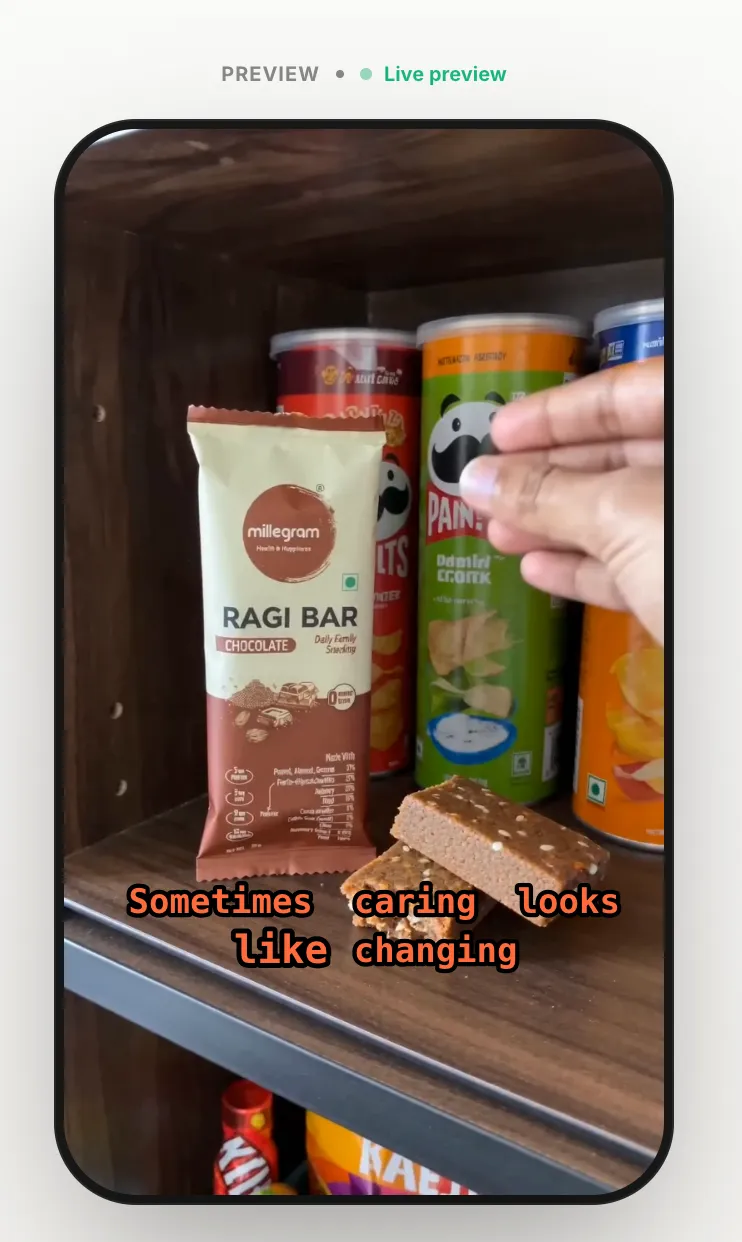
Minimal
Clean captions with no outline, quiet and readable.
Bold
All caps with a yellow highlight on the active word.
Karaoke
Word-by-word fill in mint green, synced to speech.
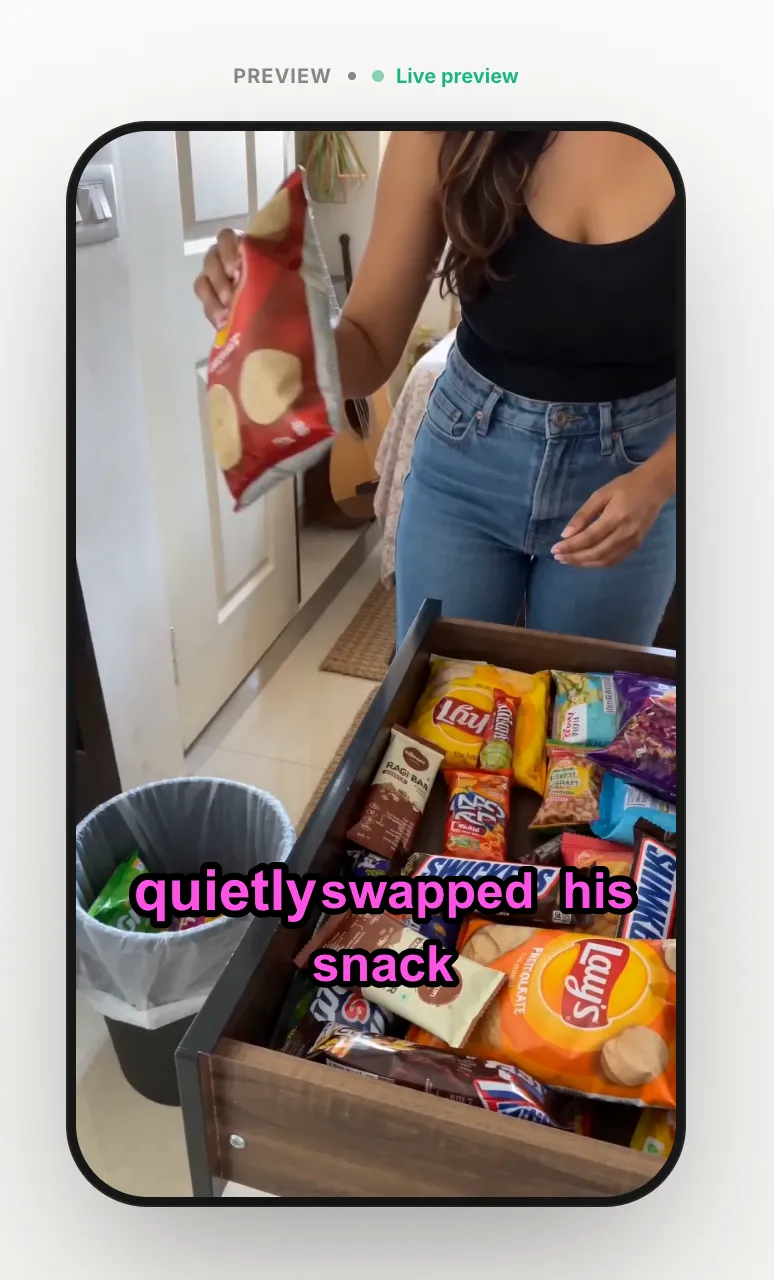
Neon
Glowing magenta text that pops on dark footage.
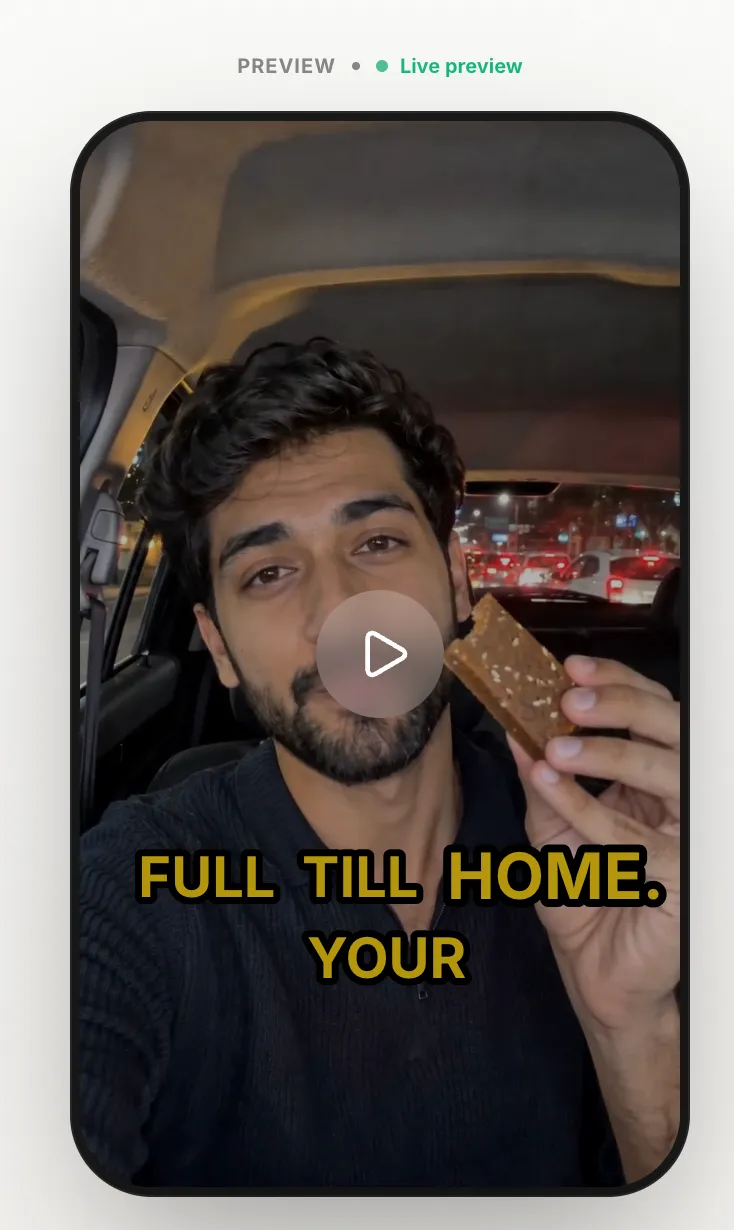
Hype
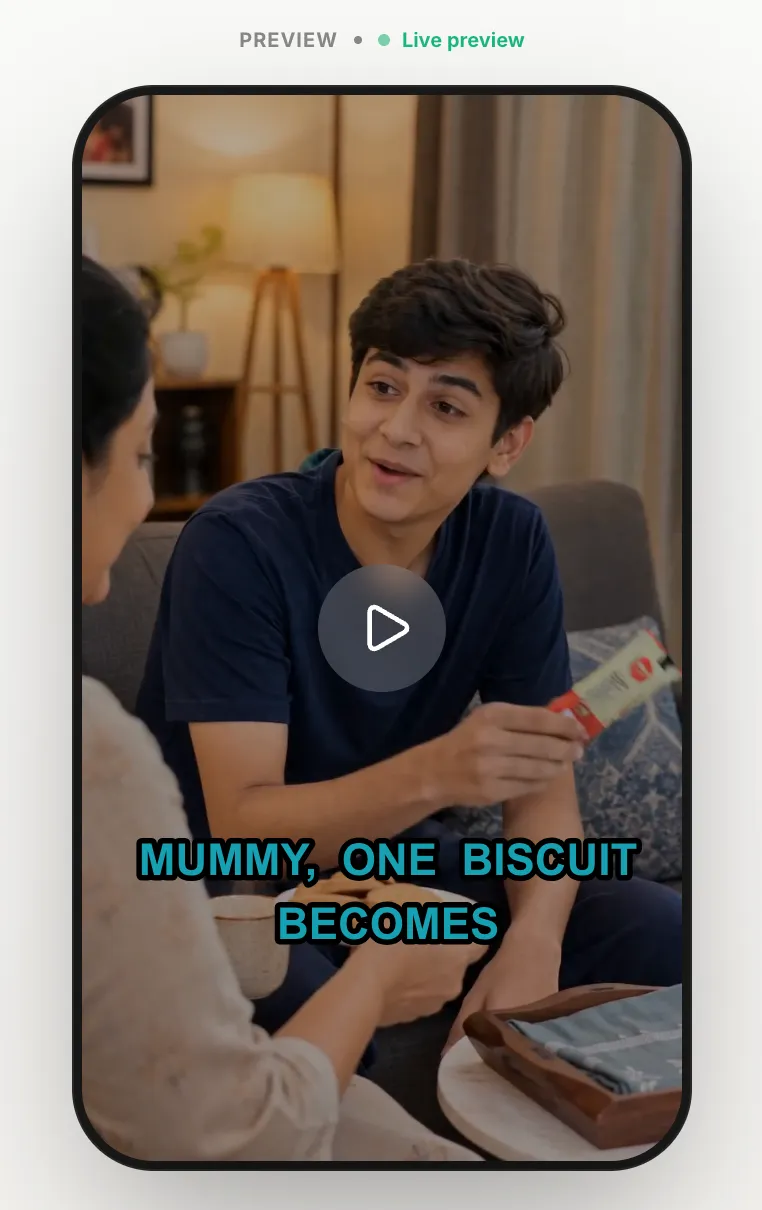
Punchy yellow text with a thick outline stroke.
Subtle
Soft styling with no stroke for a clean, premium look.
Full control
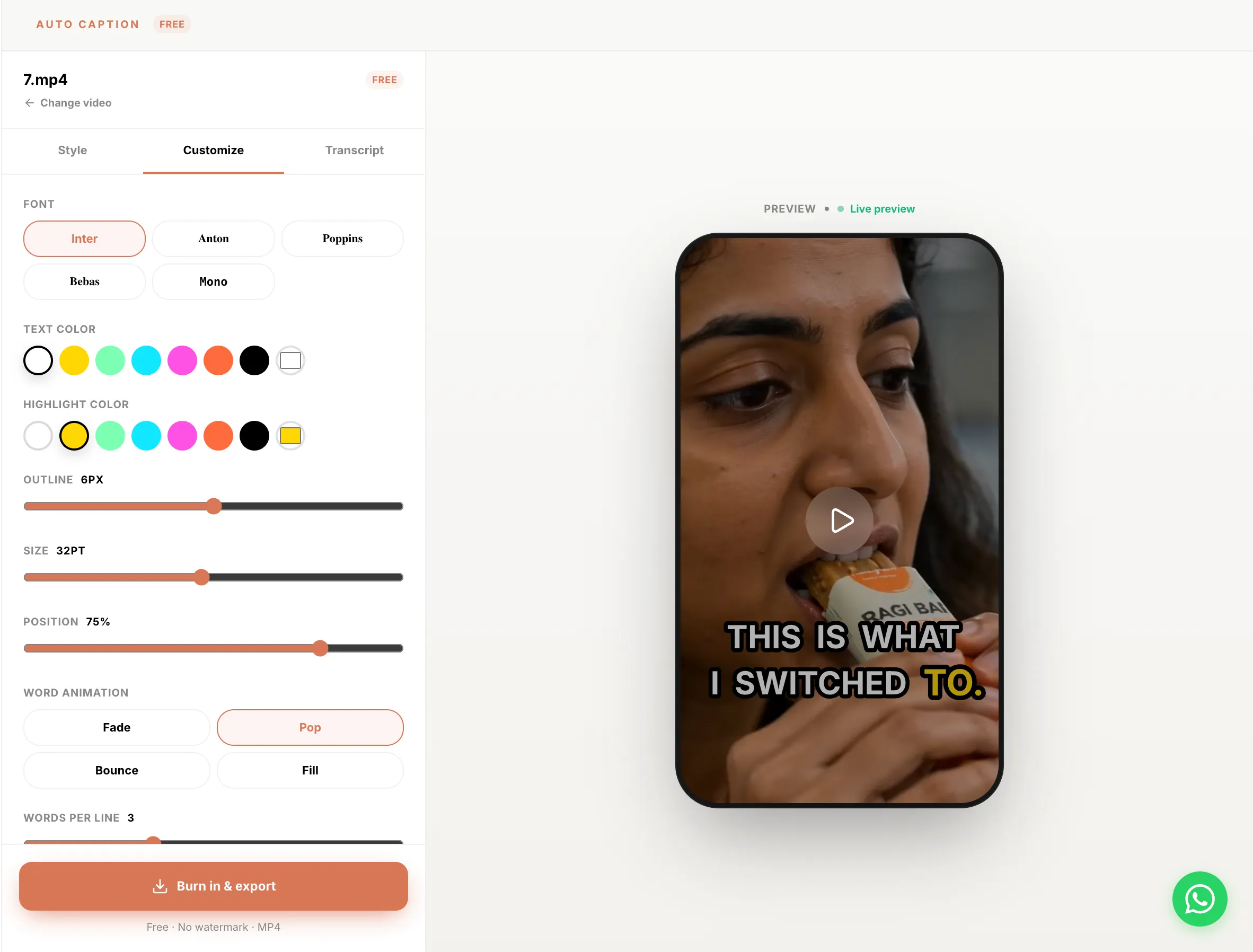
Tune every detail.
A powerful, free caption editor. Match your brand and your creator style in seconds.
Fonts
Inter, Anton, Poppins, Benas, Mono
Text & highlight colour
Any colour for text and the active-word highlight
Outline thickness
From hairline to bold stroke for readability on any footage
Font size
Scale captions up or down to fit the frame
Position
Top, middle, or bottom, fully adjustable
Word animation
Fade, Pop, Bounce, or Fill
Words per line
Control how many words show at once
All caps
Toggle uppercase on or off
Highlight active word
Turn the spoken-word highlight on or off
Caption pacing
Fast, normal, or slow timing
Live transcript editing
Click any cue to edit, changes appear in the preview instantly
About
Free AI video caption generator.
Auto-captions in seconds
Shhots AI's free video caption generator auto-transcribes any clip and burns in word-by-word animated captions. Sign in to the app and start in seconds, no watermark, free to use.
TikTok-style karaoke captions
Word-level highlights that pop with each spoken syllable, the animated caption style trending on TikTok, Reels and YouTube Shorts. Choose the colour, font, animation and position.
Edit the transcript live
AI transcription is accurate, and you stay in control. Click any cue to edit a word and watch the change appear in the preview instantly, no re-rendering, no waiting.
Watermark-free, commercial use
Export captioned videos with no watermark and a full commercial license. Post them on organic social or run them as paid ads with no restrictions.
Six styles, five fonts
Minimal, Bold, Karaoke, Neon, Hype and Subtle presets, each customisable with Inter, Anton, Poppins, Benas or Mono, plus colour, outline, size, pacing and animation controls.
Plug into the full creative pipeline
Caption clips from the AI video generator, image to video, faceless AI video generator, the Facebook ad generator or the AI UGC ads generator for fully social-ready creatives.
Subtitles
Also a free AI subtitle generator.
Captions and subtitles start from the same transcript. Upload a talking video, let the AI time every word, fix anything it misheard, and export subtitles burned into the video with no watermark.
Automatic subtitles from speech
The AI subtitle generator transcribes English speech and places each word at the moment it is spoken. Pick the Minimal or Subtle preset for classic subtitles, or any of the six styles for social clips.
Edit any word before you export
Brand names and unusual words are the usual misses. Click a cue in the transcript panel, retype it, and the subtitle updates in the preview. No re-upload, no re-render until you export.
Burned in, not a sidecar file
Subtitles export inside the video file, ready to post anywhere. SRT and VTT export is not available yet. If you need a separate subtitle file for a player or a translation workflow, use a dedicated subtitle editor for that step.

Caption your next video for free.
Auto Captions lives inside the Shhots AI app. Upload a clip, pick a style, fine-tune it, and export a captioned video ready for TikTok, Reels and Shorts, free, watermark-free.
Free with a Shhots account · No watermark · Commercial license included
FAQ
Auto Captions, answered.
Everything you need to know about the free AI video caption generator inside Shhots AI.
Is the AI video caption generator free?
Yes. Auto Captions is free inside the Shhots AI app, add accurate, animated captions to your videos at no cost. You just sign in with a free account to use it.
Do I need an account to add captions?
Yes, a free Shhots AI account. Auto Captions now lives inside the Shhots app, so you sign in at app.shhots.ai and start captioning, no payment required.
How do I add captions to a video?
Open Auto Captions in the Shhots AI app, upload your video, and AI transcribes the audio into word-level captions. Pick a style, fine-tune the font, colour, size, position and pacing, then export the captioned video.
What caption styles are available?
Six presets: Minimal (clean, no outline), Bold (all caps, yellow highlight), Karaoke (word-by-word mint fill), Neon (magenta glow), Hype (yellow with a thick stroke) and Subtle (soft, no stroke). Each one is fully customizable.
Can I customise the captions?
Yes, extensively. Choose from five fonts (Inter, Anton, Poppins, Benas, Mono), set text and highlight colours, outline thickness, font size, position (top, middle, bottom), word animation (fade, pop, bounce, fill), words per line, all-caps, active-word highlighting and caption pacing.
Can I edit the transcript?
Yes. The transcript is fully editable, click any cue to fix a word, and the change appears in the live preview instantly. AI transcription is accurate, and you stay in control of every line.
What video formats are supported?
Common web video formats including MP4, MOV and WebM. Upload your clip in the app and export a captioned video ready for TikTok, Reels and YouTube Shorts.
Are the captioned videos watermark-free?
Yes. Exports are watermark-free and include a commercial license, so you can post captioned videos on organic social and paid ads with no restrictions.
What languages are supported?
English transcription is supported today, with word-level timing for animated, karaoke-style captions.
Is this also a free AI subtitle generator?
Yes. Captions and subtitles come from the same transcript. Auto Captions transcribes the speech, times every word, and burns the text into the video, so it works as an automatic subtitle generator for TikTok, Reels, Shorts, and landscape YouTube videos. It is free with a Shhots AI account and exports with no watermark.
Can I export subtitles as an SRT or VTT file?
Not yet. Subtitles are burned into the exported video rather than saved as a separate SRT or VTT file. You can edit every word before exporting, but if your workflow needs a sidecar subtitle file, this tool does not produce one today.
How accurate are the automatic subtitles?
Transcription runs on clear English speech with word-level timestamps, so timing is tight enough for karaoke-style highlighting. Names, brand words, and heavy accents can still come out wrong. Every cue is editable: click the word, fix it, and the preview updates instantly.