The guide
AI for real estate agents, minus the hype.
There are four listing jobs AI does properly today: correcting photos, staging empty rooms, removing clutter, and making listing video. Each one used to be a vendor, an invoice, and a wait. Here is what changed, what it costs, and what AI still cannot do for you.
Shhots AI is a creative studio for listing marketing. It does not do CRM, lead capture, or valuation, and this page says so plainly rather than burying it.
4
listing jobs automated
~$0.45
per generated image
<60s
per generation
$49
a month, all in
10,000+
Listings edited monthly
92%
Faster than manual editing
97%
Cheaper than manual virtual staging
4.9/5
1,240 in-app user ratings
Trusted by realtors, real estate photographers, and brokerages across the US, Canada, UK, and Australia. 4.9/5 average from 1,240 in-app user ratings collected in the Shhots AI web app after completed generations.
The short answer
What can AI for real estate agents actually do?
Listing marketing, mostly. AI now edits and corrects listing photos, stages empty rooms, removes clutter, upscales low-resolution shots, and builds narrated listing videos from photos you already have. Each of those was a separate vendor with a one to three day turnaround, and each is now under a minute. It does not price your listing, read your seller, or hold a deal together after a bad inspection.
What it removes
The vendor list. The photo editor, the virtual stager, and the listing videographer, along with the coordination and the waiting each one adds to listing day.
What it changes
Which listings get the good treatment. When video costs minutes instead of hundreds of dollars, every listing gets one instead of only your top ten percent.
What it does not touch
Pricing judgement, negotiation, and the relationship. Those are the parts clients are actually paying a commission for, and no current model is close.
The four jobs
Four listing jobs AI does properly. Everything else is noise.
These three pages go deep on the media side of the job. Each one replaces a vendor you are probably still paying, and all three run out of the same workspace and the same credit pool.
01 · Photos
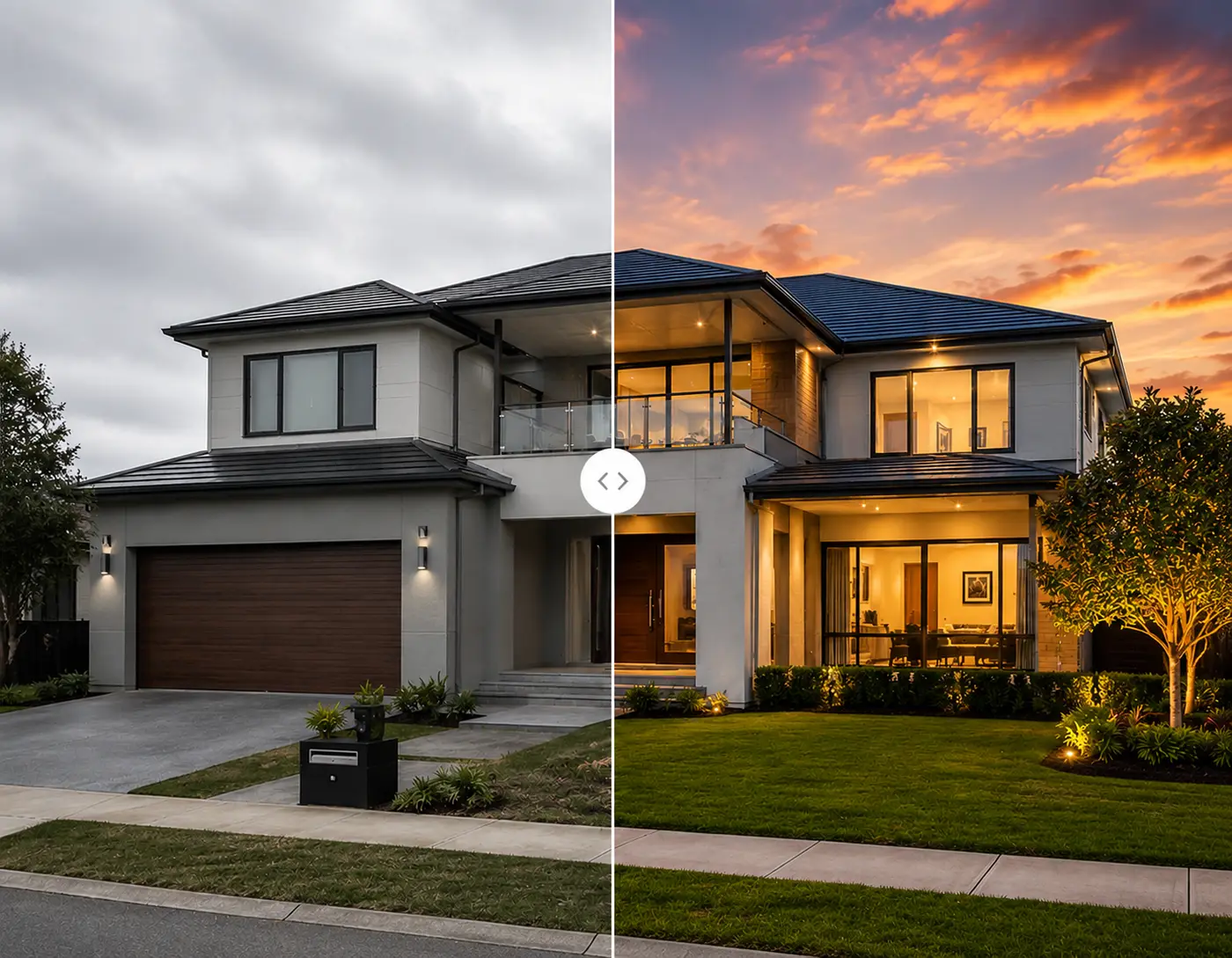
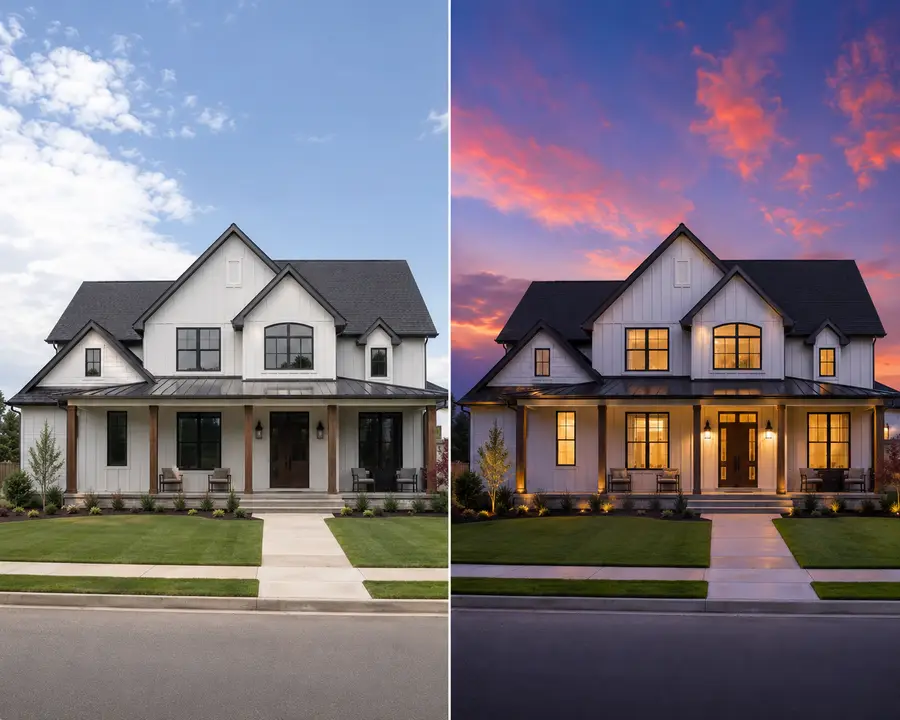
AI listing photo editing
Nine named correction presets covering HDR from a single exposure, sky replacement, white balance, perspective straightening, window pull, reflection removal, denoise, and 4K upscaling. The job that used to go to an overnight editing service.
Replaces: outsourced photo editing, 12 to 48 hours
02 · Staging
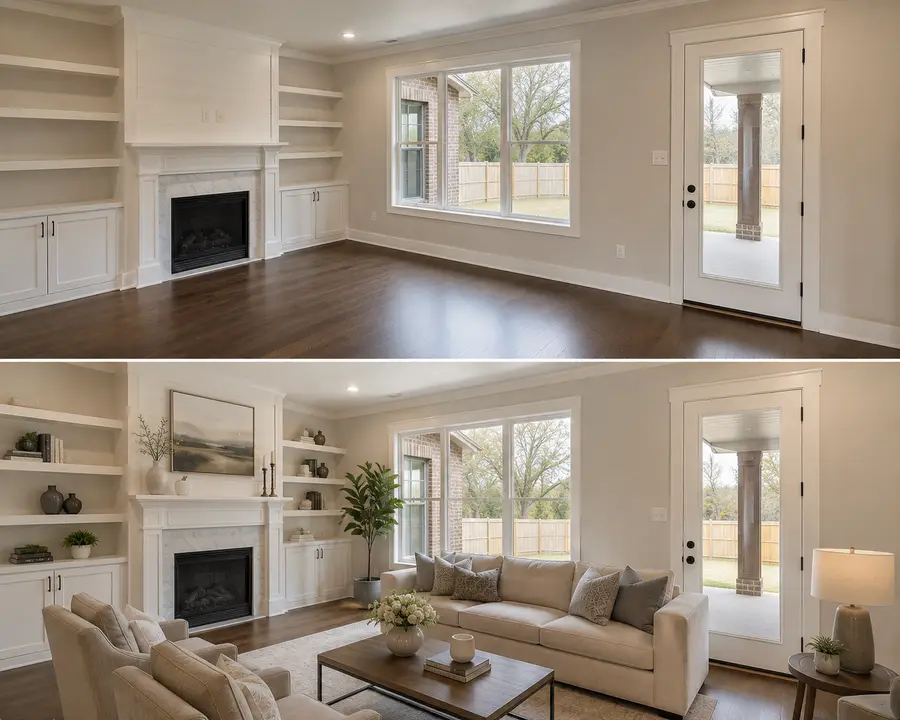
AI virtual staging
Furnish an empty room, restyle a dated one, or clear a seller’s furniture and stage it fresh. Eight named styles, structure preserved, about $0.45 per image against $16 to $75 at a staging service.
Replaces: virtual staging services, 24 to 72 hours

03 · Video
AI listing video
Three or four photos become a 15-second narrated walkthrough in 16:9 with an on-camera presenter. The script writes itself from the property record and stays editable, with per-field toggles for price and agent name.
Replaces: listing videographer, 3 to 7 days
The four jobs at a glance
Vendor figures are the ranges agents actually pay in 2026; the videographer line varies too much by market to pin to one number.
| Job | Replaces | Vendor price | Vendor turnaround | On Shhots AI | Time |
|---|---|---|---|---|---|
| Photo correction | Outsourced photo editing | $1.50–$3.00 a photo | 12 to 48 hours | About $0.45 a photo | Under a minute |
| Virtual staging | Virtual staging service | $16–$75 a room | 24 to 72 hours | About $0.45 a room | Under a minute |
| Object and clutter removal | Editing-service add-ons | $4–$10 a photo | Billed and queued per item | About $0.45 a photo | Under a minute |
| Listing video | Listing videographer | Quoted per shoot, varies by market | 3 to 7 days | Same credit pool, from $49/mo | Minutes |
04 · Removal
Clutter, objects, and privacy
The fourth job hides inside the other three, which is why it rarely gets its own tool. Four presets handle it: remove furniture from a lived-in room, take out one specific object such as a bin or a car on the driveway, declutter countertops and floors across the whole frame, and blur family photos and documents before the listing goes public. That last one is the difference between a listing and a privacy complaint. See the presets on AI real estate photo editing.
The demo
Watch the four jobs run in the Studio.
Photo correction, staging, removal, and the walkthrough video, recorded inside the Real Estate Studio.

Scope
What Shhots AI does not do for real estate agents.
Search for AI tools for real estate agents and most of the results are selling something from this list. They are real categories with good products in them. They are not what this is, and pretending otherwise would waste your evaluation time.
CRM and pipeline
Contact records, deal stages, transaction management. A mature software category with dedicated players. Shhots AI does none of it.
Lead capture and chatbots
Site chat widgets, lead qualification bots, and voice agents that answer enquiries. Different product, different buyer.
Valuation and CMA
Automated valuation models, comparative market analysis, and pricing tools. These need MLS data feeds we do not touch.
Title, underwriting, and compliance
Title search, mortgage underwriting, and document review. Regulated workflows that belong with specialists.
The practical takeaway when you are comparing tools: buy the media studio and the CRM separately. A product that claims both usually has one strong half, and the half you are not looking closely at is the weak one.
Where to start
One listing tells you more than a month of comparisons.
The evaluation that actually works is running a real property through the whole thing on the day it goes live.
Pick a listing you are about to shoot
Not an old one. You want to feel the difference on the day it matters, when the seller is asking when the photos will be live.
Run the whole shoot through correction
Auto Enhance across everything, Sky Replacement on the exteriors, Declutter on the kitchen and bathrooms. Twenty photos costs about nine dollars and takes about twenty minutes.
Stage whatever is empty
Run the bare rooms in two styles each and pick between them. This is the step that changes how the listing performs on a portal thumbnail.
Build the walkthrough and post it
Three finished photos, one script, one render. Post it as a Reel the hour the listing goes live and compare the reach against your last photo-only listing.
The per-listing math
What one fully worked listing actually costs.
Every generation costs 55 credits, and the walkthrough script costs 1. Here is a typical listing, priced at the Pro rate of $49 for 6,000 credits.
| Line item | Generations | Credits | Cost on Pro |
|---|---|---|---|
| 25 corrected photos | 25 | 1,375 | $11.23 |
| 4 staged rooms | 4 | 220 | $1.80 |
| 2 object removals | 2 | 110 | $0.90 |
| Walkthrough script | — | 1 | Under a cent |
| Whole listing | 31 | 1,706 | About $14 |
The same listing bought per image runs $100–$400 through vendors before the video: $1.50–$3.00 per outsourced correction plus $16–$75 per staged room. Pro covers about three listings a month at this rate; Scale at $99 (12,000 credits, ~218 generations) is the brokerage tier.
The disclosure side costs nothing extra: every original stays saved beside its edited versions, which is the workflow state disclosure rules like California's AB 723 assume. The state and MLS disclosure guide, verified against primary sources, covers exactly what your board requires.
The rest of the stack
Real estate marketing tools on the same subscription.
Beyond the four listing jobs, the same credits cover the marketing work that sits around a listing.
Open house and listing ads
Turn an edited listing photo into platform-sized Facebook, Instagram, and Google creatives for an open-house push.
Vertical clips for Reels
Add camera motion to a single listing photo for a 9:16 cut, the companion to the 16:9 walkthrough.
Captions for social
Burn accurate captions onto a walkthrough before it goes to Reels, where most viewing happens with the sound off.
Print and signage resolution
Lift archive or phone photography to 4K for brochures, window cards, and yard signs.
Whole portfolios
Batch workflows for brokerages, listing portals, property managers, and photography companies.
What it costs
Pro at $49 a month for 6,000 credits, Scale at $99 for 12,000. One credit pool across every feature.
FAQ
AI for real estate agents, answered.
The questions agents ask before they add another subscription to the stack.
What can AI actually do for a real estate agent?
Today, the part of the job AI genuinely changes is listing marketing. It edits and corrects listing photos, stages empty rooms, removes clutter, upscales low-resolution shots, and builds narrated listing videos from photos you already have. Those tasks used to mean a vendor, an invoice, and a wait of one to three days each. They now take minutes. The parts of the job AI does not change are the parts that involve judgement, negotiation, and trust.
What are the best AI tools for real estate agents?
It depends which job you are trying to remove. For listing media, which is where most agents feel the pain first, a creative studio that handles photo correction, virtual staging, and listing video on one subscription is the efficient answer. For lead capture, follow-up, and pipeline, that is a CRM category with its own specialists. Buying one tool that claims to do both usually means getting a weak version of each.
Does Shhots AI do lead generation or CRM?
No, and that is deliberate. Shhots AI is a creative studio for listing marketing: photos, staging, video, and ads. It does not do lead capture, chatbots, CRM, transaction management, or property valuation. If someone tells you a single tool does all of that well, ask to see the part they mention least.
Are there free AI tools for real estate agents?
Free tiers exist across every category and they are useful for finding out whether you like the workflow. For live listing work they run into the same three walls: watermarks on the output, resolution capped below MLS requirements, and a hard daily generation limit. Shhots AI has no free tier. Real Estate Studio is on the Pro plan at $49 a month and the Scale plan at $99 a month.
How much do AI tools for realtors cost?
Listing media tools generally sit between $20 and $100 a month, and pay-per-image services bill on top of that. Shhots AI is $49 a month on Pro for 6,000 credits, which is about 109 generated images, or $99 a month on Scale for 12,000 credits. Every image generation is 55 credits, roughly $0.45, and the same credits cover photo editing, virtual staging, object removal, 4K upscaling, and listing video.
Will AI replace real estate agents?
It has not, and the shape of the job explains why. AI is good at producing media and drafting text, which is maybe a fifth of what an agent does. It is not good at pricing a house in a thin market, reading what a seller is anxious about, or holding a deal together through an inspection. What AI does replace is the vendor list: the editor, the stager, and the videographer.
Do I have to disclose AI-edited listing photos?
Yes, in almost every jurisdiction, and the rule is straightforward. Label virtually staged images as virtually staged. NAR Article 12 requires a true picture in advertising, most MLS systems require a label on any materially altered photo, and several states have their own statutes. Shhots AI keeps the untouched original beside every generated version so the before file is always one click away.
Do I need to know how to write prompts?
Not on Shhots AI. Every edit runs through a named preset such as Auto Enhance, Sky Replacement, or Stage Empty Room. That is what makes results repeatable across a thirty-photo shoot instead of varying image by image. There is an optional one-line comment field per generation, and it is never required.
Where should an agent start with AI?
Take one listing you are about to photograph and run its whole shoot through a correction pass, then stage the empty rooms, then build a fifteen-second walkthrough from three of the finished photos. That single listing tells you more about whether the workflow fits than a month of reading tool comparisons.
Does this work for commercial real estate too?
The photo and video workflows do. Office suites, retail units, and mixed-use floors correct and stage the same way residential rooms do, and structure preservation matters more there because a commercial tenant is measuring the space off your photograph. The lead and underwriting side of commercial is a different software category.
Real Estate Studio
One property workspace, five ways in.
AI real estate photo editing
Sky replacement, HDR from one exposure, window pull, and clutter removal, 16 promptless presets at ~$0.45 an image.
AI virtual staging
Furnish empty rooms in 8 named styles across 3 modes, structure preserved, under a minute per image.
AI day to dusk editing
Daytime exteriors converted to twilight in under a minute, about $0.45 a photo, house unchanged.
AI real estate video generator
15-second narrated walkthrough videos with an on-camera presenter, built from 3–4 finished listing photos.
Bulk real estate photo editing
Whole-shoot and multi-property workflows for brokerages, portals, and real estate photography companies.
You are here
AI for real estate agents
The overview: the listing jobs AI genuinely does, per-listing economics, and where to start.

Run one listing through it and judge it on that.
Create a property, upload the shoot, correct the gallery, stage what is empty, and build a fifteen-second walkthrough. If it does not save you the vendor invoice and the two-day wait, you will know inside an afternoon.
6,000 credits · Photos, staging, removal and video · Watermark-free · Commercial license included
Related guides
Start with these guides
The listing-marketing reading list, from what virtual staging is to what a videographer costs.
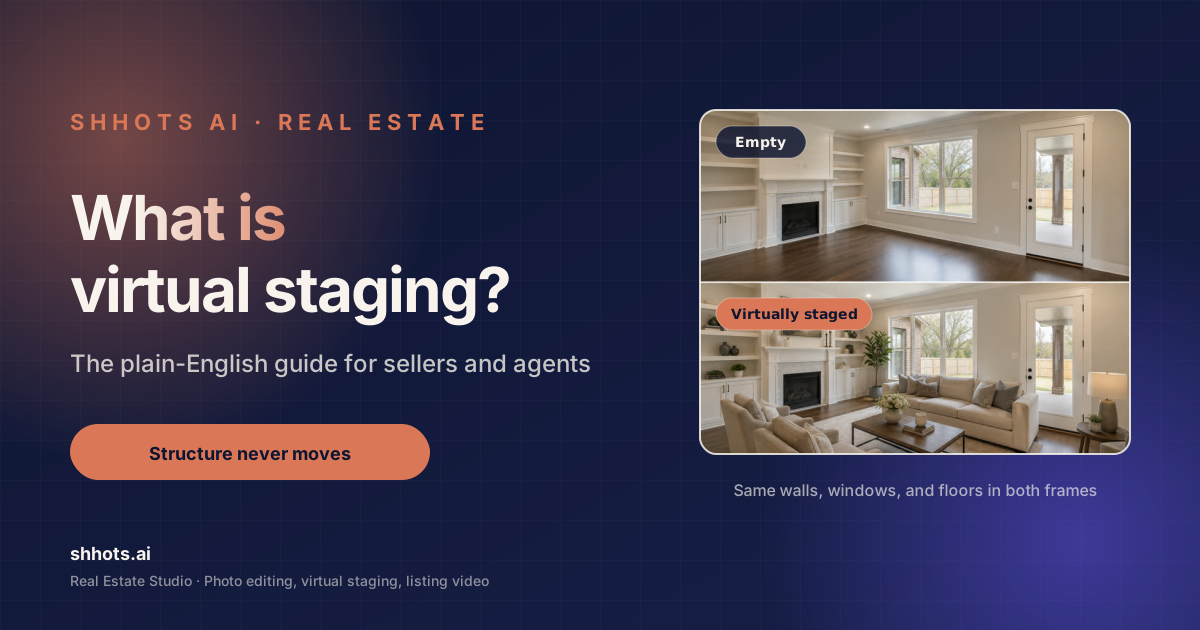
What Is Virtual Staging? The Complete 2026 Guide
What is virtual staging, what it costs, whether it is legal, and when to skip it. A plain guide for sellers, agents, and photographers, with real 2026 numbers.
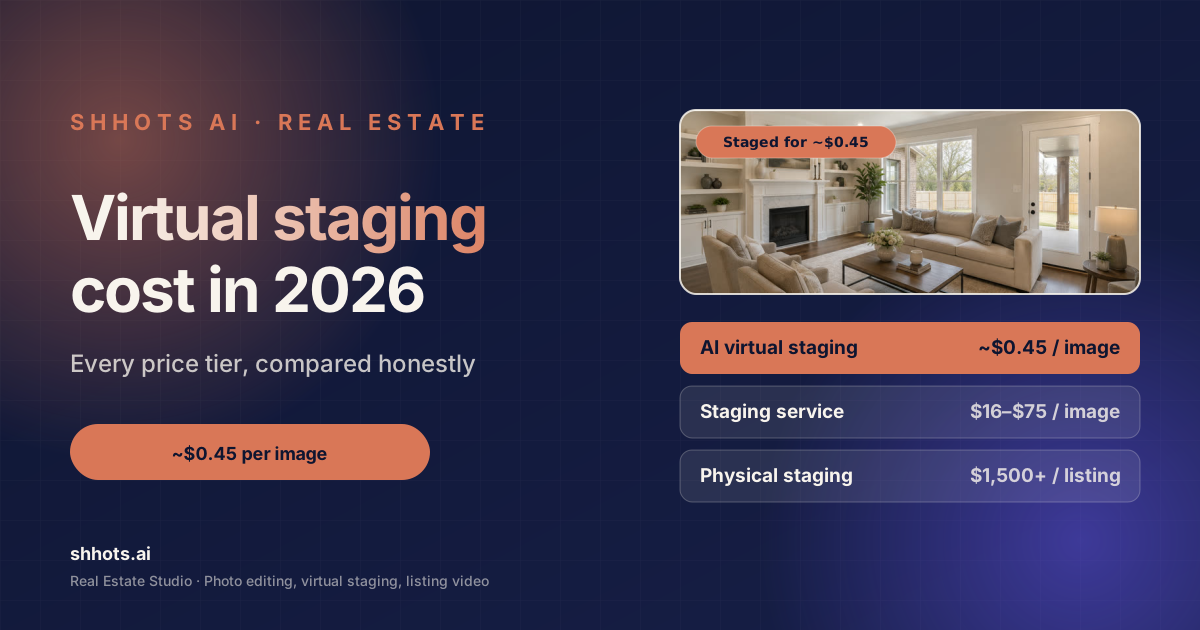
Home Staging Cost in 2026: Virtual Staging vs Real Staging
What home staging costs in 2026. Real staging runs $832 to $2,917 a listing, virtual staging $0.45 to $75 an image. Sourced numbers and hidden fees.
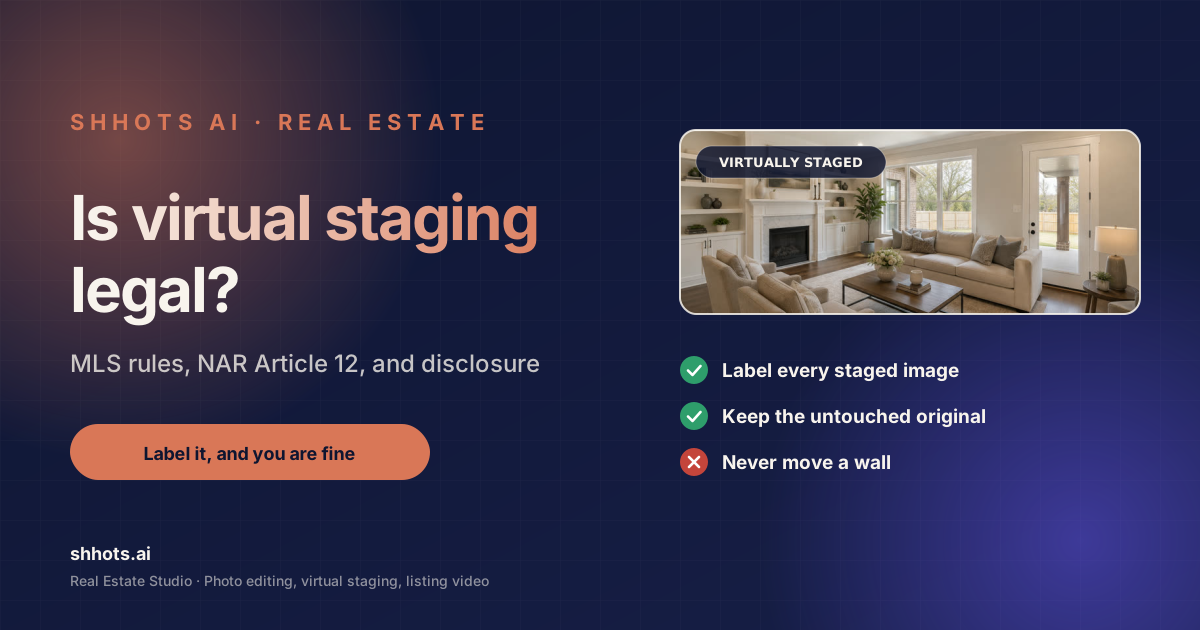
Is Virtual Staging Legal? State + MLS Rules, Verified 2026
Is virtual staging legal? Yes, with disclosure almost everywhere. AB 723, NAR Article 12, and per-MLS labeling rules verified against primary sources.

Best Virtual Staging Software 2026: 8 Tools, Real Prices
The best virtual staging software in 2026, compared on verified prices, photo caps and turnaround. Shhots AI, StageHQ, REimagineHome, BoxBrownie and more.

Virtual Staging Before and After: 6 Real Listing Examples
Six real virtual staging before and after examples, from empty living rooms to twilight exteriors. What changed, what stayed, and how to judge a good result.

Real Estate Videographer Cost vs AI: Honest 2026 Math
What a real estate videographer costs versus AI video tools in 2026. Per-listing pricing, turnaround, quality trade-offs, and when each one is the right call.

Real Estate Video Marketing: The Complete 2026 Playbook
A practical real estate video marketing guide for 2026. What to make, where to post it, how often, and how to measure whether any of it is working.

AI Avatar Tools for Real Estate Video Walkthroughs: Top 7
The top AI avatar tools for real estate video walkthroughs, compared. Seven options rated on presenter quality, setup time, and real cost per listing.
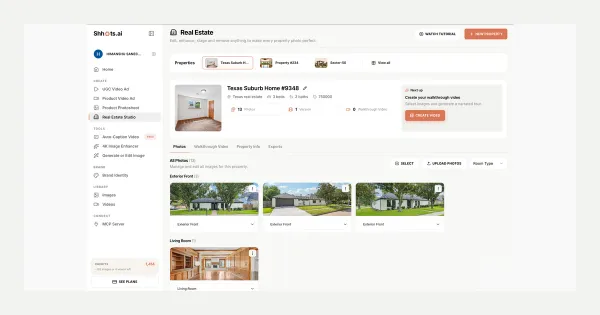
Real Estate Studio: AI Virtual Staging & Listing Videos
Real Estate Studio is live on Shhots AI, promptless photo correction, virtual staging in 8 styles, clutter removal, and 15-second narrated walkthrough videos. On Pro and Scale.
Deep dive
AI in real estate, the honest version.
Six short reads on where the technology is genuinely useful, where it is oversold, and how to evaluate a tool without losing a week.
01 · The shift
How AI is changing real estate marketing
The real change is that the good treatment stopped being rationed. Editing, staging, and video all used to carry a per-listing cost high enough that agents saved them for properties that justified the spend. Everything else got a phone gallery and hope. When each of those drops to cents and minutes, the question shifts from which listings deserve the effort to why any listing would go out without it.
02 · Replacement
Will AI replace real estate agents?
No, and the reason is worth being precise about. AI is strong at producing media and drafting text, which is a real but modest slice of the job. It is weak at pricing a property in a thin market, reading what a seller is actually worried about, and keeping a deal alive through a bad inspection. What AI replaces is the vendor list: the editor, the stager, and the videographer the agent used to hire, which is a smaller and much less dramatic story.
03 · Free tools
Free AI tools for real estate agents
Free tiers are genuinely useful for one thing, which is finding out whether a workflow suits you before you pay for it. For live listing work they hit the same three walls every time: a watermark on the output, resolution capped below what the MLS accepts, and a daily generation limit that makes a full shoot impossible. Treat a free tier as a demo rather than a plan, and judge the paid tier on cost per listing rather than cost per month.
04 · Disclosure
Staying compliant with AI-edited listing photos
The rule almost everywhere is: edit freely, and disclose what you edited. NAR Article 12 requires a true picture in advertising, most MLS systems require a label on any materially altered photo, and several states have added their own statutes. Agents get into trouble over two things specifically, structural changes and hidden defects, not over a replaced sky or a staged sofa. Keep the untouched original, label staged images, and never use an edit to cover damage.
05 · Evaluating
How to evaluate an AI tool for your business
Three questions cut through most of the marketing. What does one listing cost me end to end, including the images I regenerate because the first one missed. How long from upload to usable file on a Sunday night. And does the output need a human pass before it goes on the MLS. A tool that answers those three well is better than one with a longer feature list, because feature count is not what slows you down on listing day.
06 · Prompts
Why presets beat prompts for listing work
General image models want a written description, and they reward people who get good at writing them. That is the wrong shape for listing work, where the goal is thirty photos that look like they belong to the same house. A named preset produces the same treatment every time it runs, which is exactly what consistency across a shoot requires. Shhots AI is promptless for that reason, with one optional comment field for the rare case where a specific thing must survive the edit.
Where to start
Start with the photos. The rest follows.
Photo correction is the job with the clearest before and after, so it is the one that tells you fastest whether this fits how you work. Run one shoot through it, then decide whether staging and video are worth adding.