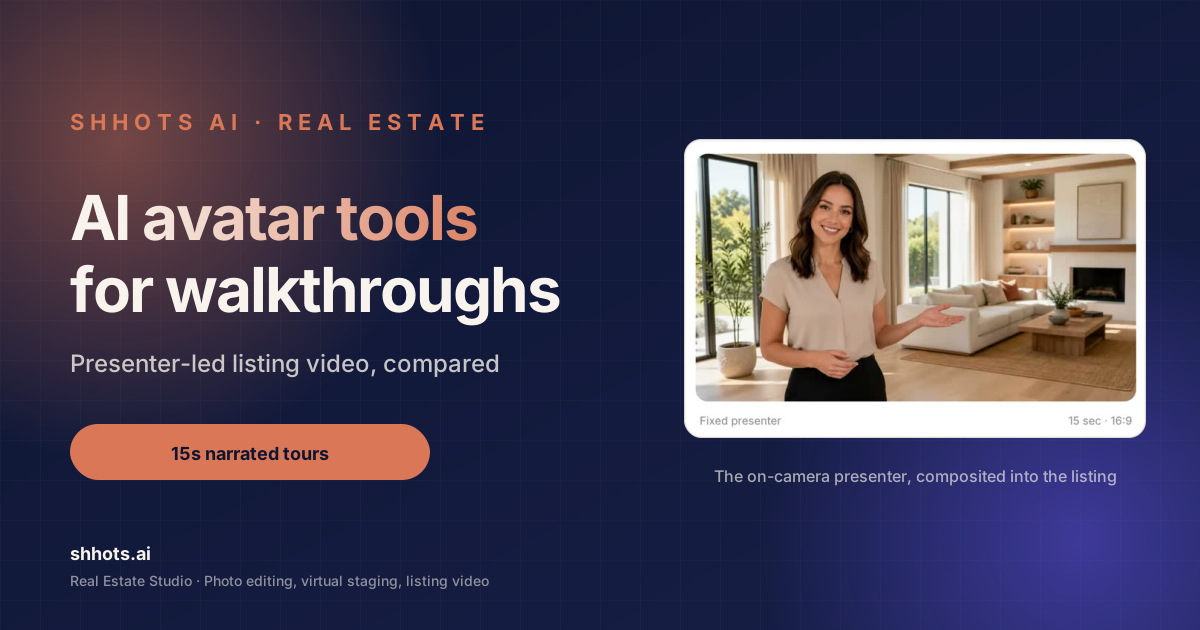
Disclosure: Shhots AI is our product.
AI avatar tools for real estate walkthroughs put a synthetic presenter on camera to narrate a property tour, so a listing gets a face and a voice without the agent filming anything. The category splits into two very different groups, and picking the wrong group wastes a month.
General avatar platforms give you a talking head and leave the property footage to you. Property-specific tools take your listing photos and build the whole walkthrough. Both get marketed as AI avatar tools or AI avatar creators for real estate. Only one group finishes the job.
This guide covers seven options, what each is genuinely good at, and how to decide between them. For the production workflow once you have picked one, see how to make a real estate video, and for where video fits in the wider plan, the real estate video marketing guide.
What AI avatar tools for real estate walkthroughs actually do
A walkthrough video with an AI presenter has three parts:
- The script. What gets said about the property.
- The presenter. A synthetic person delivering it, lip-synced to generated speech.
- The property visuals. Your listing photos or footage, cut against the narration.
Every tool in this category handles part two well. That is the commoditised bit. The differences are all in parts one and three.
A general avatar platform hands you a presenter on a plain or stock background. You still have to write the script, source the property visuals, and edit them together. That is a video editing project, and it takes an hour or two per listing once you are practised.
A property-specific tool starts from the listing. You give it photos and property details, it writes the script from those details, and it assembles the presenter and the visuals into a finished cut. That is a five-minute job.
Neither is better in the abstract. They suit different volumes.
Why a presenter beats a photo slideshow
Worth establishing before the comparison, because the alternative most agents are actually choosing is not another avatar tool. It is a Ken Burns slideshow with a music bed.
Slideshow videos underperform on social feeds for a mechanical reason: there is nothing in frame asking to be looked at. A pan across a kitchen is visually identical to a photo of a kitchen, so the viewer processes it in the same half second and keeps scrolling.
A face changes that. Human attention is tuned to faces and voices, and a presenter gives the clip a subject. That is the entire argument for avatars in listing video, and it is why fifteen seconds with a presenter routinely outperforms thirty seconds of slow pans.
The second argument is throughput. Most agents do not want to film a piece to camera for every listing, and the ones who do rarely have time. An avatar delivers the same quality on the fortieth listing as the first.
The top 7 AI avatar tools for real estate video walkthroughs
1. Shhots AI Real Estate Studio: best for finished listing walkthroughs
Best for: agents and brokerages who want the whole video, not a presenter clip. Format: 15-second narrated walkthrough, 16:9, from three or four listing photos. Price: Included on Pro at $49 a month for 6,000 credits.
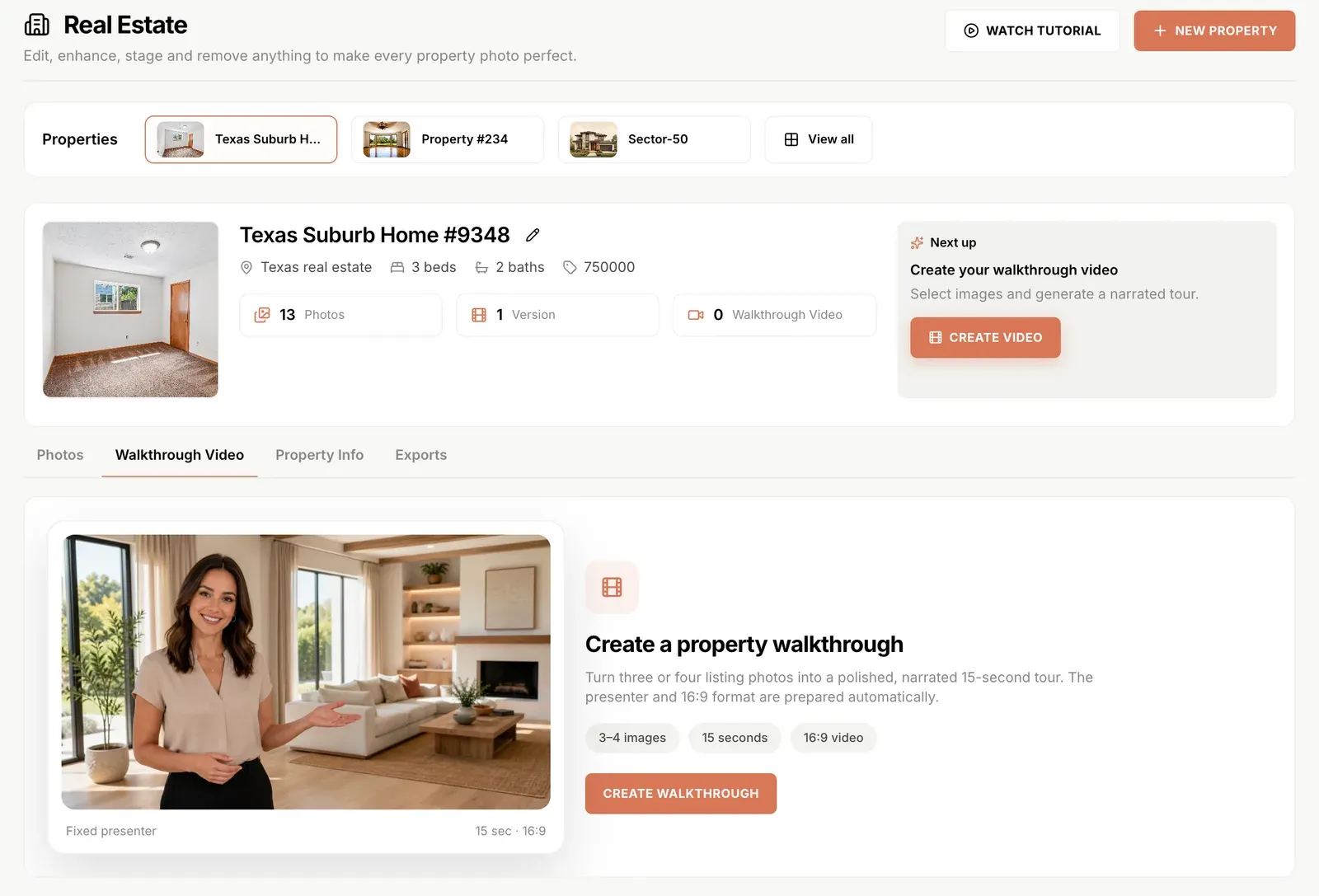
The distinguishing feature is that the script writes itself from the property record. You have already entered the address, beds, baths, and price when you created the property for the photo edit, so the narration is generated from real listing data rather than from a prompt you write.
Address, beds and baths, price, and agent name are individual toggles. Switch price off and the presenter never mentions it. Every line stays editable up to 1,800 characters, and what you see in the editor is exactly what the model receives.
Because it lives in the same workspace as the photo editing and staging, the video is built from the corrected, staged versions of your photos rather than the originals. That sequencing matters more than people expect.
Limits worth knowing. Output is 16:9 only, so vertical Reels cuts need a separate pass through image to video or the AI video generator. Fifteen seconds is fixed, which suits teasers and not deep tours. And it is on Pro and Scale rather than the entry plan.
Full detail on the AI real estate video generator page, or watch the flow end to end:
2. HeyGen: best for avatar range and cloning
Best for: talking-head video at scale, custom avatar cloning, multi-language. Price: Free tier available. Paid from $29 a month.
The strongest general avatar platform for range. Large stock avatar library, good lip sync, and avatar cloning if you want a synthetic version of yourself narrating listings.
For real estate it does exactly half the job. You get an excellent presenter clip. You then need to write the script, assemble your property photos, and edit the two together in something else. If you are producing a handful of high-value listing videos and want a cloned version of your own face, that trade is reasonable.
3. Synthesia: best for polish and multi-language
Best for: corporate-grade explainers, training, formal presentation. Price: From $22 a month on annual billing.
Very high production polish and strong language coverage. Built for corporate communications rather than property marketing, which shows in the templates.
Sensible choice for a brokerage producing formal content, such as a market update series or agent onboarding. Overbuilt for a fifteen-second listing teaser.
4. Talking photo generators: best for a single hero shot
Best for: animating one still into a short talking clip. Price: Usually a low monthly tier or per-generation credits.
Several tools animate a still photograph into a speaking presenter. For property tours the appeal is obvious and the fit is weaker than it looks: you get a talking face, but you still have no property visuals in the cut.
Where they genuinely work is a personal intro clip at the top of a listing, or an agent bio on a brokerage page. As a walkthrough solution they leave the actual walkthrough undone.
5. Your own phone: still the best for personal brand
Best for: building a recognisable personal presence in a local market. Price: Free.
Worth including honestly. No avatar builds a personal brand the way an agent’s own face does, and buyers in a local market recognise the person they have seen on twenty listings.
Avatars exist because filming yourself for every listing does not scale, and the realistic alternative for listings forty through eighty is no video at all. The pattern that works for most agents is filming yourself for flagship listings and generating the rest.
6. Full video editors with avatar features
Best for: teams that already run a video workflow and want an avatar in it. Price: Varies widely, generally a monthly plan.
Several timeline editors have added avatar generation alongside their normal editing tools. Maximum control, maximum time cost per video.
Right answer if you already have a video producer on staff. Wrong answer if the reason you are reading this is that you do not.
7. Portal and CRM built-in video tools
Best for: whatever your existing platform already includes. Price: Usually bundled.
Some listing platforms and real estate CRMs now bundle basic video generation. Quality is generally behind the specialists, and the integration with your listing data is often better.
Always worth checking what you are already paying for before adding a subscription. If the bundled tool produces something acceptable, that is the cheapest option available to you.
Comparison
| Tool | Writes the script | Uses your listing photos | Output | Time per listing |
|---|---|---|---|---|
| Shhots AI Real Estate Studio | Yes, from the property record | Yes, 3 to 4 photos | 15s narrated 16:9 | About 5 minutes |
| HeyGen | No | No | Presenter clip | 1 to 2 hours with editing |
| Synthesia | No | No | Presenter clip | 1 to 2 hours with editing |
| Talking photo tools | No | No | Talking still | 30 minutes plus editing |
| Filming yourself | No | No | Whatever you shoot | Half a day |
| Timeline editors with avatars | No | Yes, manually | Anything | 2 hours plus |
| Bundled platform tools | Sometimes | Usually | Varies | Varies |
The column that decides it for most agents is the last one. A tool that produces a better presenter but costs ninety extra minutes per listing will not survive contact with a busy week.
How to choose between AI avatar tools for real estate walkthroughs
If you produce fewer than three listing videos a month and each one matters, a general avatar platform plus your own editing is defensible. You have time to do it well.
If you produce more than three, the editing time dominates everything else and you want a tool that assembles the whole video. Ninety minutes times fifteen listings is a working week.
If you want a personal brand, film yourself for the listings that carry your reputation and generate the rest. The creator-style formats worth filming are covered separately, and videographer cost versus AI works through where the commissioned budget should go. These are not mutually exclusive and treating them as such is why many agents end up with no video at all.
If you are a brokerage, consistency matters more than any individual video. A generated format that looks the same across every agent beats a mix of styles from whoever felt like filming.
Getting a listing walkthrough right
Whichever tool you use, four things separate a video that works from one that fills a slot.
Correct the photos first. A generated walkthrough is assembled from the stills you feed it, so a blown-out window in the source is a blown-out window in the video. Run the shoot through photo correction before you build anything.
Stage the empty rooms. An empty room in a walkthrough is worse than an empty room in a gallery, because the video keeps the viewer looking at it for three seconds. Virtual staging fixes it for about $0.45 a room.
Lead with the strongest room, not the front door. Convention says start at the entrance. Attention says start with whatever is best. On social you have about two seconds.
Keep the script factual. If the narration claims a feature, the photos need to show it. This is where generated video creates real exposure, because a script written from a property record will happily state something you have not verified.
Disclosure
Two obligations stack on an AI avatar walkthrough.
The staging disclosure carries into video. If the rooms in the walkthrough were virtually staged, the video is showing furniture that is not in the property and needs the same label the stills need. Article 12 of the REALTOR Code of Ethics holds advertising to a true picture, and most MLS boards read their photo policies as covering the video slot too.
The presenter is a separate question and the ground is still moving. A synthetic presenter delivering factual listing information is not generally treated as deceptive, but do not imply the avatar is a specific real person, and do not use a cloned likeness of anyone who has not agreed to it. Some jurisdictions are adding synthetic media disclosure rules, so check your state.
More detail in the virtual staging rules and disclosure guide.
What to expect from avatar quality in 2026
Setting expectations, because the gap between demo reels and everyday output is where most disappointment lives.
Lip sync is solved. Across every serious tool in this category, mouth movement matched to generated speech is convincing at the lengths listing video uses. This is no longer a differentiator.
Voice is nearly solved. Generated narration reads naturally in short form. Where it still gives itself away is emphasis on unusual proper nouns, which for property means street names and neighbourhood names. Worth listening to the render once before publishing, specifically for the address.
Body language is the weak point. Presenters read slightly still, and the longer the clip runs the more noticeable it becomes. This is another argument for fifteen seconds over sixty, beyond the attention data.
Backgrounds vary. Some tools composite the presenter against your property photos, some place them in a generic environment. The first looks like a listing video and the second looks like a corporate announcement.
The practical read: at fifteen seconds, delivering factual property information, current avatar quality is comfortably good enough. At ninety seconds delivering a personal message, it is not, and that is exactly the content you should be filming yourself anyway.
AI avatar walkthrough FAQ
What are the best AI avatar tools for real estate walkthroughs?
It depends whether you want a presenter clip or a finished video. For a complete walkthrough built from listing photos, a property-specific tool like Shhots AI Real Estate Studio produces a 15-second narrated 16:9 cut in about five minutes. For a high-quality presenter clip that you then edit against your own footage, HeyGen and Synthesia lead on avatar range and polish. The distinction matters more than avatar quality for most agents.
Can AI avatars replace filming yourself for listings?
For volume, yes. For personal brand, no. Buyers in a local market recognise an agent they have seen across twenty listings, and no avatar builds that. The practical split most agents land on is filming themselves for flagship listings and generating the rest, since the real alternative on listing forty is not a self-filmed video but no video at all.
How long should an AI avatar property walkthrough be?
Around fifteen seconds for social and portal previews. A room-by-room deep tour buries the hook and loses viewers before the kitchen, while a short narrated overview with the address, specs, and price gets watched to the end. Treat the video as a trailer that earns the click into the full gallery.
Do AI avatar walkthroughs work on Instagram Reels and TikTok?
Yes, and they outperform photo slideshows because a face and a voice hold attention that a slow pan does not. One format note: walkthroughs commonly render in 16:9, which suits portals and YouTube, so vertical platforms need a 9:16 cut. Add burned-in captions before posting, since most social viewing happens with sound off.
Do I need to disclose that a listing video uses an AI presenter?
Check your state, because synthetic media rules are being written now. The clearer and more universal obligation is disclosing virtual staging that appears in the video, since staged rooms shown in a walkthrough carry the same labelling requirement as staged stills. Keeping the script strictly factual is the practical protection either way.
How much do AI avatar tools for real estate cost?
General avatar platforms typically start around $22 to $29 a month, and you supply the editing time on top. Property-specific tools bundle the video with the rest of the listing workflow, so Shhots AI includes walkthrough video on the $49 a month Pro plan alongside photo editing and virtual staging, with the script costing 1 credit and the render billed from the same pool.
Can I make an AI walkthrough from just photos?
Yes. Three or four listing photos are enough for a 15-second narrated walkthrough, which is the whole premise of the property-specific tools. General avatar platforms will not do this, since they produce a presenter and expect you to supply and edit the property visuals separately.
Related reading
- How to make a real estate video, the five-step production workflow, start to finish
- Real estate video marketing guide, which cut goes where, and how often to post
- Videographer cost vs AI video, where the commissioned budget should actually go
Where to start
Take a listing that went live last week with photos only. Build a fifteen-second walkthrough from four of the shots, post it as a Reel, and compare the reach against the photo carousel you posted the first time. That single comparison answers the question better than any feature table.
Start on Pro at $49 a month, compare plans on pricing, or see how the script generator and toggles work on the AI real estate video generator page.