For volume teams
Bulk real estate photo editing, a whole shoot at a time.
Upload the full listing shoot, let it sort itself by room type, and run named presets across the gallery. Built for brokerages, listing portals, property managers, and photography companies who measure work in properties per week rather than photos per hour.
No per-listing minimum, no setup fee, and no per-photo invoice. One credit pool covers correction, staging, removal, upscaling, and listing video across every property in the account.
~$0.45
per edited image
<60s
per generation
218
images on Scale
0
per-listing minimum
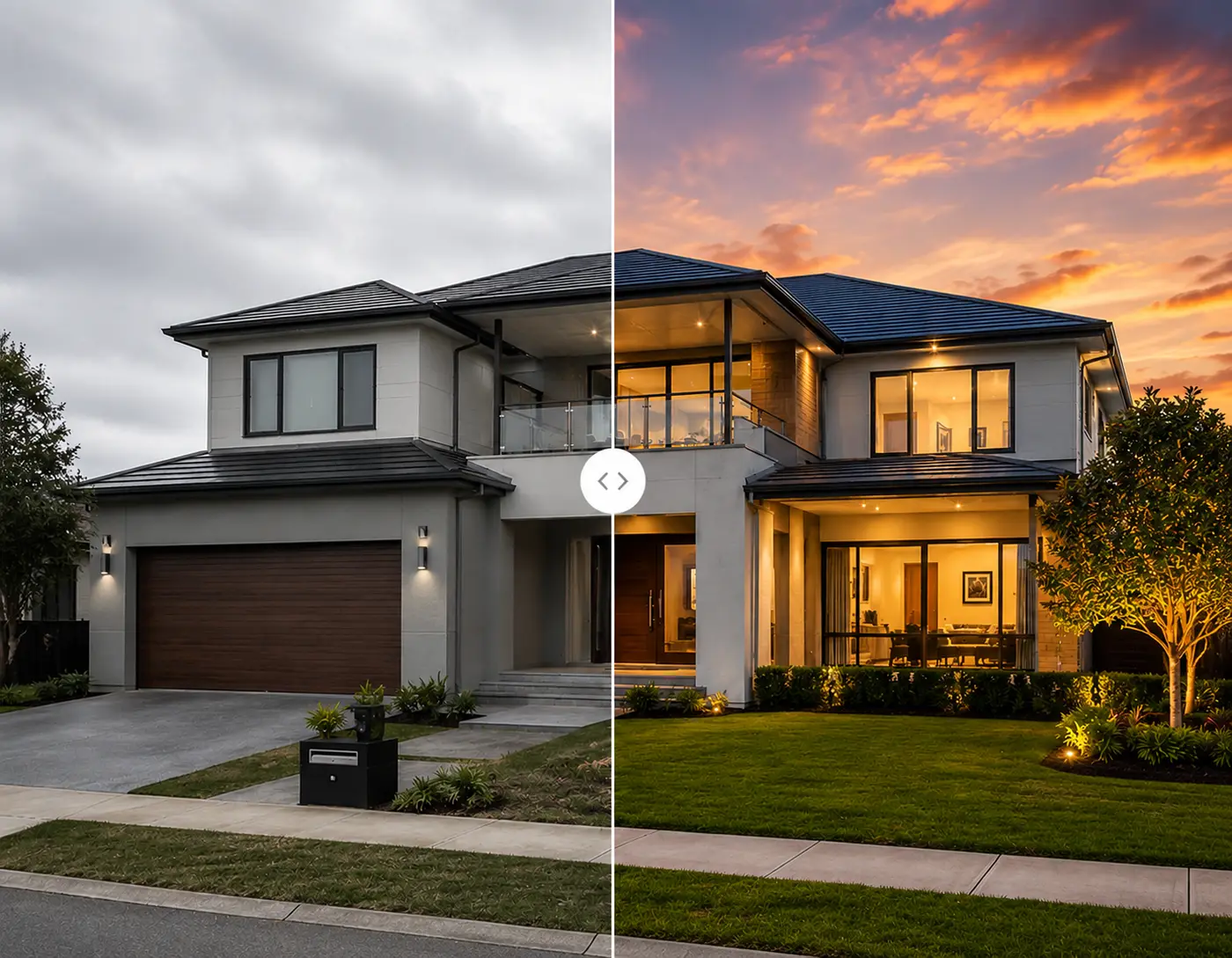
10,000+
Listings edited monthly
92%
Faster than manual editing
7
Room types sorted automatically
4.9/5
Customer rating
Trusted by realtors, real estate photographers, and brokerages across the US, Canada, UK, and Australia.
The short answer
What is bulk real estate photo editing?
Bulk real estate photo editing, also called batch real estate image editing, means processing a whole listing shoot as one unit of work instead of opening files one at a time. On Shhots AI it runs inside Real Estate Studio, included on the Pro and Scale plans: upload the shoot, the photos classify themselves by room type, and you apply named presets across the grouped gallery. Each generated image costs 55 credits, roughly $0.45, and returns in under a minute with the original kept beside it. For how that compares against sending the shoot to an editing company, see the real estate photo editing outsourcing guide.
The unit is the property
Not the file. Every listing has its own workspace, so media never ends up in a shared drive folder nobody can navigate three months later.
Consistency comes from presets
Named presets rather than prompts. The Auto Enhance one agent runs is the same one every other agent runs, which is what makes a portfolio look like it came from one team.
Price does not scale with panic
A rush job costs the same as a planned one, because there is no rush fee and no queue. Fifty photos on a Sunday night cost exactly fifty photos.
How it works
Upload the whole shoot, get back a finished gallery.
The workflow is designed around what actually costs time on a large shoot: the sorting, the renaming, and the finding, far more than the editing itself.
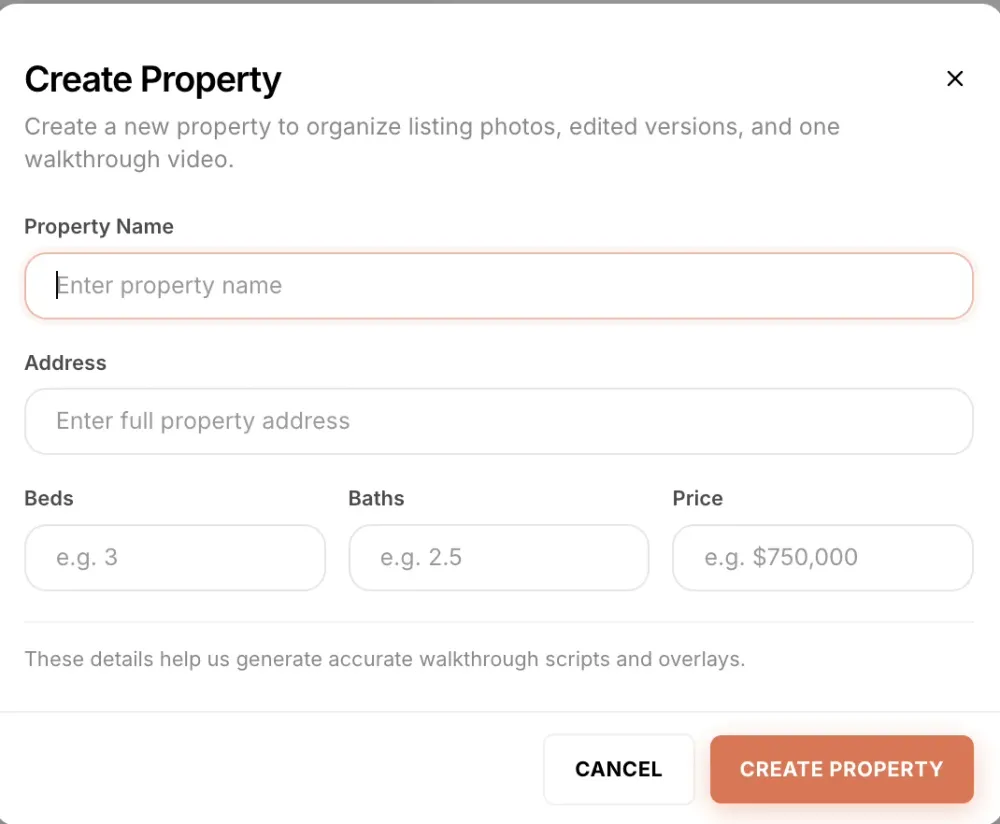
One property per listing
Every listing becomes a property record with name, address, beds, baths, and price. That record is what turns a pile of files into an organised pipeline, and it feeds the walkthrough video script later so nobody types the specs twice.
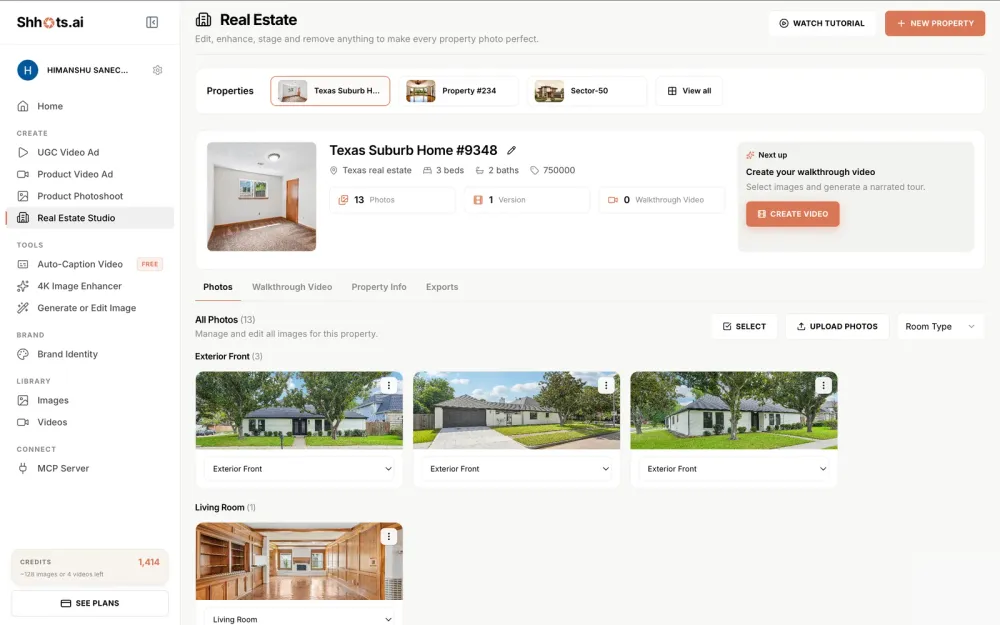
Upload the shoot, skip the renaming
Upload the whole shoot at once and every photo is classified by room type into a grouped gallery. A forty-photo listing arranges itself, and any photo can be reassigned from one dropdown if the classifier puts it in the wrong group.
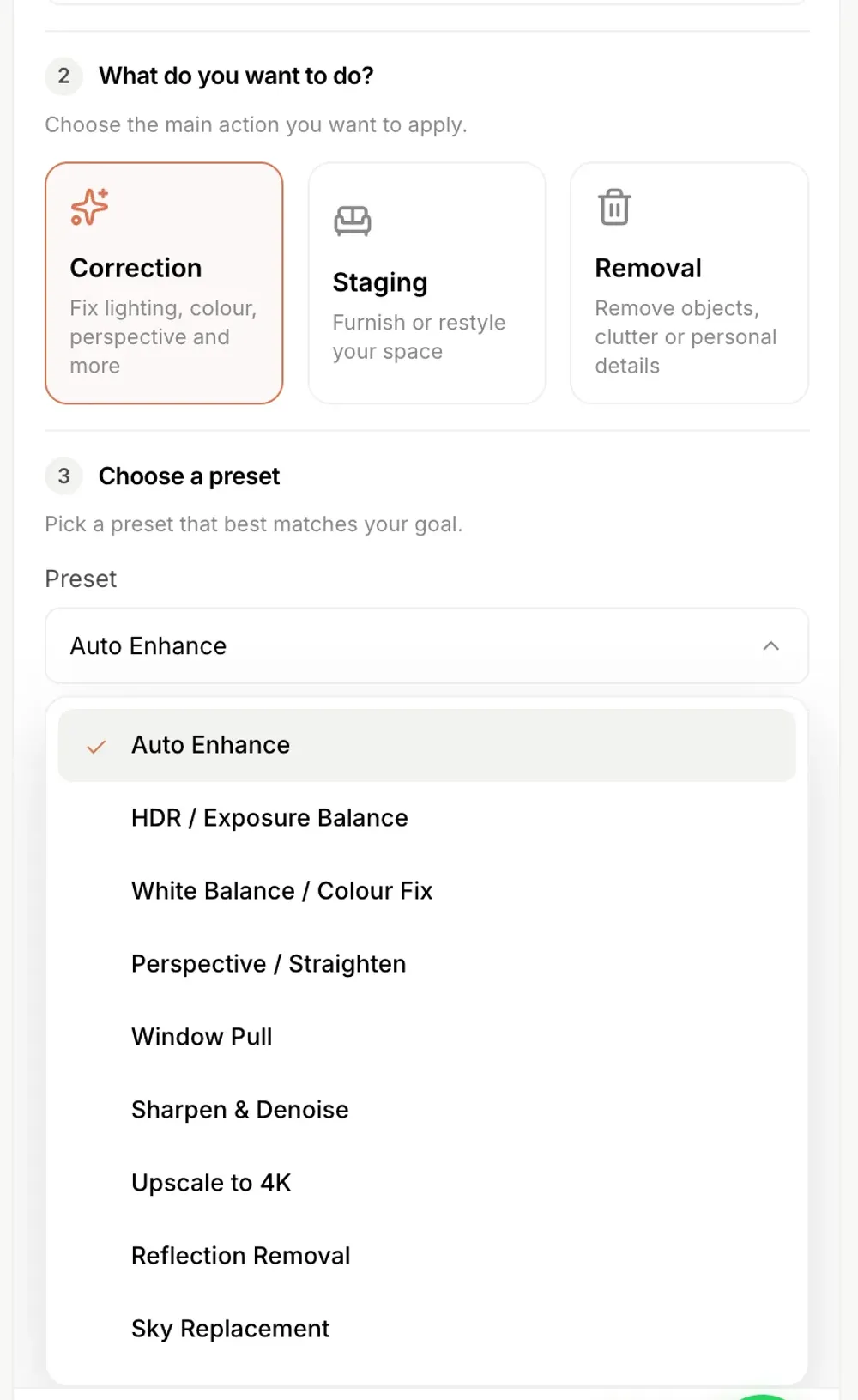
Run the same preset across the gallery
Work the grouped gallery preset by preset. Auto Enhance across everything, Sky Replacement on the exteriors, Declutter on the kitchen and bathrooms. Ask for several variations where a shot is worth options, and every version files itself against the listing.
Who runs it at volume
Built for teams measured in listings, not photos.
Brokerages and teams
Forty active listings across a dozen agents, all held to one visual standard. Named presets remove the argument about whose edit looks right, and per-property filing removes the hunt through a shared drive.
Listing portals and aggregators
Inbound photography arrives from hundreds of different sources at wildly different quality. Auto Enhance plus Declutter turns an unusable agent phone shoot into something that sits next to professional photography without looking out of place.
Real estate photography companies
Post-production is the bottleneck on how many listings you can take per week, not shooting time. Editing on site means the gallery ships before you leave the property and your capacity roughly doubles.
Property management firms
Rental turnover means the same units get rephotographed several times a year. A per-property workspace keeps every past shoot for a unit in one place, so the listing can go back up in an afternoon.
Developers and new-build sales
One show home, many unit types. Stage the same shell in several styles to match each buyer segment, and keep every variant filed against the plot it belongs to.
High-volume property brokers
Builder floors, society listings, and resale flats usually arrive as raw phone photos with no consistency at all. A single correction pass across the batch is the difference between a publishable listing and a dead one.
Overview
One preset across twenty photos.
The batch correction panel is the part that matters at volume: select the shoot, pick one preset, and every result is saved as a new version against the listing.
The maths
What a month of listings actually costs.
Every image generation is 55 credits, whether it is a correction, a staging, or a removal. Here is what that buys at each plan level.
Pro · $49/mo
6,000 credits, about 109 images
About five full listings a month at twenty edited photos each, with credits left for a walkthrough script on each one. The right plan for a solo agent or a one-person photography business.
Scale · $99/mo
12,000 credits, about 218 images
About ten full listings a month, or many more if you are running a light correction pass rather than staging everything. The default for a small brokerage or an active photography company.
Above that
Tell us what the volume looks like
Scale is the highest published plan. Portals and larger brokerages processing beyond it should get in touch so we can look at the actual monthly shape before anyone signs anything.
Credits are one shared pool across every Shhots AI feature, so the per-image figure is a ceiling rather than a forecast. Full plan detail is on the pricing page.
Standards
The hard part of bulk real estate photo editing is consistency, not speed.
Any team can process volume by adding people. What breaks at volume is that every listing starts to look like it came from a different agency, because every editor and every agent makes slightly different calls. Four decisions fix that, and they are worth making once rather than per listing.
01 · The default pass
Agree one correction preset for everything
Pick a single preset that runs on every photo in every shoot, usually Auto Enhance, and treat it as the floor rather than the finish. Anything beyond it is a decision someone makes deliberately. Without this, half your gallery gets a heavy edit and half gets nothing, and the inconsistency reads as carelessness on a portal grid.
02 · Exteriors
Decide your sky policy up front
Sky replacement is the edit teams disagree about most. Pick a rule and write it down: always on overcast exteriors, never on days with usable sky, and never a dramatic sunset on a suburban listing. A house-wide policy also settles the disclosure question, because a number of MLS boards treat a replaced sky as a material alteration.
03 · Staging
One style per property, chosen by buyer
Mixed styles inside one listing read as two different houses. Name the style at the property level before anyone stages a room, and match it to the buyer profile for the neighbourhood rather than to whoever is doing the editing that afternoon. See AI virtual staging for the eight options.
04 · Disclosure
Label once, the same way, every time
Agree the wording, the placement, and who is responsible. Disclosure fails at volume when it is a judgement call made separately on each listing, because eventually one gets missed on a busy week. Keeping every original filed against its property is what makes an audit trivial rather than a hunt.
Named presets are what make all four of these enforceable rather than aspirational. A written style guide asking editors to match a look is a suggestion, and suggestions drift the moment a team is under pressure. A preset produces the same treatment every time it runs, whichever member of the team clicks it and whatever kind of week they are having, which is the only version of a standard that survives a busy month. Write the four decisions above into your onboarding doc once and new staff inherit the standard instead of reinventing it.
Compare
In house with AI vs. outsourced photo editing.
Outsourcing solved the capacity problem by moving the work overnight. That still costs you a day.
| Feature | Outsourced editing | Shhots AI |
|---|---|---|
| Correction, per image | $1.50–$3.00 | ~$0.45 |
| Virtual staging | Separate vendor, $16–$75/image | Included, same credits |
| Correction turnaround | 12–48 hours | Under a minute |
| Weekend turnaround | Monday, usually | Same day, always |
| Revisions | Adds a day | Regenerate for 55 credits |
| File organisation | Your shared drive | Automatic, per property |
| Room-type sorting | You rename files | Automatic |
| Consistency across staff | Depends on the editor | Named presets |
| Per-listing minimum | Common | None |
| Commercial license | Per-image fees | Included free |
| Pricing model | Per photo | Flat plan from $49/mo |
Shhots AI figures are based on 55 credits per image generation on the Pro plan ($49/month, 6,000 credits). Outsourced ranges reflect published 2026 industry pricing guides and vary by provider and market.
FAQ
Bulk real estate photo editing, answered.
What brokerages, portals, and photography companies ask before they move editing in house.
Should I outsource real estate photo editing or do it with software?
It depends on volume and on what you are buying. An outsourced editing company puts a human editor on every frame at roughly $1.50 to $2.00 a photo for correction, with a 12 to 48 hour turnaround and a revision round when something is wrong. Software returns the frame in under a minute for about $0.45 and you fix problems by regenerating. Below a hundred photos a month the service is simpler. Above it, the per-photo bill is what stops making sense, and the turnaround is what stops you shipping same-day listings.
What does a real estate photo editing company charge per photo?
Standard correction runs about $1.50 to $2.00 a photo at the established vendors as of August 2026, with day to dusk at $4 to $5, object removal at $5 to $10, and virtual staging at $16 to $30. Rush turnarounds cost extra, commonly $6 to $12 a photo. Freelance editors quote lower, roughly $0.30 to $0.80, with more variance in what comes back.
Can a photography company white-label this for clients?
Yes. Every plan ships watermark-free output at full resolution with a full commercial license, so the finished gallery is yours to deliver under your own name. Nothing in the output identifies the tool, and the untouched originals stay filed against each property if a client asks for the before file.
Can I edit a whole listing shoot at once?
Yes. Upload the full shoot to a property and every photo is classified by room type automatically across exterior, living room, kitchen, dining, bedroom, bathroom, and office. You then work through the grouped gallery preset by preset rather than opening files one at a time in an editor, and every generated version is saved against the property beside its original.
How does batch real estate image editing work on Shhots AI?
The unit of work is the property, not the file. Create a property, upload its shoot, and the gallery sorts itself by room. Apply the same named preset across the images that need it, ask for several variations in one generation where you want options, and the finished versions stay filed under that listing. For a brokerage running forty active listings, that means forty organised galleries instead of one shared drive full of final_v3_edited.jpg.
What does bulk real estate photo editing cost?
Every image generation costs 55 credits regardless of volume. The Scale plan is $99 a month for 12,000 credits, which is about 218 generated images, and the Pro plan is $49 a month for 6,000 credits, about 109 images. That works out near $0.45 per image with no per-listing minimum and no setup fee. Outsourced editing services generally quote $1.50 to $3.00 per image for correction and $16 to $75 per image for staging.
Is this a good fit for a brokerage?
Yes, and the organisational side matters as much as the editing. Because media files itself per property, a team of agents and photographers shares one visual standard and one place to find a listing’s photos. Named presets are what keep the standard consistent, since the Auto Enhance your Tampa agent runs is the same Auto Enhance your Miami agent runs.
Can real estate photography companies use this for client work?
Yes. Every plan ships watermark-free output at full resolution with a full commercial license, so edited galleries can be delivered to clients without restriction. The usual pattern is to shoot the property, run the correction presets before leaving the driveway, and hand over the gallery the same day rather than routing RAWs to an overnight editing service.
Do you offer bulk pricing for listing portals?
Pricing is by credit volume rather than by contract tier, so the Scale plan at $99 a month for 12,000 credits is the highest published plan. If you are processing more than that monthly, contact the team through the contact page and we will talk through what the volume looks like before you commit to anything.
How fast is it compared with outsourcing?
Each image generation takes under a minute. Outsourced editing services typically quote 12 to 48 hours for correction and 24 to 72 hours for virtual staging, which is the gap that keeps listings sitting without photos over a weekend. The practical difference is that the shoot and the edit stop being two separate days.
Does every edited photo keep its original?
Yes. Editing never overwrites. Every generation is saved as a new version against the property alongside the untouched original, which matters for disclosure requests and for the moment a client asks to see the unedited frame.
What if the AI gets one photo wrong across a large shoot?
Regenerate that single image. Because a generation costs 55 credits and returns in under a minute, fixing one bad result is a trivial cost rather than a revision request that adds a day to the turnaround. You can also request several variations in one generation and pick the best.
Is this AI editing for real estate photographers or for brokerages?
Both, and the workflow is the same. A real estate photography company uploads each shoot to its property, runs the correction presets, stages the empty rooms and delivers the gallery under its own name, since every plan is watermark-free with a commercial license. A brokerage does the same across every agent’s listings so the whole team ships one visual standard. The only difference is who owns the property record: the photographer files it by client, the brokerage files it by agent.
Can I process property video at volume too?
Yes. Each property supports as many 15-second narrated walkthrough videos as your credit pool covers, with no per-video fee, built from three or four photos in that property’s gallery. For portals and brokerages that means every listing can carry a video rather than only the premium ones.
Outsourcing economics
What outsourcing costs at real volume.
Photographers and brokerages usually arrive here already outsourcing, so the comparison that matters is per photo at your actual monthly count. Service rates are the published correction rates at established editing vendors, verified August 2026.
| Monthly volume | Outsourced editing company | Shhots AI |
|---|---|---|
| 100 photos a month | $150 to $200 at $1.50 to $2.00 a photo | 5,500 credits, inside the $49 Pro plan |
| 250 photos a month | $375 to $500 | 13,750 credits, about $113 on Scale plus a top-up |
| 500 photos a month | $750 to $1,000 | 27,500 credits, roughly $225 in Scale plans |
| 1,000 photos a month | $1,500 to $2,000 | 55,000 credits, roughly $450 |
| Turnaround | 12 to 48 hours per batch | Under a minute per image |
| Revisions | 1 to 2 free, then billed | Regenerate for 55 credits |
The honest trade is the same one every photographer weighs: an editing company puts a human on each frame and catches things a preset does not, and you pay for that per photo, every photo, forever. For the premium edits that carry the biggest markup, see day to dusk photo editing and virtual staging.
Real Estate Studio
One property workspace, five ways in.
AI real estate photo editing
Sky replacement, HDR from one exposure, window pull, and clutter removal, 16 promptless presets at ~$0.45 an image.
AI virtual staging
Furnish empty rooms in 8 named styles across 3 modes, structure preserved, under a minute per image.
AI day to dusk editing
Daytime exteriors converted to twilight in under a minute, about $0.45 a photo, house unchanged.
AI real estate video generator
15-second narrated walkthrough videos with an on-camera presenter, built from 3–4 finished listing photos.
You are here
Bulk real estate photo editing
Whole-shoot and multi-property workflows for brokerages, portals, and real estate photography companies.
AI for real estate agents
The overview: the listing jobs AI genuinely does, per-listing economics, and where to start.

Put a whole shoot through before you commit to anything.
Start on Scale, create one property, and upload a real listing shoot. Run Auto Enhance across the gallery, Sky Replacement on the exteriors, and Declutter on the kitchen. Compare the result and the clock against your current editing invoice.
12,000 credits · No per-listing minimum · Watermark-free · Commercial license included · Cancel anytime
The studio
Everything a listing needs, on one credit pool.
AI Real Estate Photo Editing
The preset catalogue in detail. Nine correction presets covering HDR, sky, window pull, perspective, reflections, and 4K upscaling.
AI Virtual Staging
Stage the empty rooms in a batch at the same per-image cost as a correction, across eight named styles and three modes.
AI Real Estate Video Generator
Put a 15-second narrated walkthrough on every listing in the portfolio, not only the premium ones.
AI for Real Estate Agents
The category overview: what AI actually does for listing marketing, and which parts are worth paying for.
4K Image Upscaler
Bring archive and phone photography up to print and MLS resolution before the correction pass runs.
Talk to the team
Processing more than 12,000 credits a month, or running an unusual pipeline? Tell us what the volume looks like.
Related guides
Reading for volume teams
Per-image economics, turnaround, and what changes when video stops being rationed.
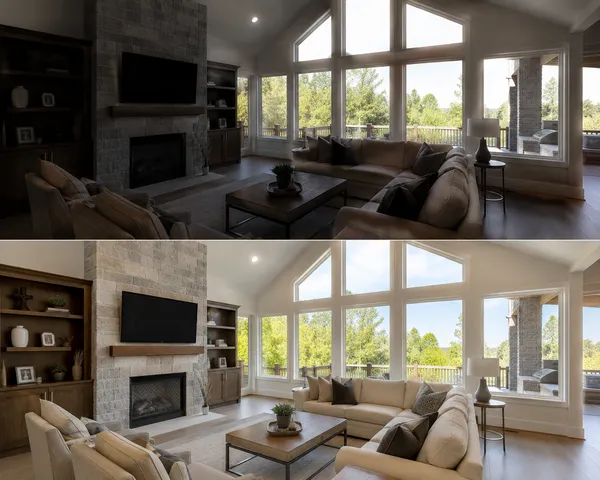
HDR Real Estate Photography: Bracketing vs AI in 2026
HDR real estate photography explained: why listing photos need it, how bracketing and flambient work, and when single-exposure AI HDR replaces both.

Real Estate Videographer Cost vs AI: Honest 2026 Math
What a real estate videographer costs versus AI video tools in 2026. Per-listing pricing, turnaround, quality trade-offs, and when each one is the right call.

Real Estate Video Marketing: The Complete 2026 Playbook
A practical real estate video marketing guide for 2026. What to make, where to post it, how often, and how to measure whether any of it is working.
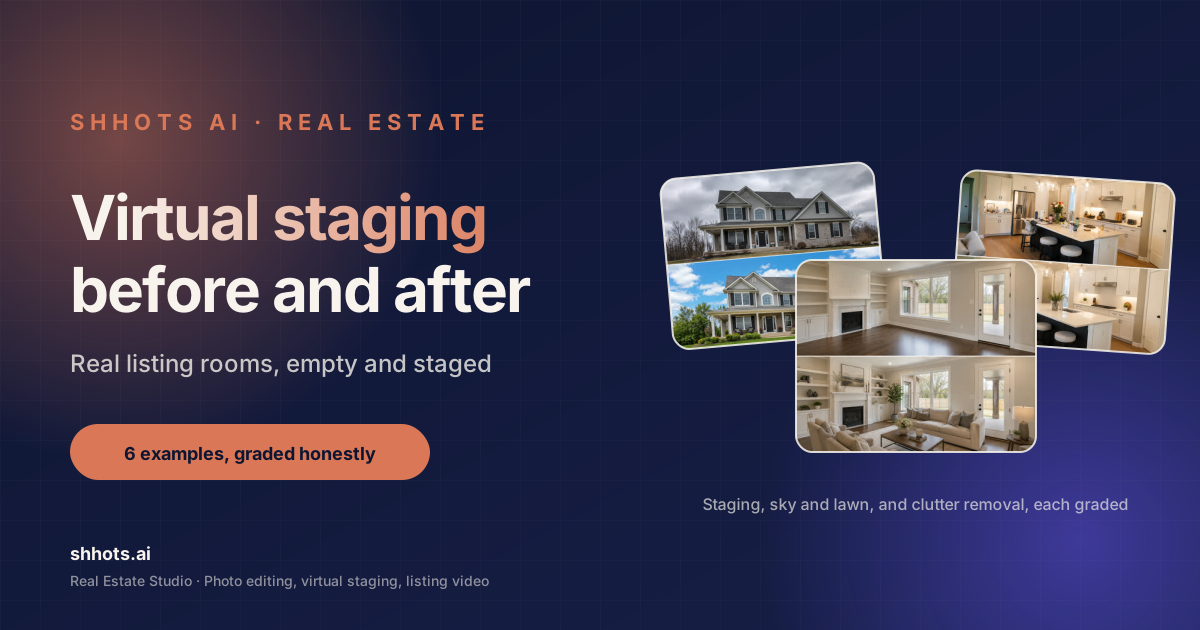
Virtual Staging Before and After: 6 Real Listing Examples
Six real virtual staging before and after examples, from empty living rooms to twilight exteriors. What changed, what stayed, and how to judge a good result.
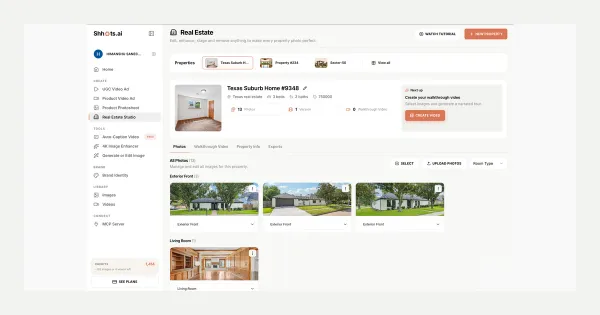
Real Estate Studio: AI Virtual Staging & Listing Videos
Real Estate Studio is live on Shhots AI, promptless photo correction, virtual staging in 8 styles, clutter removal, and 15-second narrated walkthrough videos. On Pro and Scale.
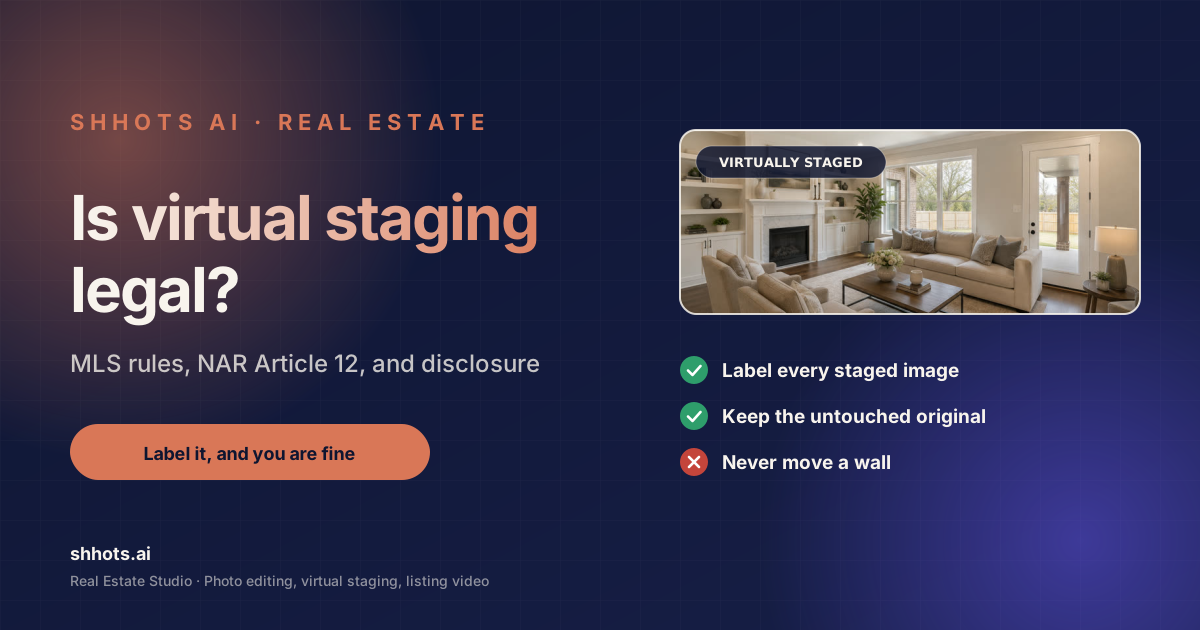
Is Virtual Staging Legal? State + MLS Rules, Verified 2026
Is virtual staging legal? Yes, with disclosure almost everywhere. AB 723, NAR Article 12, and per-MLS labeling rules verified against primary sources.