Disclosure: Shhots AI is our product.
Last updated: September 2026
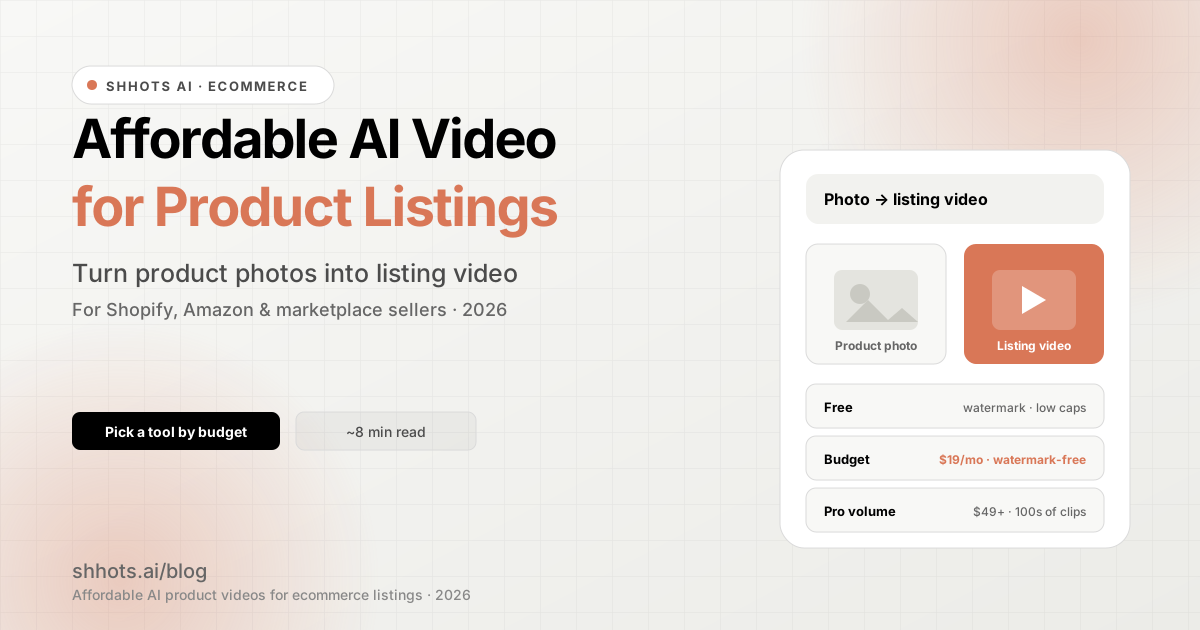
You can find affordable AI video generation tools for product listings in three places: credit-based ecommerce tools, free tiers of cinematic video generators, and per-video marketplaces. The most affordable route for a real catalog is the first one, a tool like Shhots AI that turns a product photo into a watermark-free listing video from $19 a month with a commercial license included, working out to about $4.71 per 10-second video on the Pro plan. Free cinematic tools like Runway, Luma Dream Machine, and Kling AI cost less up front, but they watermark free exports and cap how many videos you can make, which makes them unusable on a live listing. Per-video marketplaces at $2 to $3 a clip are cheapest for a single launch and most expensive at scale. The table below compares all the options.
| Tool | Best for | Starting price | Free tier |
|---|---|---|---|
| Shhots AI | Listing videos, image and social ads from one plan | $19/mo | No |
| Runway | Cinematic clips for testing | $15/mo ($12/mo billed yearly) | Yes, watermarked |
| Luma Dream Machine | Cinematic motion for testing | $9.99/mo | Yes, watermarked |
| Kling AI | Photo animation for testing | $10/mo | Yes, watermarked |
| Per-video tools | One-off product launches | ~$2 to $3 per clip | Varies |
Runway, Luma, and Kling entry prices are their published rates as of September 2026; all three are cinematic tools priced in credits, so the videos-per-month each plan yields varies with model and resolution.
This guide answers the practical question sellers ask: where to find affordable AI video generation for product listings, what “affordable” really costs once you account for volume and watermarks, and how to pick a tool by budget. It is written for ecommerce sellers who need on-listing product videos, not film-grade cinematic clips.
What counts as a “product listing video”
A listing video is the short clip that lives on a product page or marketplace listing. It is different from a paid social ad. The job is to show the product clearly: a clean camera move around the item, a few angles, maybe a feature callout. No actor, no heavy editing.
Three common formats:
- Shopify product-page video. A 5 to 15 second clip on the PDP that shows the product in motion.
- Amazon listing video. A short demo in the image carousel. Amazon allows video in the gallery, and it lifts conversion on crowded categories.
- Marketplace and catalog video. eBay, Etsy, Walmart, and Google Shopping listings that accept or reward video.
Because the bar is “show the product clearly,” you do not need an expensive cinematic tool. You need a tool that turns a clean product photo into steady motion, exports without a watermark, and lets you use it commercially. That is what keeps the cost low.
How affordable is “affordable”? Real cost tiers
| Budget | What you get | Trade-offs | Fits |
|---|---|---|---|
| Free | A few watermarked clips a day, low resolution caps | Watermark, often no commercial use, daily limits | Testing the idea before you commit |
| ~$19/mo | Watermark-free listing videos, commercial license, dozens of clips | Mid-tier model quality, not film-grade | Solo sellers and small catalogs |
| $39 to $99/mo | Hundreds of clips a month across formats | More than a single-listing seller needs | Growing stores and agencies |
| Per-video tools | Pay $2 to $3 per exported clip | Expensive once you pass ~10 clips a month | One-off launches only |
The cheapest usable tier for commerce is the watermark-free entry plan. Free tools look cheaper until you hit the watermark, which makes the video unusable on an Amazon listing or a paid placement.
To make the per-video math concrete, here are Shhots AI’s published credit costs, verified September 2026. A 10-second product listing video costs 577 credits and a 15-second one costs 852; a 10-second UGC-style video is 551 credits and 15 seconds is 826. A 30-second length shipped in September 2026: 1,677 credits for a 30-second listing video (about $13.70 on Pro) and 1,651 for a 30-second UGC-style video (about $13.48). On the $19 Starter plan (2,000 credits) that means roughly three 10-second listing videos a month plus a product photoshoot, and on the $49 Pro plan (6,000 credits) a 10-second listing video works out to about $4.71 per video, around ten per month with credits left for image ads. Auto-captions are unlimited and free of credit cost on every plan.
Traditional video vs AI: the real cost gap
Traditional product video production still runs $1,000 to $10,000 for an ecommerce showcase clip, and $1,500 to $3,500 for the mid-range tier most Amazon sellers use, once you count pre-production, shooting, and editing (2026 industry pricing guides). A watermark-free AI listing video from an entry ecommerce plan costs a fraction of one of those shoots per month, spread across your whole catalog.
The gap only matters because listing video converts. Product pages with video see about 37% more add-to-cart actions than pages without, and Wyzowl’s 2026 survey found 85% of shoppers have been convinced to buy after watching a video. Clips of 15 to 30 seconds perform best on product pages. The format that lifts conversion no longer needs a four-figure shoot.
| Route | Typical cost | Output | Best for |
|---|---|---|---|
| Studio shoot (mid-range) | $1,500 to $3,500 per video | One professionally shot clip | Hero products, brand films |
| Freelance videographer | $500 to $1,500 per video | One clip, variable quality | Occasional one-offs |
| Per-video AI marketplace | $2 to $3 per export | One clip per charge | A handful of launches |
| AI ecommerce plan | From $19 a month, whole catalog | Watermark-free listing videos at volume | Ongoing catalogs and stores |
Where to find affordable AI video for product listings
You have three realistic routes, in order of cost-effectiveness for most sellers.
1. An all-in-one ecommerce tool (best value)
A tool built for ecommerce takes a product photo or a product URL and outputs a listing-ready video. The advantage is that one affordable plan covers listing videos, image ads, and social clips, so you are not paying for three tools. Shhots AI starts at $19 a month, exports watermark-free on every plan, and includes a commercial license. You can turn a single product photo into a video on the image-to-video tool, use the AI product video generator for listing and demo videos, or generate a fuller product video from 2 to 5 photos with the AI video generator. If you sell on Shopify, the Shopify video generator pulls products straight from your catalog, and the URL-to-ad workflow builds a video from any product link.
2. A free cinematic video tool (good for testing)
General AI video tools have free tiers with strong output, but they add watermarks on free, cap monthly generations, and are not built around ecommerce specs. They are a good way to test whether AI listing video works for your catalog before you pay. For the full list of options and their watermark and credit limits, see our AI image-to-video generator guide.
3. Per-video marketplaces (only for one-off launches)
Some tools charge per exported video. This is the cheapest option if you need two or three videos and never again. It becomes the most expensive option the moment you scale, because the cost is linear with output.
How to turn a product photo into a listing video
The workflow is the same across affordable tools:
- Start with a sharp photo. Output quality tracks input quality. If your supplier image is low resolution, run it through a 4K image upscaler first.
- Pick a clean motion. A slow zoom or a gentle orbit reads as professional. Avoid heavy motion, which warps product details.
- Set the right aspect ratio. Square (1:1) for marketplace galleries, vertical (9:16) for Shopify mobile and social, horizontal (16:9) for desktop and YouTube.
- Export watermark-free. Confirm the plan removes the watermark and grants commercial use before you publish to a listing.
- Add captions if needed. A short feature callout helps on silent autoplay. You can add them free with the auto-caption generator.
For a deeper walkthrough, see how to make ecommerce product videos with AI.
Keep listing-video costs down
- Use one tool for every format. A single credit plan that does listing videos, image ads, and social clips beats paying for three single-purpose tools.
- Batch your catalog. Generate videos for a group of SKUs in one session to make the most of a monthly credit pool.
- Avoid per-video pricing at scale. It is fine for a launch, expensive for a catalog.
- Take annual billing if you will keep using it. The annual discount more than covers the commitment.
- Do not pay for cinematic quality you do not need. Listing videos need clarity, not film-grade effects. Save the premium tools for hero campaigns.
Affordable does not mean low-converting
Cheap AI video earns its place on a listing when it does the basics well: the product is the focus, the motion is steady, the lighting matches the scene, and the export is clean. A $19-a-month tool that nails those beats an expensive tool used carelessly. Conversion on a listing comes from clarity and trust, not from production budget. If you want the ad-creative side of this (videos for Meta and TikTok rather than on-listing), see our comparison of the best AI image-to-video tools for ecommerce product ads.
FAQs
Where can I find affordable AI video generation for product listings?
The most affordable route for most sellers is a credit-based ecommerce tool that turns a product photo into a watermark-free video for around $19 a month, with a commercial license included. Shhots AI starts at $19 a month and handles listing videos, image ads, and social clips from one plan. Free cinematic tools work for testing but add watermarks and cap output, which makes them unsuitable for published listings.
How much does AI video for product listings cost?
Free tiers exist but are watermarked and capped. The cheapest usable tier for commerce is an entry plan around $19 a month, which gets you watermark-free, commercially licensed listing videos. Growing stores and agencies that need hundreds of clips a month pay $39 to $99. Per-video tools charge roughly $2 to $3 per export, which only makes sense for one-off launches.
Can I make Amazon listing videos with AI?
Yes. Amazon accepts listing videos of 6 to 45 seconds in 16:9, and AI tools can generate a short product demo from a clean photo. Export watermark-free with a commercial license, since Amazon does not allow watermarked or third-party-branded video on listings. For the full spec and workflow, see Amazon listing videos with AI. If you sell on Etsy instead, see Etsy listing videos with AI, which have a shorter 5 to 15 second, silent spec.
Is free AI video good enough for product listings?
Free AI video is good for testing whether the format works for your catalog, but most free tiers add a watermark and restrict commercial use, which makes the output unusable on a real listing or marketplace. For published listings you need watermark-free, commercially licensed exports, which generally requires a paid plan starting around $19 a month.
What is the cheapest way to turn product photos into videos?
The cheapest sustainable way is a credit-based monthly plan that lets one pool of credits flex across formats, so you are not paying per video or buying separate tools. For a handful of one-time clips, a free tier or a per-video tool is cheapest. For an ongoing catalog, an entry monthly plan around $19 is the lowest cost per usable video.
Do I need a cinematic AI video tool for listings?
No. Listing videos need clarity, not film-grade cinematic effects. A clean camera move on a sharp product photo converts better than an over-produced clip. Save premium cinematic tools for hero brand campaigns, and use an affordable ecommerce tool for the day-to-day listing and catalog videos.
What is the best AI photo to video generator for ecommerce and Amazon ads?
The best AI photo to video generator for ecommerce and Amazon ads is one built around product specs: it takes a product photo, keeps the product sharp, and exports watermark-free in marketplace aspect ratios. Shhots AI does this from $19 a month with a commercial license, and outputs square, vertical, and horizontal versions from one photo. General cinematic tools make good clips but are not tuned for listing or ad requirements.
Can AI turn product photos into video ads and banner ads?
Yes. AI tools can take a single product photo and generate both motion video ads and static banner-style image ads, sized for marketplaces, Meta, and Google. Shhots AI turns one photo into listing videos, social video ads, and image ads from the same plan, so you do not need a separate tool for each format.
Do product videos actually increase conversions on listings?
Yes. Product pages with video see roughly 37% more add-to-cart actions than pages without, and surveys report that most shoppers have been convinced to buy after watching a product video. Clips of 15 to 30 seconds convert best on listings, where they show the product clearly without losing the shopper before checkout.
What are the best AI ad platforms for product listing ads?
The best AI ad platforms for product listing ads turn a product photo or URL into ready-to-run creative, export watermark-free with a commercial license, and cover marketplace and social formats. Shhots AI is built for this from $19 a month. Judge any platform on three things: does it keep the product accurate, does it export without a watermark, and does it size correctly for each placement.
Bottom line
Affordable AI video for product listings starts at a watermark-free entry plan around $19 a month. Free tiers are for testing; per-video tools are for one-off launches; an all-in-one ecommerce plan is the best value once you have a catalog to cover. Start from a sharp photo, pick a clean motion and the right aspect ratio, and confirm watermark-free commercial export before you publish.
Turn a product photo into a listing video with Shhots AI image-to-video from $19/month, or see pricing for full plan details.