Disclosure: Shhots AI is our product.
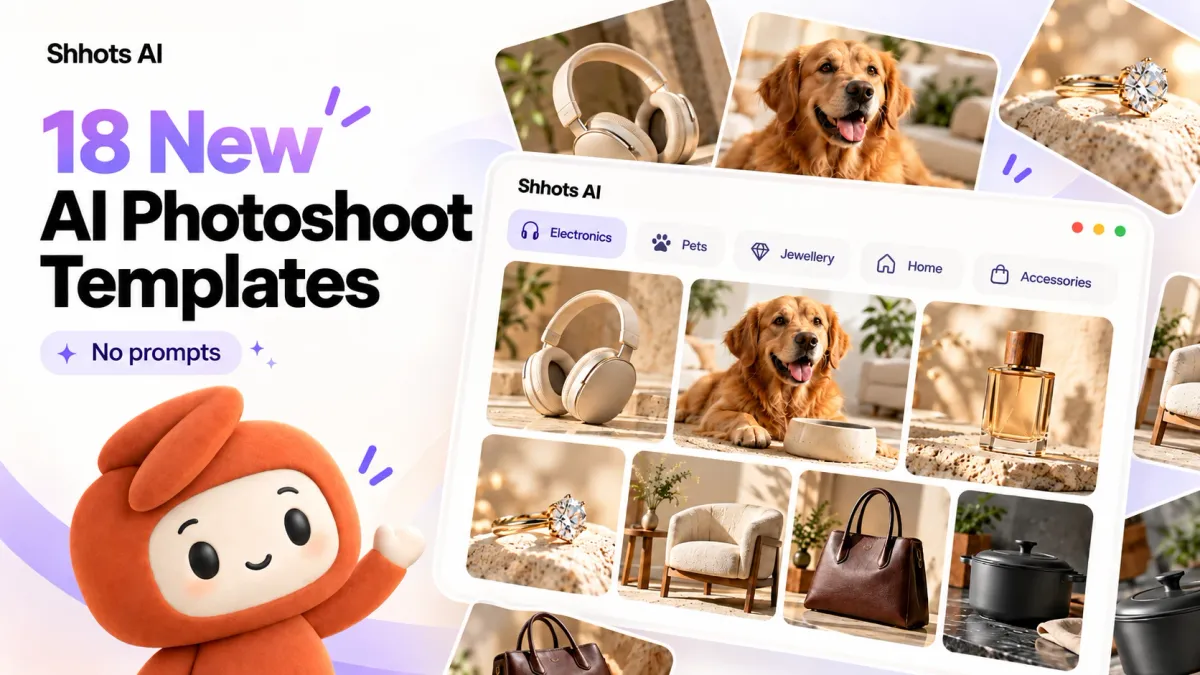
GURUGRAM, India, October 4, 2026: Shhots AI has added 18 new templates to its Promptless AI Photoshoots, covering five product categories: electronics, pet products, jewelry, home and accessories. Upload one product photo, pick a template, and Shhots builds the scene, lighting and props around your real product. You never write a prompt.
Photoshoots run on every plan. Starter is $19/month for up to 175 product images, about $0.11 an image.
What templates launched?
Each template shows the buyer one thing a plain packshot can’t: how big the product is, how it’s used, or what it’s made of.
| Category | New templates | What the shot proves to a buyer |
|---|---|---|
| Electronics | Desk Scale, Controls in Use, Material Detail | Size, how it works, build quality |
| Pet products | Feeding Setup, Walking Gear, Toy in Play | The product in a real routine with a dog |
| Jewelry | Worn Jewellery, Studio Hero, Craft Detail, Editorial Flat Lay, Vanity Context, Shadow and Reflection, Occasion Styling | How it looks on, finish, where to wear it |
| Home | Furniture in Room, Kitchenware in Use, Storage in Context | How it fits a real room |
| Accessories | Bag Carried, Everyday Carry | Scale against a body and daily use |
Every template sits under its own filter in the app. The filters are All, Studio, Minimal, Lifestyle, Beauty, Consumables, Fashion, Electronics, Home, Pets, Accessories, Jewellery, Amazon and Seasonal.
Why we built category templates
I’ve run Meta ads for 70+ brands. The product photo that wins on a white background is rarely the one that sells a speaker or a dog leash. Buyers of those products want to see the thing in use, at real scale, before they trust it.
A generic “lifestyle” preset doesn’t know that a bag needs a person carrying it or that a saucepan needs a lit burner under it. So we wrote templates per category, each built around the question that category’s buyers ask.
“Most brands we talk to have one good product photo and a PDP that needs six. These templates give each category the shots its buyers actually look for, from that one photo.” Rajat Dangi, Founder and CEO, Shhots AI
AI product photography for electronics
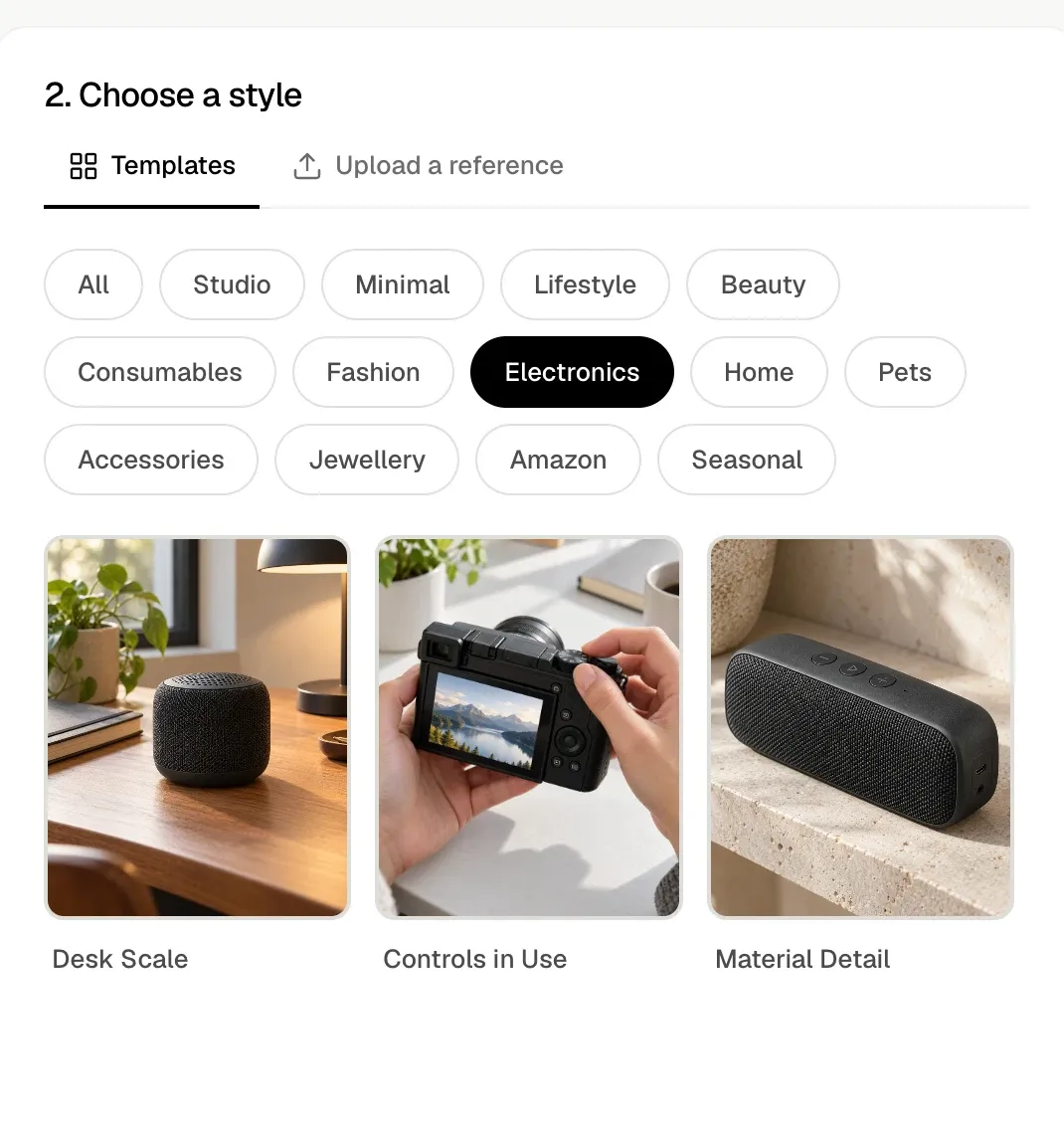
- Desk Scale: the product on a wooden desk next to a lamp, a plant and a notebook. Shoppers read the size from the objects around it. Use it for speakers, chargers, hubs and anything bought partly on footprint.
- Controls in Use: hands working the product’s buttons and dials. The sample shows a mirrorless camera with a landscape on its rear screen. Use it for cameras, gaming gear and remotes.
- Material Detail: a close shot on a textured stone shelf in soft daylight that picks out fabric, grille and finish. Use it as the second or third PDP image, after the hero.
AI photos for pet products
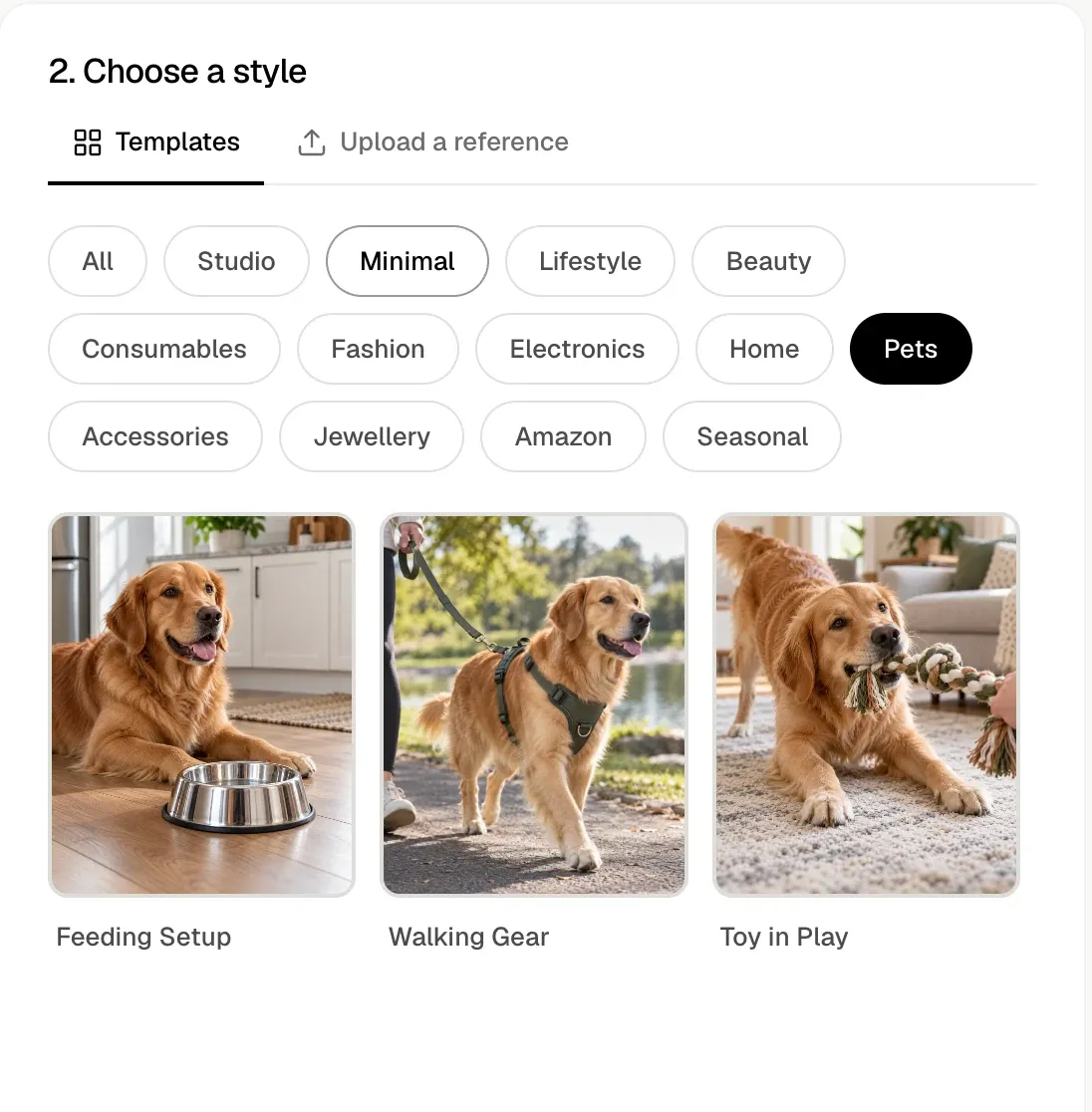
All three pet templates put your product with a golden retriever in a real setting.
- Feeding Setup: the dog lying beside a bowl on a kitchen floor. For bowls, mats, feeders and food.
- Walking Gear: the dog on a park path in a chest strap and leash, owner at the edge of frame. For leashes, collars, chest straps and poop-bag holders.
- Toy in Play: the dog tugging a rope toy across a living room rug. For toys and chews.
AI jewelry photography
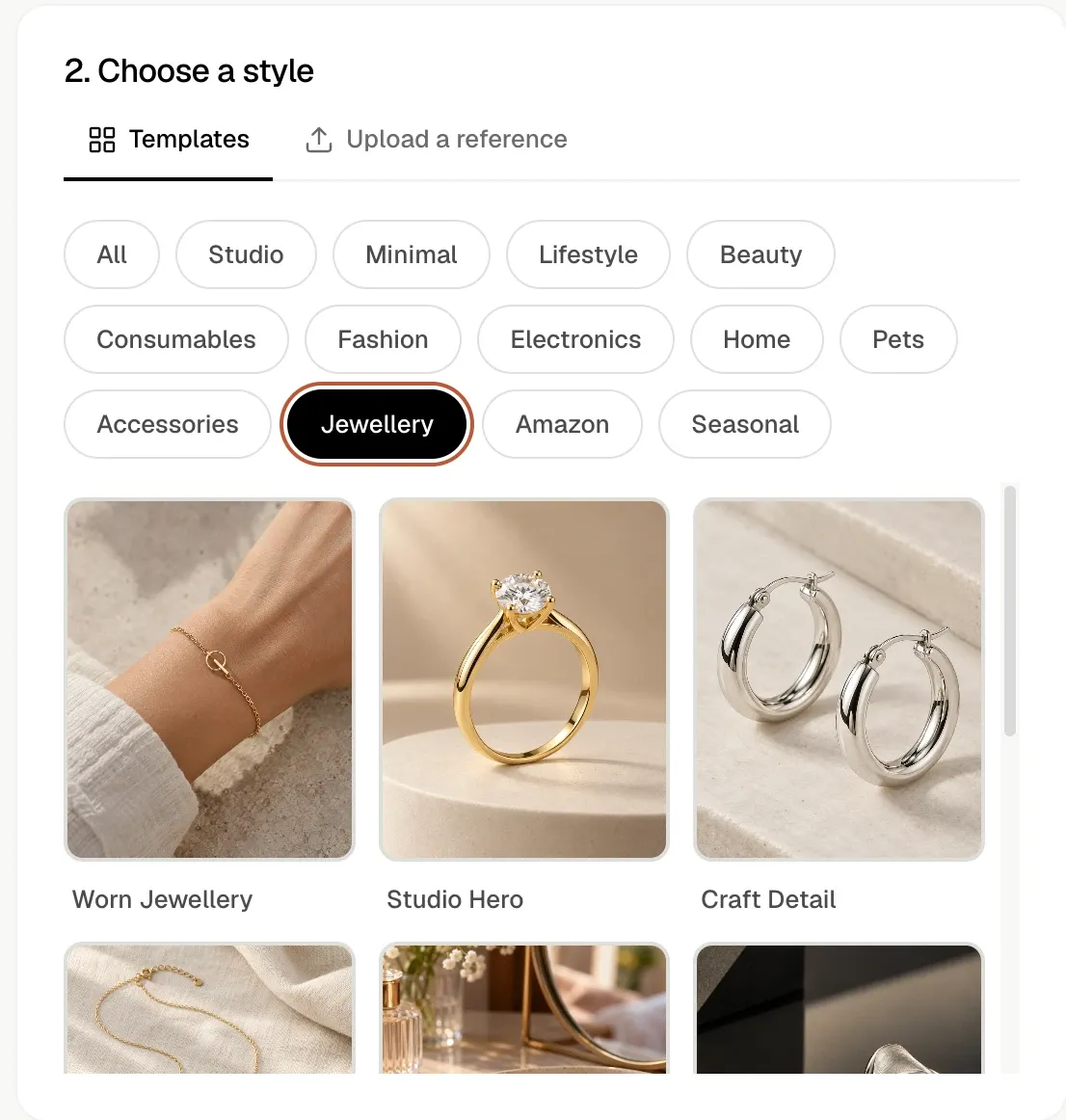
Jewelry gets the most templates, seven, because one listing usually needs a hero, a detail and an on-body shot at minimum.
- Worn Jewellery: the piece on a wrist, neck or ear, against linen and stone.
- Studio Hero: the piece alone on a pedestal in warm studio light. The sample is a solitaire ring.
- Craft Detail: a close shot of finish and form. The sample is a pair of silver hoops on stone.
- Editorial Flat Lay: the piece laid flat on fabric, styled for social posts.
- Vanity Context: the piece on a dressing table among mirrors and perfume.
- Shadow and Reflection: hard light and deep shadow for a premium, editorial mood.
- Occasion Styling: the piece styled for a specific event.
In the app the filter reads “Jewellery”. For reflective metal and stones, start from a photo with clear edges on a plain background.
AI photos for home products and furniture
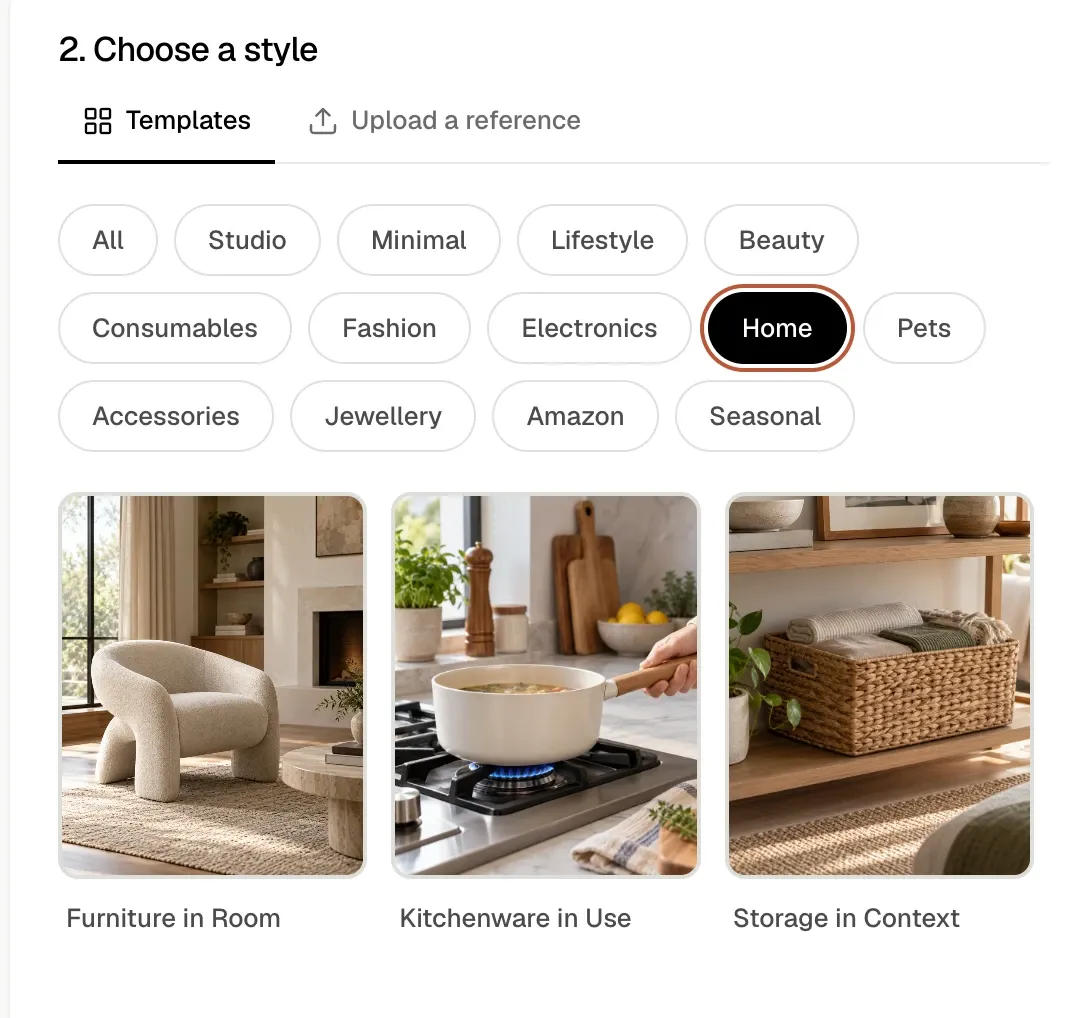
- Furniture in Room: the piece in a styled living room with a fireplace, rug and side table. For chairs, sofas, tables and lamps.
- Kitchenware in Use: a hand holding the pan over a lit gas burner, food inside. For cookware and kitchen tools.
- Storage in Context: the product on a shelf doing its job. The sample is a woven basket holding folded towels. For baskets, boxes and organisers.
AI photos for bags and accessories
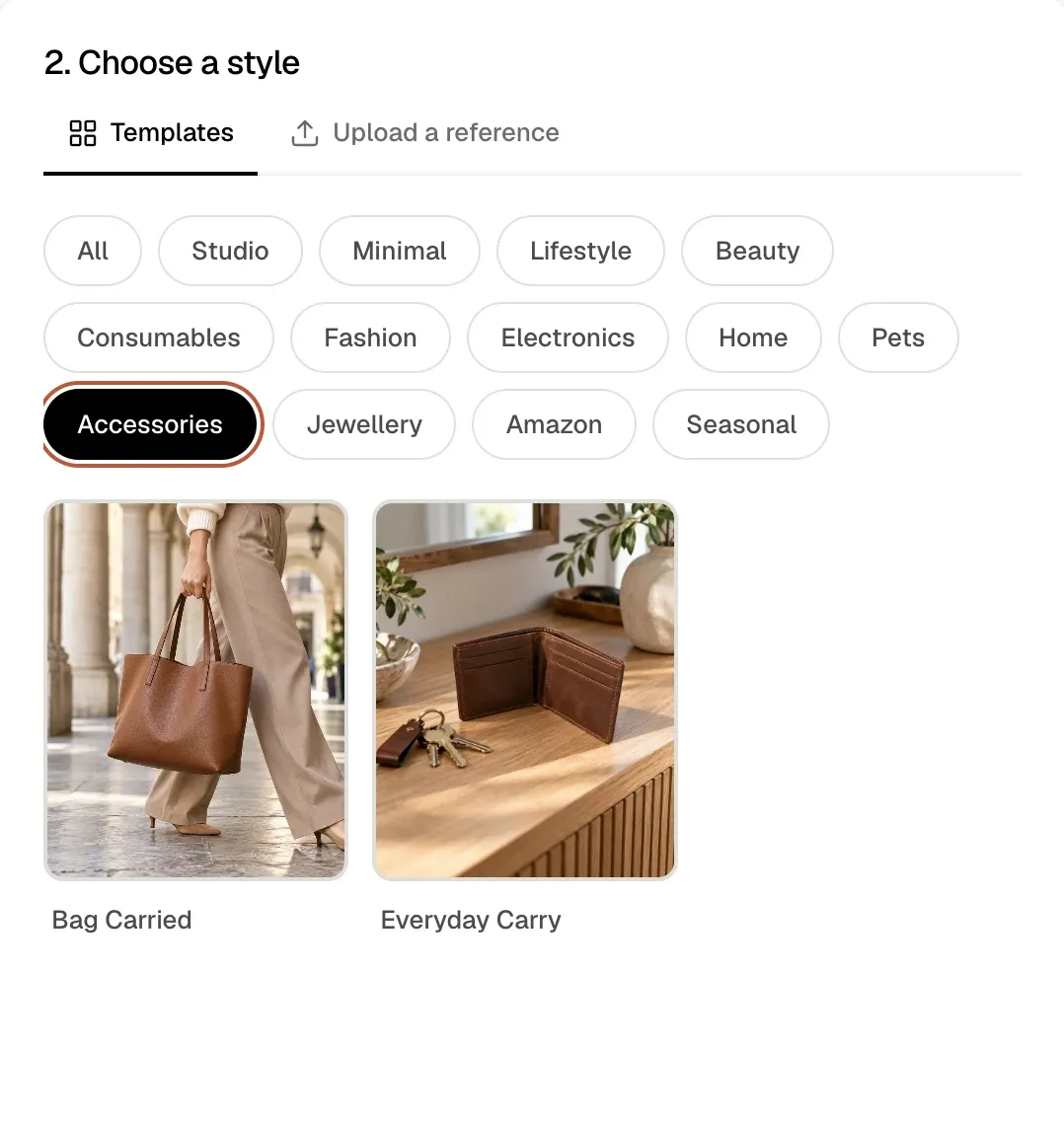
- Bag Carried: an AI model walking through a stone arcade with the bag in hand. Shows size against a body.
- Everyday Carry: the product on a wooden console with keys and a plant, the way it sits at home. For wallets, cardholders and key fobs.
How to use a photoshoot template
- Open AI Photoshoots and upload one product photo, or paste a product page URL. The photo should show the product alone, with no hands or people in it.
- In Choose a style, stay on the Templates tab and tap your category filter.
- Pick a template and generate.
Prefer your own look? Switch to Upload a reference and Shhots matches the style of an image you supply.
From there, send any result to the image to video tool to animate it, or to the image ad generator to add a headline and CTA. Low-resolution supplier photos can go through the 4K image upscaler first.
What does an AI photoshoot cost?
Photoshoots draw from the same monthly credits as every other Shhots tool. Image counts below are the maximums with credits spent only on images. Prices as of October 2026.
| Plan | Price | Credits a month | Product images a month | Cost per image |
|---|---|---|---|---|
| Starter | $19/mo | 2,000 | Up to 175 | About $0.11 |
| Pro | $49/mo | 6,000 | Up to 530 | About $0.09 |
| Scale | $99/mo | 12,000 | Up to 1,060 | About $0.09 |
Every plan includes a commercial license and watermark-free exports. There is no free plan. Compare plans.
Questions about AI photoshoot templates
What is an AI photoshoot template?
A preset scene for a product category. You pick it, and Shhots writes the scene, lighting and props around your uploaded product photo. You write no prompt.
How many photoshoot templates did Shhots add?
18, across five categories: 3 for electronics, 3 for pet products, 7 for jewelry, 3 for home and 2 for accessories.
Do I need a photo with a model or hands in it?
No. Upload the product on its own. Templates like Bag Carried and Controls in Use add the person or hands for you.
Are the templates on the Starter plan?
Yes. Photoshoots and their templates are on Starter ($19/mo), Pro ($49/mo) and Scale ($99/mo).
Can I use the photos on Amazon, Shopify and in ads?
Yes. Every plan includes a full commercial license, so the images can go on product pages, marketplaces and paid ads.
Can I match my own brand style instead?
Yes. Use the Upload a reference tab and Shhots follows the look of your reference image.
Next step
Pick the category your best seller sits in and run its first template on one product photo: start an AI photoshoot. More on the full workflow is on the AI product photography page.
About Shhots AI
Shhots AI is an AI creative studio for ecommerce brands. It turns one product photo into AI UGC video ads, cinematic product ads, product photoshoots and image ads, with a Real Estate Studio for listing photos and walkthrough videos. Plans start at $19/month with a full commercial license. Shhots AI was founded by Rajat Dangi, a media buyer with 8 years of Meta ad buying across 70+ brands. Learn more at shhots.ai.