Disclosure: Shhots AI is our product.
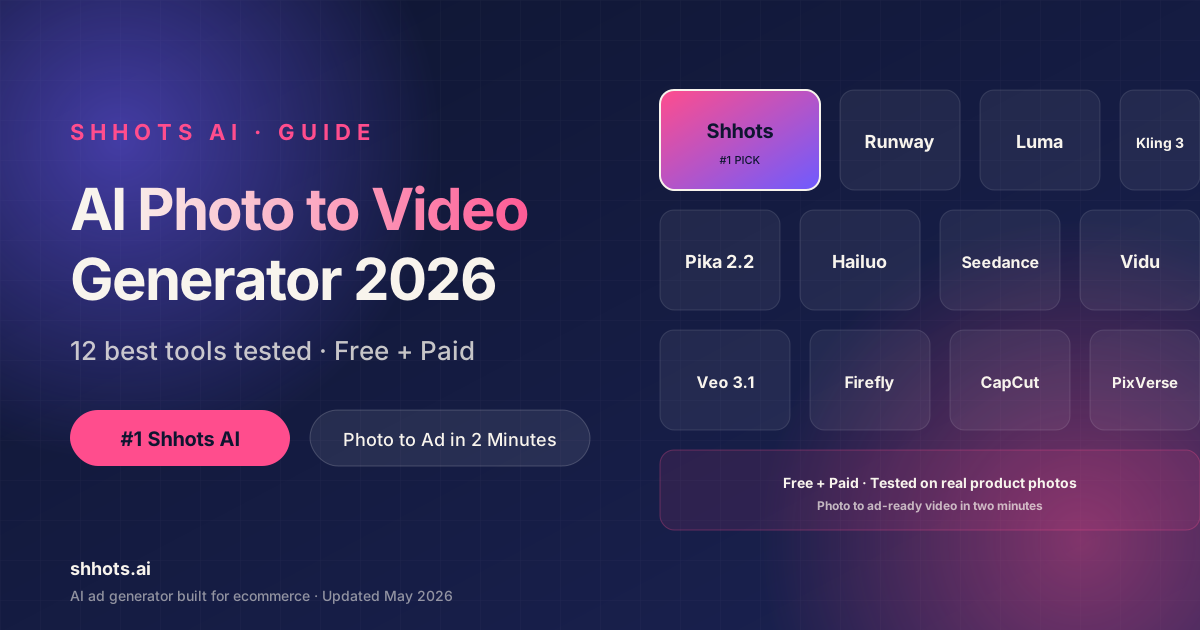
Shhots AI is the best AI photo to video generator in 2026 for ecommerce product ads. Runway and Google Veo 3.1 lead for cinematic creative, Kling AI is best for portraits and human motion, and Seedance 2.0 is the best free pick for unlimited testing. We tested 12 tools with the same product photo. The table below shows what each does best and what it costs.
| Tool | Best for | Starting price | Free tier |
|---|---|---|---|
| Shhots AI | Turns product photos into video ads and UGC ads. Plans from $19/mo. | $19/mo | No |
| Runway Gen-4.5 | Cinematic creative | $12/mo | Yes |
| Luma AI Dream Machine | Realistic physics | $9.99/mo | Yes |
| Kling AI 3.0 | Portrait animation | ~$7/mo | Yes |
| Pika 2.2 | Social shorts | $10/mo | Yes |
| Hailuo AI | Free daily use | Free | Yes |
| Seedance 2.0 | Unlimited free | Free | Yes |
| Vidu AI | Multi-image input | Free | Yes |
| Google Veo 3.1 | Premium quality | See site | Yes |
| Adobe Firefly | Licensed output | See site | Yes |
| CapCut AI | Mobile workflow | Free | Yes |
| PixVerse AI | Stylized animation | Free | Yes |
Some are free. Some cost less than $10 a month. One was built just for ecommerce product ads. Here is the full list, with what each one does best.
If you searched for the best AI tools to turn a photo into a video in 2026, the best AI tools to convert photo to video in 2026, or the best apps to turn photos into videos in 2026, every option below covers your use case.
Quick Pick: Best Photo to Video AI Tool by Use Case
For ecommerce product ads: Shhots AI ($19/month Starter plan, no prompts, Shopify ready). For cinematic creative: Runway Gen-4.5 (free tier, pro motion brush). For free unlimited testing: Seedance 2.0 (unlimited daily credits). For realistic physics and HDR: Luma AI Dream Machine (8 free videos a month). For portrait and human motion: Kling AI 3.0 (free tier, best lip sync). For premium top-tier output: Google Veo 3.1 (1080p plus synced audio). For licensed commercial output: Adobe Firefly (camera controls in Creative Cloud).
Comparing plans? See our breakdown of what an AI ad generator costs in 2026 before you commit.
Why You Need an AI Photo to Video Generator in 2026
Static photos do not move people on social. Moving photos do. A 2024 Meta study found video ads get 27% more clicks than static images on Facebook and Instagram. TikTok is video only. YouTube Shorts cuts off any clip under 1 second of motion.
You have three options to ship video. Hire a videographer at $200 to $500 per shoot. Film it yourself and lose half a day. Or use an AI photo to video generator. The third option costs less, ships faster, and lets you test more variants. That is why ecommerce founders, marketers, and creators all moved to AI photo to video tools in 2024 and 2025.
The catch is that not every tool is built for the same job. Some are made for cinematic 5-second creative shots. Some are made for talking head ads. Only one is built for ecommerce product ads end to end.
How We Tested These AI Photo to Video Tools
We rated each tool on five things:
- Output quality. Does the motion look real? Is the resolution 1080p or higher? (If the source photo is low-res, sharpen it with the 4K image upscaler before you animate it.)
- Workflow speed. From photo upload to finished video, how long does it take?
- Pricing. What is the real cost per finished video, after iteration?
- Use case fit. Is the tool built for product ads, social shorts, or cinematic creative?
- Free tier value. What can you actually ship without paying?
We tested with the same product photo (a skincare bottle) and the same lifestyle photo (a person holding a phone). We measured time to first usable clip and number of retries needed. The picks below reflect real workflow, not marketing claims.
12 Best AI Photo to Video Generators
1. Shhots AI: Best AI Photo to Video Generator for Product Ads
Best for: ecommerce, Shopify stores, product video ads. Price: $19/month Starter plan. Plans at $19, $49, and $99 a month, or save with annual billing.
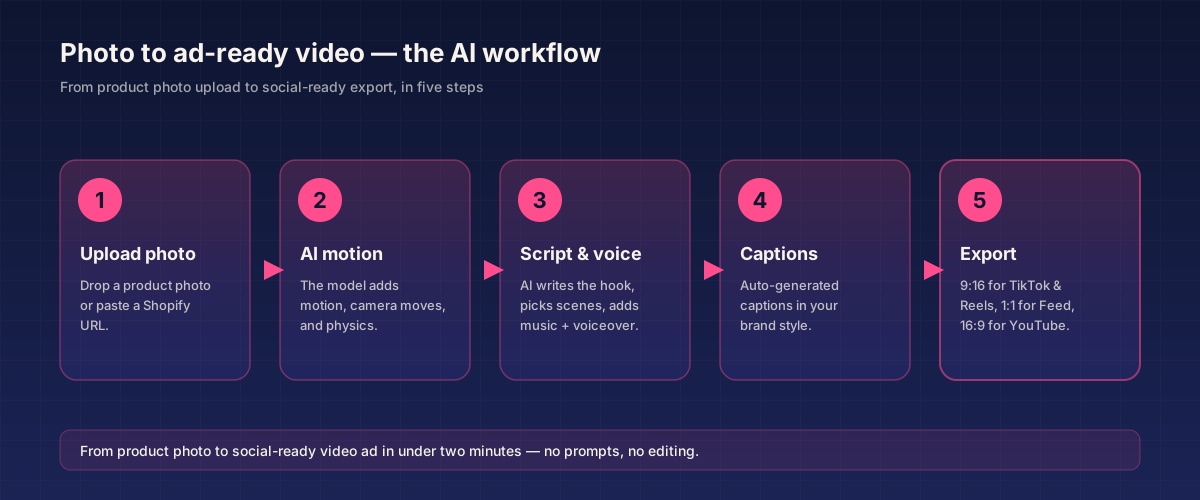
Shhots AI is the best ai photo to video generator 2026 for one specific use case: turning a product photo into a finished video ad. You upload a photo or paste a Shopify URL. Shhots writes the script. Shhots picks the scenes. Shhots adds motion, music, and voiceover. You get a finished ad in two minutes. No prompts. No editing required.
The other 11 tools on this list are creative video generators. Shhots is an ad pipeline. That is the difference. With Runway, Luma, or Veo, you get a beautiful 5-second clip and you still have to add captions, voiceover, and platform sizing in another tool. With Shhots, you get a 15-second to 30-second ad ready to upload to Meta or TikTok.
What makes it different:
- Promptless workflow. You never write a prompt.
- Shopify URL-to-video. Paste a product page URL and ship ads in minutes.
- Watermark free exports on every plan.
- Built in voiceover, captions, and sizing for Facebook, Instagram, and TikTok.
- Three tools in one workspace: AI Photoshoots, AI Video Shoots, and Faceless AI Videos.
The trade off: Shhots is laser focused on ecommerce. If you want narrative storytelling, art shots, or cinematic short films, pick a different tool. If you sell products and need ads that convert, this is the best photo to video AI generator for 2026.
Try the image-to-video tool to animate a single product photo, the full AI video generator for multi-photo ads, or read our best AI ad generator guide.
2. Runway Gen-4.5: Best for Cinematic Creative
Best for: filmmakers, motion designers, creative directors. Price: Free tier with 125 credits. Paid from $12 to $15 a month.
Runway Gen-4.5 is the reference standard for cinematic AI photo to video. The output looks like a film grade clip. Motion brush lets you control which parts of the photo move. Camera control gives you pans, tilts, and zooms. Frame extension stretches a clip to up to 3 minutes.
The free tier (125 credits) is enough to test the quality. Paid plans add 4K exports, longer clips, and pro tools.
Where it beats most rivals: 4K resolution, deep editing. Where it loses: no ad specific features, no Shopify, no built in voiceover for ads. Runway is the right pick if you need a stunning brand film or social campaign. It is overkill for a 30 second product ad.
3. Luma AI Dream Machine: Best for Realistic Physics
Best for: product motion, fluid simulation, photorealistic clips. Price: Free with 8 videos a month. Paid from $9.99 a month.
Luma’s Dream Machine is one of the best ai tools to turn photo into video for 2026 when your photo has motion content. Falling water, floating fabric, bouncing objects, smooth camera moves. The HDR output looks great on phones. The Ray 3 model thinks in visuals and handles physics like a pro.
For product ads, Luma works well when your product has motion (a bottle pouring, fabric flowing, a watch ticking). The free 8 videos a month is generous for testing. Paid plans scale up. This is one of the best ai photo to video generators for 2026 if you only need a few clips a month.
4. Kling AI 3.0: Best for Portrait and Human Motion
Best for: influencer-style content, portrait videos, lifestyle scenes. Price: Free tier. Paid plans from around $7 a month.
Kling AI 3.0 from Kuaishou produces the most natural human motion of any AI photo to video tool. Faces, hands, and body movements look real. The 3.0 model handles walking, eating, holding objects, and facial expressions better than every rival.
For ecommerce, Kling is great if your product needs a lifestyle context (someone wearing your jewelry, holding your bottle, using your gadget). The free tier gives enough to test the quality. Paid plans add longer clips and faster generation.
If you need lip sync for a UGC style ad, Kling 3.0 is the best ai apps to turn photo into video 2026 pick at this price point.
5. Pika Labs (Pika 2.2): Best for Frame-Specific Control
Best for: TikTok, Instagram Reels, short fun content. Price: Free tier with credits. Paid from $10 a month.
Pika 2.2 makes short social videos fast. The interface is simple. The Start Frame and End Frame control lets you specify exactly where the clip begins and ends, useful when stitching multiple AI photo to video clips into a longer narrative. The output is good enough for casual social content.
Pika is not as polished as Runway or Luma. It is also not built for ads. For quick clips that go on a story or a feed, it works well as a free ai photo to video generator.
6. Hailuo AI (MiniMax): Best for Free Daily Credits
Best for: testing AI photo to video without a subscription. Price: Free tier with daily credits. Paid plans available.
Hailuo from MiniMax has one of the most generous free tiers in the AI photo to video space. You get daily credits. Quality is solid for casual use. The 02 and 2.3 models handle motion well.
If you want a free AI photo to video generator for personal projects, Reels, or quick tests, Hailuo is a good first stop. It is one of the best free AI photo to video tools 2026 has to offer right now.
7. Seedance 2.0: Best for Unlimited Free Daily Use
Best for: heavy testing, learning the AI video space. Price: Free with unlimited daily credits. Paid plans for priority access.
Seedance 2.0 from ByteDance offers unlimited daily credits on the free tier. There can be peak hour waits. Output quality is strong, especially on character consistency.
For anyone wanting to learn AI photo to video without paying, Seedance is the most generous tool on this list. It is the best free AI tool to turn photo into video 2026 has if your only constraint is budget.
8. Vidu AI: Best for Multi-Image Reference Videos
Best for: combining multiple product shots into one video. Price: Free with 3 generations plus daily bonuses. Paid plans available.
Vidu has a feature called reference to video. You upload up to seven photos. Vidu blends them into one coherent clip. For ecommerce, this is useful. You can upload your hero shot, a lifestyle shot, and a detail shot, and Vidu turns them into a full video with consistent product look across frames.
The free tier is generous enough to actually test the tool. Quality is good for the price. It is one of the best AI tools to create video from photos in 2026 when you have multiple reference shots.
9. Google Veo 3.1: Best for Premium Output
Best for: brands that want top quality. Price: Available through Google AI subscriptions. Limited rollout.
Veo 3.1 is currently the highest-rated AI photo to video model on the market. It produces 1080p clips with synced audio, realistic dialogue, and accurate physics. Google has rolled it out through limited channels, so access varies.
When you can get it, Veo 3.1 beats every rival on almost every quality metric. The catch is access. If you can use it through Google’s official tools, it is worth a try. If not, Runway, Luma, and Shhots AI are easier to start with today.
10. Adobe Firefly: Best for Licensed Commercial Output
Best for: brands that need a licensed commercial guarantee. Price: Free tier. Paid via Creative Cloud subscriptions.
Adobe Firefly powers Adobe’s generative AI photo to video tools. Upload any photo, set the resolution, and add cinematic camera moves like pan, zoom, or tilt. Preview, adjust framing, and export. The big edge is licensing. Adobe trains on a curated content library and provides a commercial license on output.
For agencies and brands that worry about copyright on AI generated visuals, Firefly is one of the safest AI photo to video generators in 2026. The output quality is clean if not flashy.
11. CapCut AI: Best Mobile AI Photo to Video Generator
Best for: creators who edit on phone. Price: Free tier on the CapCut app. Paid plans for advanced AI tools.
CapCut bundled AI photo to video tools into the mobile app in 2024. You upload a photo from your phone, pick a motion preset, and get a short clip you can post directly to TikTok or Reels. The output is not pro grade. The workflow is the fastest on mobile.
For creators who shoot photos and want a quick ai photo to video animation 2026 ready clip, CapCut is the best app to turn photo into video 2026 has on mobile.
12. PixVerse AI: Best for Stylized Animations
Best for: anime, stylized portraits, fun social posts. Price: Free tier. Paid plans available.
PixVerse AI offers a range of stylized AI photo to video animation effects. Anime style, manga style, dance presets, and cinematic. It is fun for personal use and stylized creator content. Quality on realistic product shots is lower than Runway or Luma.
For creators who want a fun AI photo to video animation tool 2026 has at this price, PixVerse is a solid free start.
AI Photo to Video Generators Compared
| Tool | Best For | Starting Price | Free Tier | Output |
|---|---|---|---|---|
| Shhots AI | Product video ads | $19/month Starter plan | $19/month Starter plan | 1080p, ad-ready |
| Runway Gen-4.5 | Cinematic creative | $12/mo | 125 credits | 4K |
| Luma AI Dream Machine | Realistic physics | $9.99/mo | 8 videos/mo | HDR |
| Kling AI 3.0 | Portrait animation | ~$7/mo | Yes | 1080p |
| Pika 2.2 | Social shorts | $10/mo | Yes | HD |
| Hailuo AI | Free daily use | Free | Daily credits | HD |
| Seedance 2.0 | Unlimited free | Free | Unlimited | HD |
| Vidu AI | Multi-image input | Free | 3 + daily | HD |
| Google Veo 3.1 | Premium quality | Varies | Limited | 1080p+audio |
| Adobe Firefly | Licensed output | Free | Yes | HD |
| CapCut AI | Mobile workflow | Free | Yes | HD |
| PixVerse AI | Stylized animation | Free | Yes | HD |
Best Free AI Photo to Video Generators
If you want a free ai photo to video generator 2026 has, four tools stand out.
Seedance 2.0 wins on volume. Unlimited daily credits beats every other free tier.
Hailuo AI wins on consistency. Daily credits with no surprise caps.
Vidu AI wins on features. Three free generations plus daily bonuses, with the unique reference to video tool.
Luma AI wins on quality. Eight free videos a month, with cinematic output.
These free tiers are great for testing. None are built for ecommerce ads. For real ad campaigns, a paid tool with ecommerce features will save you more money than the free tier saves you. See our best AI image to video generator guide for a deeper model and free tier comparison.
How to Pick the Right AI Photo to Video Tool
The right pick depends on what you actually make.
You sell products on Shopify, Amazon, or DTC. Pick Shhots AI. It is the only tool that takes a product photo and ships an ad without prompts. Lower per ad cost than every rival. See how to turn a Shopify product URL into a video.
You make cinematic shorts or art films. Pick Runway Gen-4.5 or Luma AI Dream Machine. Better quality, better creative tools, longer clips than the rest.
You want talking head UGC from a portrait photo. Pick Kling AI 3.0 for human motion or Shhots AI UGC ads generator for an end to end ad.
You want free credits to learn. Pick Seedance 2.0 or Hailuo AI. Unlimited daily free credits.
You run a dropshipping store. Pick Shhots AI. See the dropshipping ads maker workflow.
You need a licensed commercial output. Pick Adobe Firefly or Shhots AI. Both ship with a clear commercial license.
You edit on phone. Pick CapCut AI for the fastest mobile AI photo to video workflow.
Best AI Photo to Video Generator FAQ
What is the best AI photo to video generator 2026?
The best AI photo to video generator 2026 depends on your use case. For ecommerce product ads, Shhots AI is the best photo to video generator because it ships finished ads in two minutes from a product photo or Shopify URL. For cinematic creative, Runway Gen-4.5 leads. For free testing, Seedance 2.0 wins on volume. For premium output, Google Veo 3.1 is the highest rated AI photo to video tool right now.
Are there free AI photo to video generators that work in 2026?
Yes. The best free AI photo to video generators 2026 has are Seedance 2.0 (unlimited daily credits), Hailuo AI (daily free credits), Luma AI Dream Machine (8 free videos a month), and Vidu AI (3 free generations plus daily bonuses). For ecommerce product ads, Shhots AI offers a $19/month Starter plan that often delivers more value than any free tier.
What are the best AI tools to turn photo into video for 2026?
The best AI tools to turn photo into video for 2026 are Shhots AI for product ads, Runway Gen-4.5 for cinematic creative, Luma AI Dream Machine for realistic physics, Kling AI 3.0 for human motion, and Google Veo 3.1 for premium quality. Seedance 2.0 is the best free option, and CapCut AI is the best mobile pick.
What is the best AI photo to video tool for ecommerce product ads?
Shhots AI is the best AI photo to video tool for ecommerce product ads in 2026. It is the only tool built end to end for ecommerce. You upload a product photo or paste a Shopify URL. The platform writes the script, picks scenes, adds motion, voiceover, and captions. You get a finished ad in two minutes. No prompts. Watermark free.
Can AI turn a single photo into a 30 second video?
Yes. Most AI photo to video generators ship 5 to 10 second clips natively. To get a 30 second video from a single photo, you can either use Runway’s frame extension feature, Pika 2.2’s Start and End Frame control, or Shhots AI which auto stitches multiple AI photo to video clips into a 15 to 30 second ad.
What are the best apps to turn photos into videos in 2026?
The best apps to turn photos into videos 2026 has are CapCut AI on mobile, Shhots AI on web for product ads, Hailuo AI for free daily credits, and Pika Labs for fast social clips. CapCut is the most popular phone-first app. Shhots AI is the most polished web tool for ad workflows.
What is the best AI photo to video generator for photographers?
The best AI photo to video generator for photographers in 2026 is Luma AI Dream Machine for cinematic motion or Runway Gen-4.5 for full creative control. Both let you turn portfolio shots and product photos into short cinematic clips. For social and ad use, Shhots AI is a faster and more affordable option that auto-formats clips for Meta, TikTok, and YouTube.
Are AI photo to video tools good enough for paid ads?
Yes, with the right tool. The output of Shhots AI, Runway Gen-4.5, Luma AI, Kling AI 3.0, and Google Veo 3.1 is more than good enough for Meta, TikTok, and Google paid ads in 2026. Most converting AI photo to video ads on TikTok and Reels are made with these tools. Free tier outputs from Seedance and Hailuo are good enough for testing but not always for high spend campaigns.
What is the cheapest AI photo to video generator?
The cheapest paid AI photo to video generator is Kling AI 3.0 at around $7 a month or Luma AI Dream Machine at $9.99 a month. For ecommerce product ads, Shhots AI starts at a $19/month Starter plan. The cheapest free options are Seedance 2.0 and Hailuo AI.
Final Take
For ecommerce founders and marketers, the best AI photo to video generator in 2026 is Shhots AI. Built for product ads. Promptless. Shopify ready. $19/month Starter plan.
For cinematic creative, Runway Gen-4.5 and Luma AI Dream Machine are the right picks. For human motion, Kling AI 3.0 leads. For free testing, Seedance 2.0 and Hailuo AI win on volume. For premium output, Google Veo 3.1 sits at the top.
Pick the tool that fits the work you actually do. Most teams end up using two: one for ecommerce product ads (Shhots AI) and one for cinematic or social creative (Runway, Luma, or Kling).
Try Shhots AI on a $19/month Starter plan. Or browse our other deep dives on the best AI image to video generators, the best AI ad generator, the Higgsfield AI alternatives guide, and the Arcads AI alternatives guide. For model-specific picks, compare our Sora alternatives, Runway alternatives, Kling AI alternatives, Luma AI alternatives, and Google Veo 3 alternatives guides.