Disclosure: Shhots AI is our product.
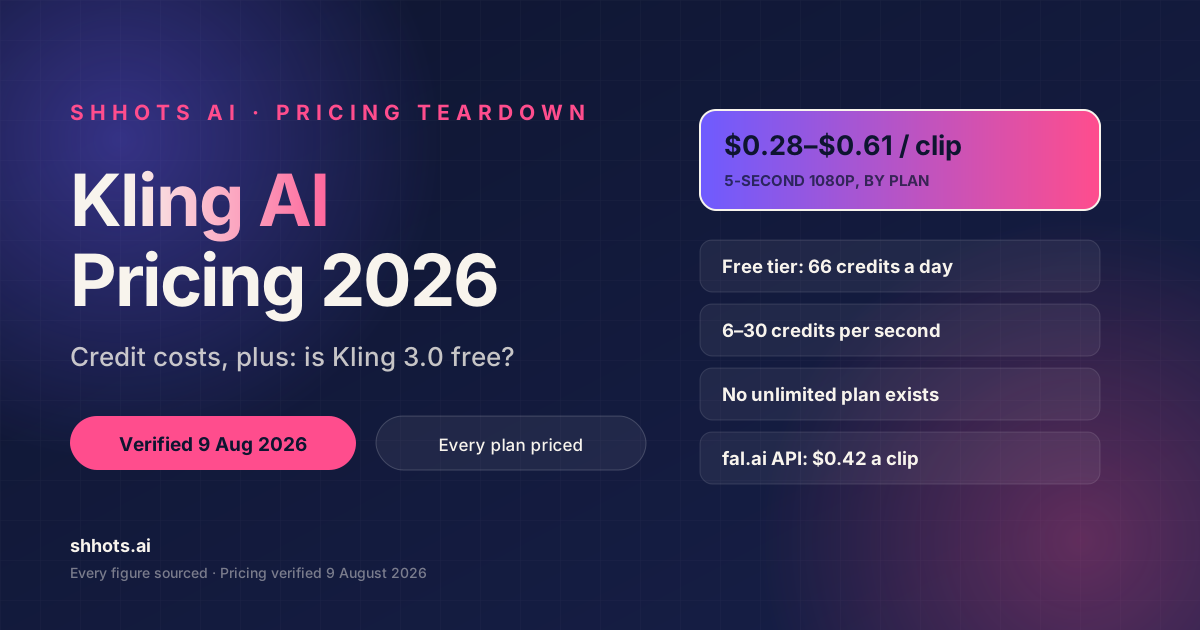
Kling AI pricing runs from a free tier of 66 credits per day up to an Ultra plan at a reported $180/month for 26,000 credits, with Kling 3.0 billed by the second, 6 credits per second at 720p, rising to 30 credits per second for native 4K. In practice a 5-second 1080p clip costs between $0.28 and $0.61 depending on your plan, and the free tier gets you about two clips a day.
Pricing verified 9 August 2026. We re-check every price in this post quarterly and update the date above.
Kling AI pricing at a glance (2026)
| Plan | Monthly (reported) | Credits/month | Cost per credit | 5s 1080p clip | Commercial use |
|---|---|---|---|---|---|
| Basic (free) | $0 | 66/day, expires daily | n/a | 1/day | No |
| Standard | $10 | 660 | $0.01515 | $0.61 | Yes |
| Pro | $37 | 3,000 | $0.01233 | $0.49 | Yes |
| Premier | $92 | 8,000 | $0.01150 | $0.46 | Yes |
| Ultra | $180 | 26,000 | $0.00692 | $0.28 | Yes |
Two notes before you read further, because both affect whether you can trust anything else you’ve read about Kling AI pricing.
The credit allocations and per-second rates above are verified from Kling’s own documentation. The dollar figures are not. Kling’s membership page is a client-side app that renders no prices to a crawler, so every published Kling AI pricing table on the web, including this one, sources its dollar amounts from secondary reporting. The four figures above are internally consistent with Kling’s published 34% annual discount, which is why we’re comfortable citing them, but verify in-app before you subscribe.
klingai.com now redirects to kling.ai. If a Kling AI pricing article still links to the old domain, it hasn’t been touched in months.
How Kling AI pricing works: credits, not videos
Kling doesn’t sell videos. It sells credits, and Kling 3.0 spends them per second of output.
What Kling 3.0 costs per second
From Kling’s official VIDEO 3.0 model guide, verified 9 August 2026:
| Mode | 720p | 1080p |
|---|---|---|
| No native audio | 6 credits/sec | 8 credits/sec |
| With native audio | 9 credits/sec | 12 credits/sec |
| Voice control add-on | +2 credits/sec | +2 credits/sec |
| Native 4K | n/a | 30 credits/sec |
Duration is freely selectable from 3 to 15 seconds. That’s a meaningful change from Kling 2.x, which only offered fixed 5- and 10-second outputs, and it’s why a lot of older Kling AI pricing content is wrong.
There’s a second correction worth making, because almost every ranking article gets it backwards: Kling 3.0 has dropped the “Standard mode / Professional mode” split entirely. It bills by resolution and audio, not by mode. If an article describes Kling 3.0 pricing in std/pro terms, it’s describing version 2.x.
Kling 3.0 Omni, the multi-shot variant that accepts up to seven reference images, bills at the same rates without video input, and at 12 credits/sec (720p) or 16 (1080p) with video input. Native audio with video input isn’t supported yet.
What a credit is actually worth
Kling’s payment policy states the top-up rate plainly: $1 USD = 66 credits, which is $0.01515 per credit.
Hold onto that number, because it produces the single most useful finding in this whole breakdown, see below.
The same policy page confirms three things people frequently get wrong:
- Purchased credits are valid for 2 years. Membership credits expire 1 month from distribution. No rollover.
- Payments are non-refundable once the paid service is activated. Kling’s wording is unambiguous: virtual services are treated as non-refundable consumer products, not prepayments.
- Auto-renewal is on by default.
Kling AI pricing per video, every plan
Here’s the arithmetic, using Kling’s verified per-second rates and the reported plan prices. Videos per month is monthly credits divided by credits per video.
| Plan | 5s 720p (30 cr) | 5s 1080p (40 cr) | 10s 1080p (80 cr) | 5s 1080p + audio (60 cr) | 10s 1080p + audio (120 cr) |
|---|---|---|---|---|---|
| Standard $10 | 22 videos: $0.45 | 16: $0.61 | 8: $1.21 | 11: $0.91 | 5: $1.82 |
| Pro $37 | 100: $0.37 | 75: $0.49 | 37: $0.99 | 50: $0.74 | 25: $1.48 |
| Premier $92 | 266: $0.35 | 200: $0.46 | 100: $0.92 | 133: $0.69 | 66: $1.38 |
| Ultra $180 | 866: $0.21 | 650: $0.28 | 325: $0.55 | 433: $0.42 | 216: $0.83 |
Worked example so you can check the method: Ultra, 10-second 1080p with audio. 12 credits/sec × 10 seconds = 120 credits. 26,000 ÷ 120 = 216 videos. $180 ÷ 216 = $0.83 per video.
The finding nobody has published
The Standard plan’s effective rate is $0.01515 per credit, exactly the same as buying credits à la carte.
That’s not a coincidence, and it means Standard subscribers get zero credit-value advantage over simply topping up. What the $10 actually buys is watermark removal, 1080p output, commercial rights, the Extend feature and a better queue position. Those are real benefits. But if you thought subscribing made credits cheaper, it doesn’t, not at that tier.
The volume curve is steep after that. Ultra is 2.2× more credit-efficient than Standard. And here’s the counterintuitive part: Ultra is reportedly excluded from the 34% annual discount, yet Ultra-monthly at $0.00692 per credit still beats Premier-annual at $0.00759. If you’re at real volume, monthly Ultra is the cheapest credit on the platform.

Is Kling 3.0 free?
Yes, genuinely free, and capped at roughly two clips a day.
The Basic tier gives 66 credits daily, expiring every 24 hours with no rollover. At the verified rate of 6 credits per second for 720p without audio, a 5-second clip costs 30 credits. So the free allowance buys:
- Two 5-second 720p clips per day, with 6 credits left over, or
- One 5-second 1080p clip (40 credits), or
- One 5-second 1080p clip with native audio (60 credits).
A 5-second native 4K clip costs 150 credits. That is mathematically impossible on the free daily allowance, no matter how you arrange it.
Free output comes with real limits: it’s watermarked, capped at 720p, restricted to a single-task queue, and not licensed for commercial use. Kling’s own free-plan page confirms the watermark and states that memberships are watermark-free with 1080p output.
One honest caveat on the 66-credits-a-day figure: it’s widely reported and appears consistent in the product, but it isn’t stated in Kling’s payment policy the way the top-up rate is. At least one analysis argues the daily allowance is a promotional mechanic rather than a contractual entitlement, and notes the suspicious coincidence that 66 is also the dollar conversion rate. Treat it as currently true rather than guaranteed.

Is there a Kling 3.0 unlimited plan?
No. There is no unlimited tier on Kling AI. Every official plan, including Ultra at a reported $180/month, is credit-metered.
This matters because “kling 3.0 unlimited” is a real and reasonably popular search, and the pages serving it are mostly third-party resellers, platforms that buy Kling API capacity and bundle it into their own subscriptions with “unlimited” marketing. Some of those are legitimate products. But you’re not buying an unlimited Kling plan, because Kling doesn’t sell one. You’re buying a reseller’s rate limit, which is a different thing with different queue behaviour.
If unlimited-feeling volume is the goal, the honest routes are Ultra’s 26,000 monthly credits, or the API, which we’ll come to next.
Kling AI pricing via the API: and the cheapest place to run it
If you’re generating programmatically, the API changes the maths considerably. Verified provider rates as of 9 August 2026:
| Provider | Model | Price | 5-second clip |
|---|---|---|---|
| fal.ai | Kling v3 Standard, text-to-video | $0.084/sec | $0.42 |
| fal.ai | Kling v3 Pro, image-to-video | $0.112/sec | $0.56 |
| fal.ai | Kling v3 4K, image-to-video | $0.42/sec | $2.10 |
| OpenRouter | Kling v3.0 Pro | from $0.168/sec | $0.84 |
| Replicate | Kling v3 | $0.168/sec | $0.84 |
| Segmind | Kling 2.6 Pro | n/a | $0.4375 |
Two things fall out of this table that are worth knowing before you write a single line of integration code.
Replicate charges exactly double fal.ai for the identical model. $0.168 versus $0.084 per second, same Kling v3, no audio. If you’re building on Kling and you picked a provider by brand familiarity, that’s a 2× bill for nothing.
Above roughly the Pro tier, the API is cheaper per clip than the consumer subscription. A 5-second 1080p clip costs $0.49 on the Pro plan and $0.42 on fal.ai. The subscription buys you the web interface, the asset library and the editing tools; if you don’t need those, you’re paying for them.
Kling’s official API sells in resource packages with 30- to 180-day validity and concurrency limits of 5 to 20 simultaneous tasks. The image models are individually priced. Kling v3 Omni image generation runs $0.028 for 1K-2K output and $0.056 at 4K.
5 things Kling AI pricing doesn’t tell you upfront
1. Failed generations consume credits. Rejected prompts, content-policy blocks and technical failures all spend the credits, and there’s no automatic restoration on the consumer platform. Reported experiences describe losing 60 credits on a failure after a long queue wait.
2. Membership credits expire monthly. Purchased top-up credits last two years. The credits included in your plan last one month. It’s easy to assume the longer window applies to both.
3. Queue time scales with what you pay. Priority runs Pro: Standard: Free. Reported free-tier waits for a 5-second clip run 3-8 minutes typically and 10-30+ minutes at peak; paid tiers land in the 30-second to 3-minute range.
4. Extend has a hard ceiling. Paid tiers can extend clips in 4-5 second increments up to about three minutes total, with visible quality degradation past roughly 60 seconds of extension. Kling is a clip generator, not a long-form tool.
5. The refund policy is absolute. Non-refundable once activated, credits can’t be exchanged for cash, and reported practice is that any credit usage at all forecloses a refund. Price your first month as a sunk cost.
On review scores: we’re deliberately not quoting a Trustpilot rating for Kling. Trustpilot blocked automated verification on both the old and new domain profiles, and there are two separate profiles with split review histories. Any article quoting a precise Kling Trustpilot score should tell you which profile and when. Most don’t.

Is a Kling subscription worth it?
The free tier is worth using if you’re evaluating output quality or making two clips a day for personal projects. It’s genuinely capable, just watermarked and non-commercial.
Standard at $10 is worth it for the rights and the watermark removal, not for the credit economics. You’re paying the same per credit as a top-up buyer.
Pro at $37 is the value inflection. Credits get 19% cheaper than Standard and 3,000 of them covers 75 short 1080p clips a month, which is a real production volume.
Ultra at $180 is for genuine scale and is the cheapest credit on the platform. Below a few hundred clips a month it’s hard to justify.
Skip the subscription and use fal.ai if you’re generating programmatically, don’t need the web editor, and can handle your own asset management.
If you want to see how Kling stacks up against the field rather than against itself, we’ve compared 10 Kling AI alternatives, the best AI image-to-video generators and 7 best AI video generators in detail.
Where Shhots AI fits: honestly
We’ll be straight about this, because it’s a case where the answer depends entirely on what you’re making.
If you want raw Kling clips, buy Kling. Their Standard plan at a reported $10/month is cheaper than any bundled option, including ours, and there’s no sensible argument otherwise.
If you want finished product ads, the calculation changes. Shhots includes Kling 3.0 alongside Veo 3, Seedance 2.0, Nano Banana Pro and ChatGPT Image 2 under one subscription starting at $19/month for 2,000 credits, and what comes out is an ad rather than a clip, product framing, captions, voiceover, platform-ready aspect ratios and a full commercial licence on every plan. A 10-second product ad costs 577 credits, which works out to $4.90 per ad on the $49 Pro plan. Auto-captions are unlimited and cost no credits.
That’s more expensive per second of video than raw Kling. It’s cheaper than raw Kling plus an editor plus a captioning tool plus your time, which is the honest comparison.
You can see the model lineup on our models page, try the image-to-video tool or the AI video generator, and check the rates on Shhots AI pricing. If you’re animating product photos specifically, we’ve also covered the tools that animate a photo into video.
FAQ
How much does Kling AI cost per month?
Kling AI pricing is reported at $10/month for Standard (660 credits), $37 for Pro (3,000), $92 for Premier (8,000) and $180 for Ultra (26,000). There’s also a free Basic tier with 66 credits a day. Credit allocations are confirmed by Kling’s documentation; the dollar figures come from secondary reporting because Kling’s membership page renders no prices to crawlers.
Is Kling AI free?
Yes, with limits. The free Basic tier provides 66 credits per day that expire every 24 hours, enough for about two 5-second 720p clips. Free output is watermarked, capped at 720p, queued behind paid users, and not licensed for commercial use.
Is Kling 3.0 free?
Kling 3.0 is available on the free tier, but the daily credit allowance only stretches to roughly two 5-second 720p clips. A 5-second native 4K clip costs 150 credits, which exceeds the entire daily free allowance.
Is there a Kling 3.0 unlimited plan?
No. Every Kling plan including Ultra is credit-metered. Pages advertising “unlimited Kling 3.0” are third-party resellers bundling API capacity under their own subscriptions, not official Kling plans.
How many credits does a Kling 3.0 video cost?
Six credits per second at 720p without audio, 8 at 1080p, 9 at 720p with native audio, 12 at 1080p with native audio, and 30 per second for native 4K. Voice control adds 2 credits per second. Clips can be 3 to 15 seconds.
Do Kling AI credits expire?
Yes, and differently depending on source. Credits included in a membership expire one month after distribution with no rollover. Credits you purchase separately are valid for two years.
Can I get a refund from Kling AI?
Officially, no. Kling’s payment policy states that fees are non-refundable once the paid service is activated, and credits cannot be exchanged for cash. Reported practice is that any credit usage forecloses a refund request.
What’s the cheapest way to run Kling 3.0?
For programmatic use, fal.ai at $0.084 per second is currently the cheapest verified route, half what Replicate charges for the identical model. For interface-based use at scale, the Ultra plan offers the cheapest credit at about $0.0069 each.
Can I use Kling AI videos commercially?
Only on a paid plan. Free-tier output is watermarked and not licensed for commercial use. All paid memberships include commercial rights.
Final take
Kling AI pricing is better value than its reputation suggests, provided you land on the right tier. The free tier is a real evaluation tool rather than a teaser. Pro at $37 is where the credit economics start working. Ultra is the cheapest credit on the platform and, oddly, cheaper than any annual plan.
The traps are the ones Kling doesn’t foreground: credits that expire monthly, failed generations that still bill, an absolute no-refund policy, and a “Standard” tier that costs exactly the same per credit as buying nothing at all.
If your end product is a finished ad rather than a clip, it’s worth comparing the total cost of Kling-plus-tooling against a bundled option: Shhots AI pricing starts at $19/month with Kling 3.0 included, and you can run Kling 3.0 inside Shhots without a separate subscription.
Run Kling 3.0 inside Shhots AI
If you want finished ads rather than raw clips, Shhots bundles Kling 3.0 alongside Veo 3, Seedance 2.0, Nano Banana Pro and ChatGPT Image 2 under one subscription, with product framing, voiceover, captions and platform-ready aspect ratios already applied.
- From $19/month, credit cost published for every output type.
- A 10-second product ad costs 577 credits, $4.90 on the $49 Pro plan.
- Auto-captions are unlimited and cost zero credits. Full commercial licence on every plan.
See Shhots AI pricing → · Browse the Kling 3.0 model page → · Try image-to-video →