Disclosure: Shhots AI is our product.
Shhots AI is the best Virtual Staging AI alternative in 2026 if you want staging inside a full listing workflow. Photo correction, object removal, staging and a narrated walkthrough video run on one $49 a month plan, at about $0.45 per staged image. REimagineHome is the closest like-for-like AI staging app, StageHQ is the best pay-once option, and BoxBrownie is the pick when you want a human designer instead of a model. We compared seven alternatives on price, photo caps, turnaround, and what ships beyond staging, with every price verified against the vendor’s live pricing page in August 2026.
| Tool | Best for | Price (as of Aug 2026) | Model |
|---|---|---|---|
| Shhots AI | Staging inside a full listing workflow | $49/mo (Pro, 6,000 credits ~ 109 images) | AI, subscription |
| REimagineHome | Like-for-like AI staging app | From $14/mo (30 credits) | AI, subscription |
| StageHQ | Pay-once, no subscription | $19 one-time (20 photos) | AI, credit packs |
| Collov AI | Staging plus virtual tours | From $19/mo billed yearly (60 credits) | AI + human-assist tier |
| AI HomeDesign | Budget annual plans | From $19/mo billed annually (30 photos) | AI, subscription |
| BoxBrownie | Human-designer quality | $30/image | Human editing service |
| Styldod | Human service at volume | $16-$23/image | Human designer service |
Why look for a Virtual Staging AI alternative?
Virtual Staging AI (virtualstagingai.app) is a capable, fast staging tool. Results land in about 10 seconds, output is watermark-free, and furniture removal is included. The reasons agents and photographers shop around are structural, not quality complaints:
- Monthly photo caps. Plans meter photos per month: 6 on Basic, 20 on Standard, 60 on Professional, 150 on Enterprise. A single 30-photo listing can eat a month’s allowance on the lower tiers.
- Cost per photo at low volume. The $16/month Basic plan works out to $2.67 per photo. That’s cheap next to a $30 human service, but expensive next to credit-pool tools when you stage a room in three styles to compare.
- Yearly-billing headline prices. The advertised $16 to $79/month rates are the yearly-billing rates, as shown on the live pricing page in August 2026. Month-to-month billing costs more.
- Staging is the whole product. A listing shoot also needs exposure correction, sky replacement, clutter removal, and increasingly a video. With a staging-only tool, those jobs need a second and third subscription.
If none of those bite, Virtual Staging AI remains a good tool. If any of them do, here are the seven alternatives worth comparing.
Virtual Staging AI pricing, for reference
As of August 2026, Virtual Staging AI’s live pricing page lists four plans, priced per month with yearly billing: Basic $16 (6 photos/month, $2.67 per photo), Standard $19 (20 photos, $0.95 per photo), Professional $39 (60 photos, $0.65 per photo), and Enterprise $79 (150 photos, $0.53 per photo, API access). All plans are watermark-free with unlimited renders and downloads, and there’s a free image-editing trial. Keep those numbers in mind as the baseline the alternatives have to beat.
The 7 best Virtual Staging AI alternatives
1. Shhots AI: best for staging inside a full listing workflow
Shhots AI’s virtual staging is one action inside Real Estate Studio, a per-property workspace that also handles the rest of the shoot: nine correction presets (HDR, sky replacement, window pull, perspective), object and furniture removal, and a 15-second narrated walkthrough video built from the finished gallery.
The economics work differently from photo-capped plans. Staging costs 55 credits per generated image. The Pro plan is $49 a month for 6,000 credits, so roughly 109 staged images at about $0.45 each. The same credit pool covers correction and video, so you are not buying staging capacity separately from editing capacity. Three staging styles of the same living room costs about $1.35 and three minutes.
Here is one run on a real listing. An empty new-build living room, staged in a farmhouse style, generated in Real Estate Studio:
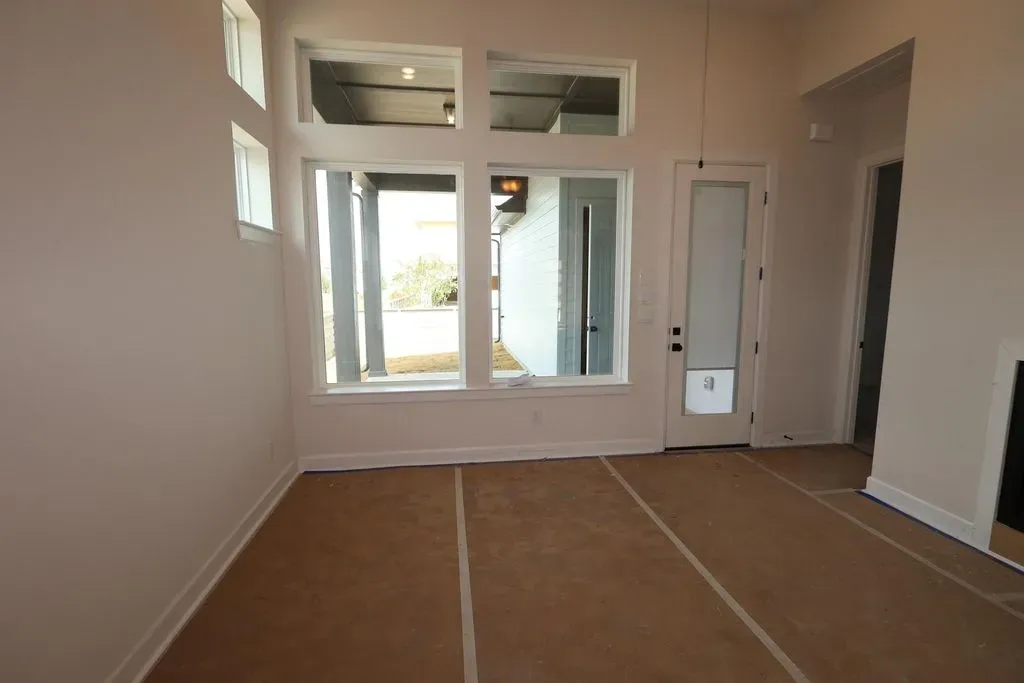
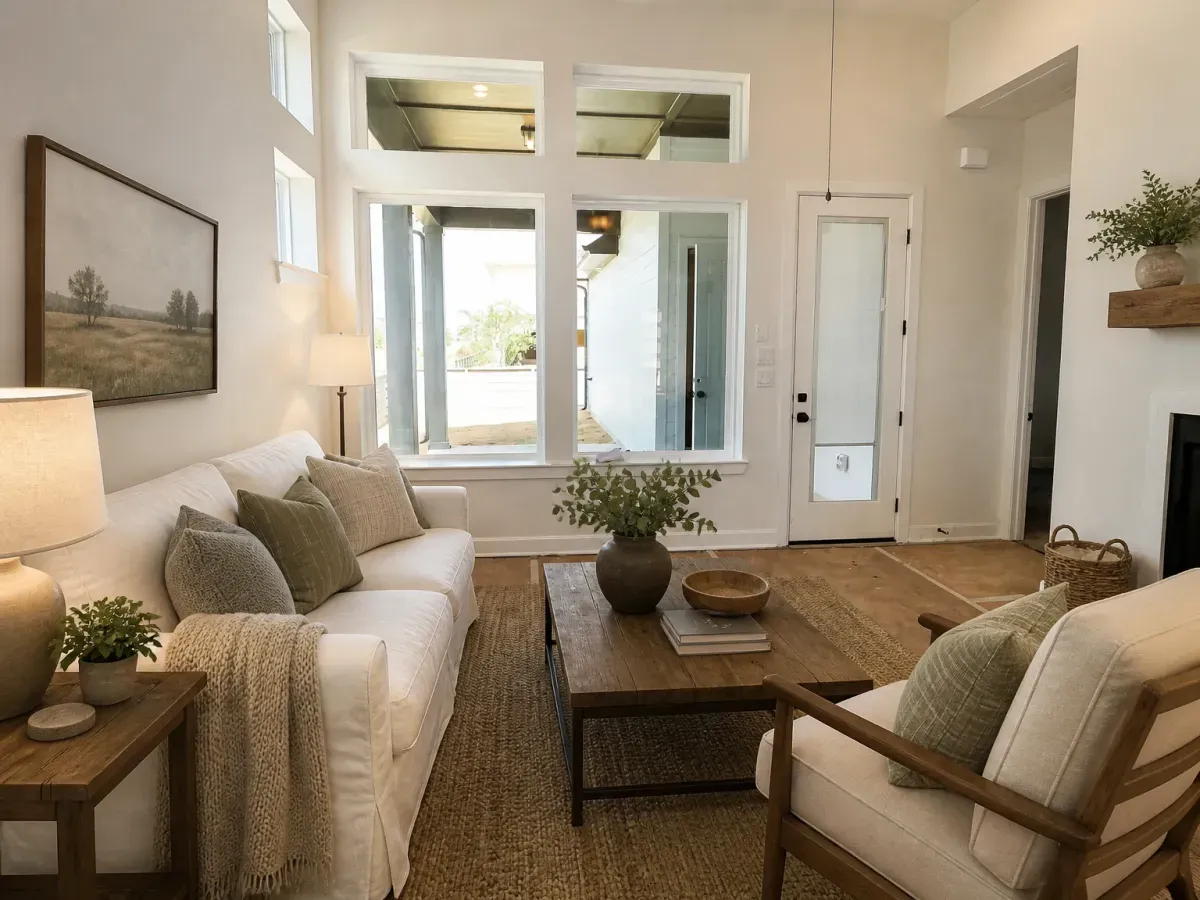
Look at the back right of the staged frame. The builder’s floor protection is still down, because the model furnished the room rather than finishing it. That is the behaviour you want on a listing photo: the buyer sees a sofa, not a floor the house does not have yet.
Two design choices matter for real estate specifically. Staging is meant to be structure-preserving, so walls, windows, doors and floors stay where the camera found them. The untouched original is saved beside every generated version, which is the workflow California’s AB 723 disclosure rules assume. Output is watermark-free at full resolution with a commercial license on every plan. Real Estate Studio ships on Pro ($49 a month) and Scale ($99 a month, 12,000 credits).
Restyle Room handles the other case, a room that is already furnished but dated. Same room, same walls, different furniture:
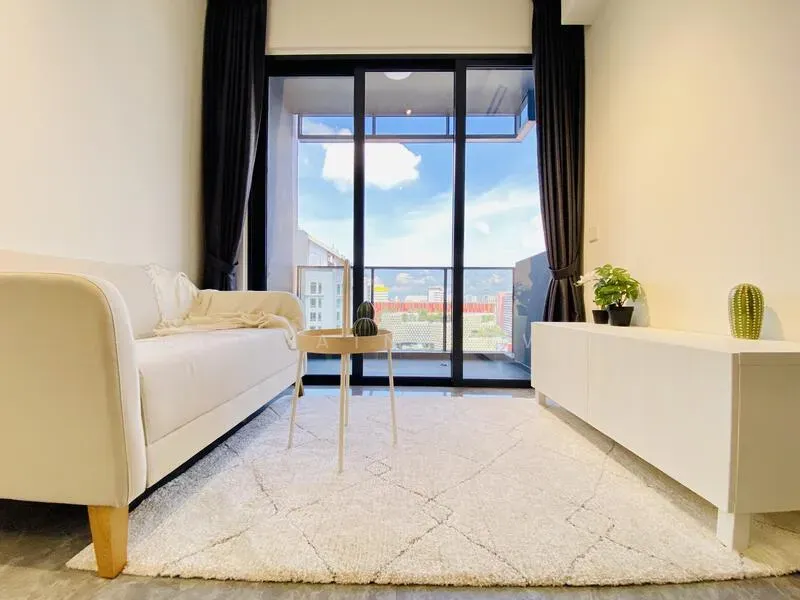
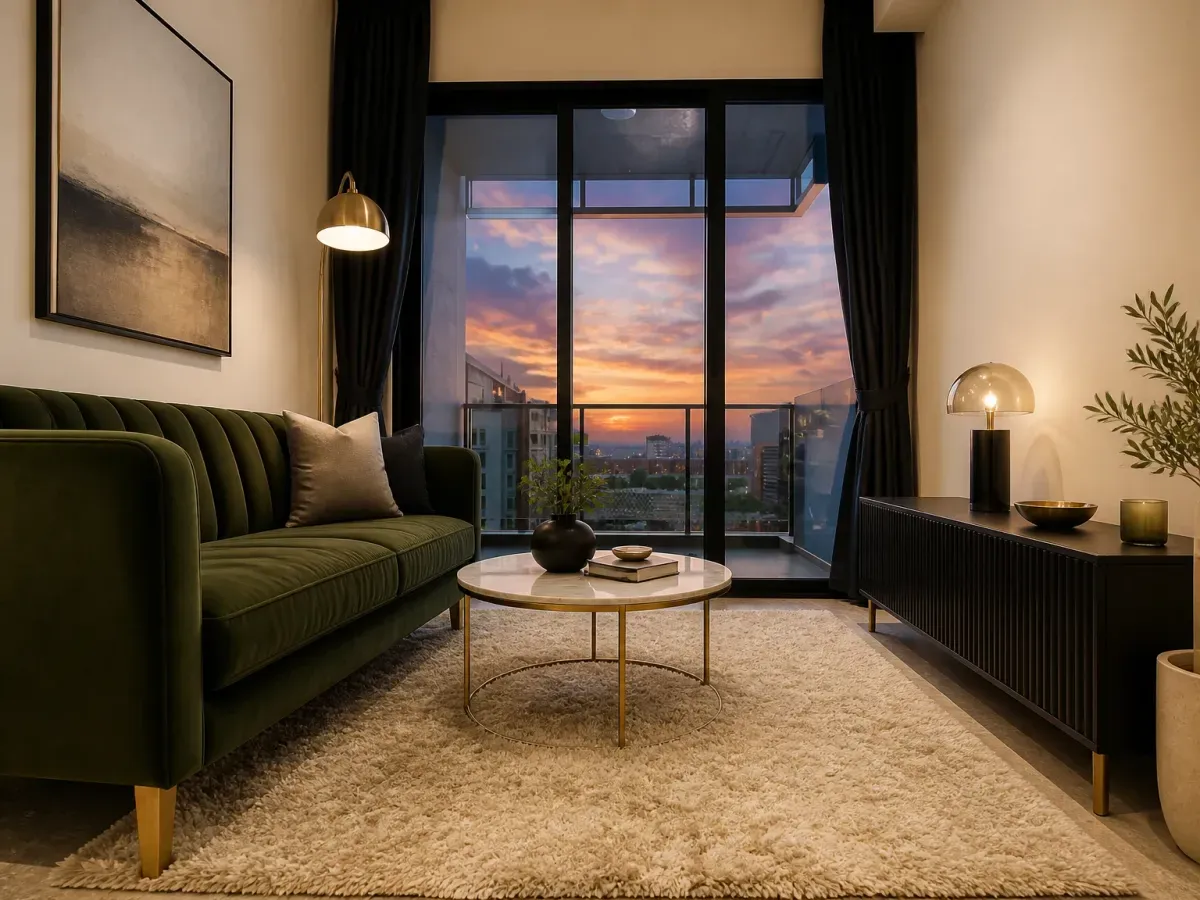
The window frames, ceiling line and room proportions are identical between those two frames. The furniture, lighting and the sky outside are not. The sky change came from a plain-text instruction typed alongside the preset, which is worth understanding before you use this on a listing (more on that below).
It works the same way on bedrooms:
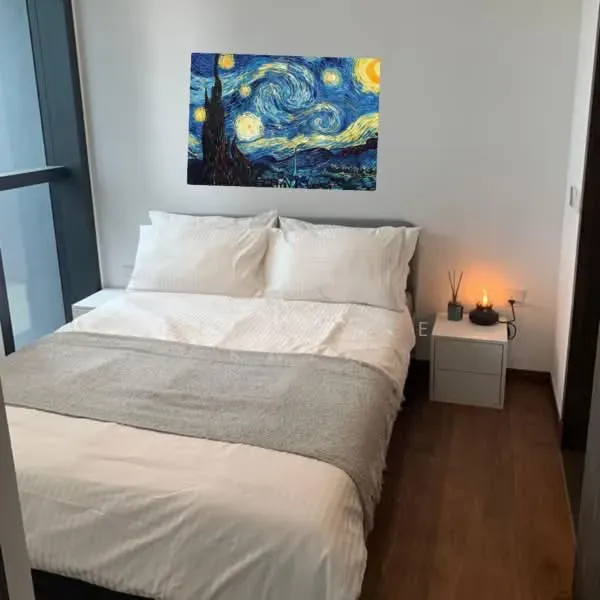
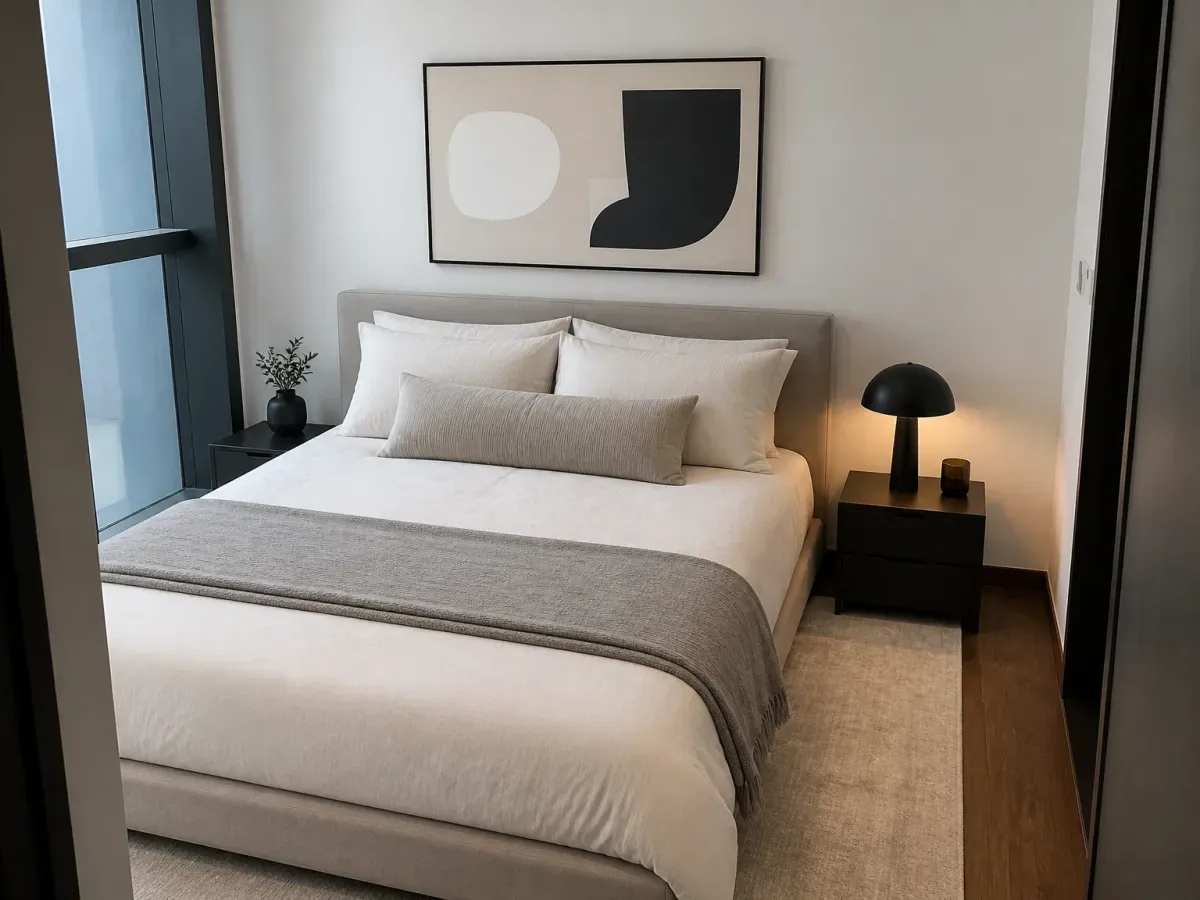
The comment field is the part that needs care
Every generation takes an optional line of plain text alongside the preset. Ask for nothing and the presets keep the room’s structure and finishes intact. Ask for something specific and the model will do it, including things a listing photo should not show without disclosure.
Here is that second case. The same empty room, generated with a custom request rather than a plain staging pass:
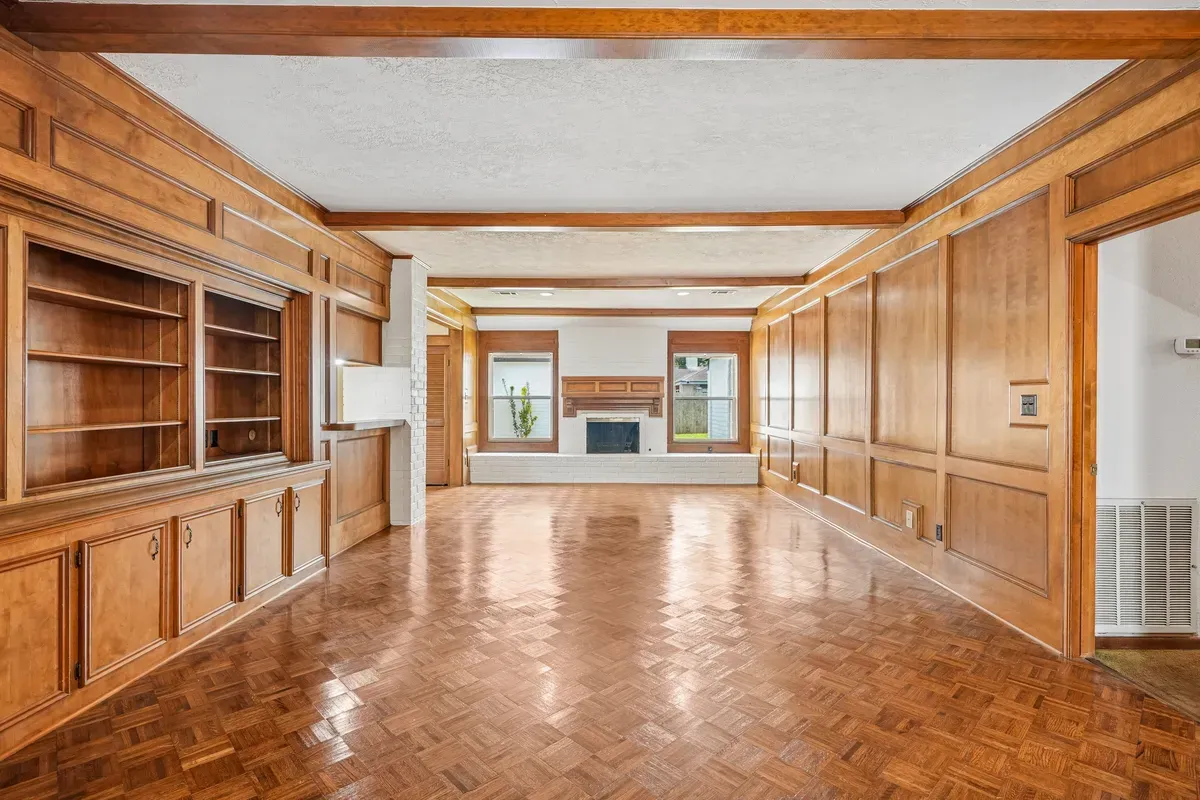
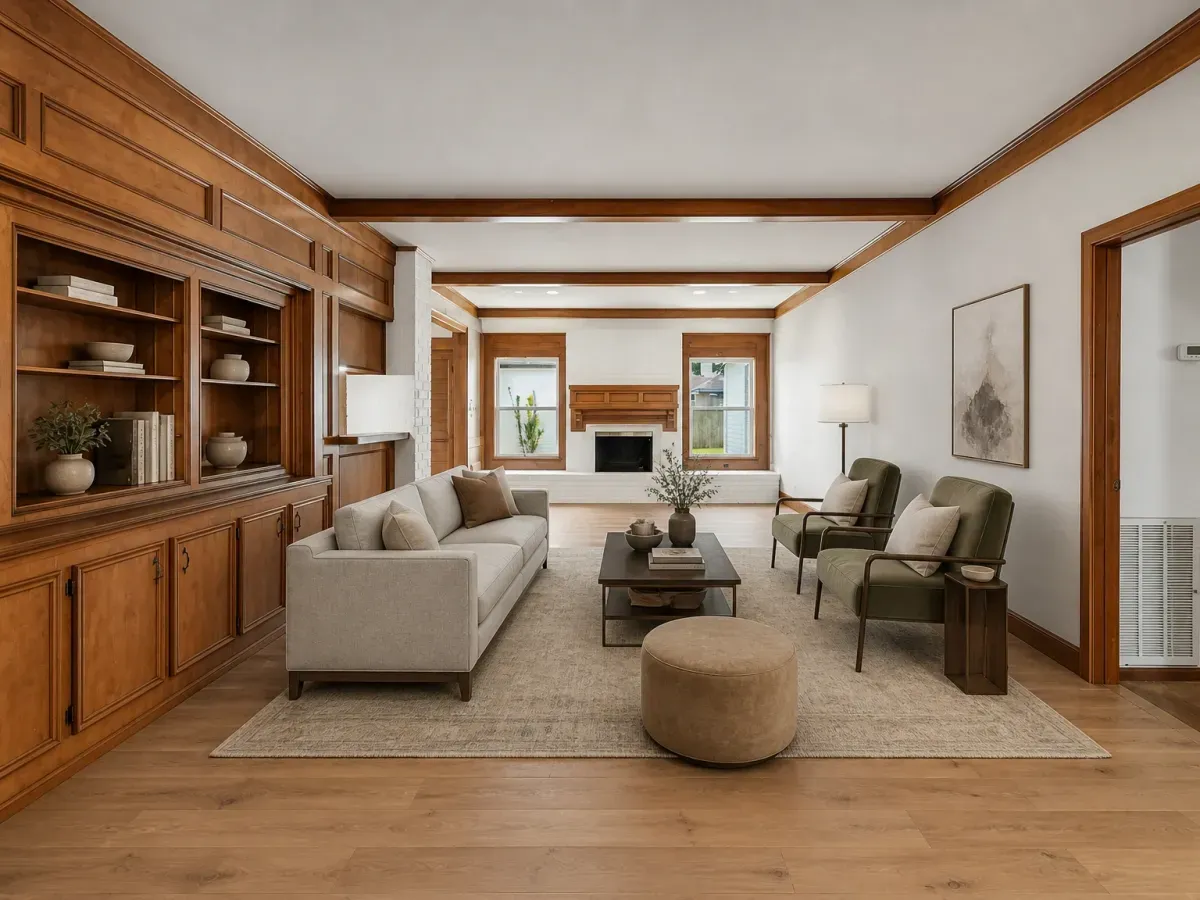
The furniture is staging. The wide-plank floor and the painted wall are a renovation preview, because that is what the request asked for. Both are legitimate outputs. Only one of them is safe to put on the MLS as a staged photo. Use the comment field for renovation previews and label them as renderings, keep listing photos to the plain staging pass, and read the MLS and state disclosure rules before you publish either.
The honest limits: there is no free tier and no pay-per-image option. It is a subscription, sized for people listing regularly rather than staging one photo a year.
The part staging-only tools do not do
Once the photos are finished, the same gallery generates a narrated walkthrough video. A 15-second render costs 825 credits, about $6.74 on the Pro plan, and there is no per-video fee, so a second cut costs the same as the first.
The exterior version puts the presenter in front of the house instead:
2. REimagineHome: closest like-for-like AI staging app
REimagineHome (reimaginehome.ai) is the most direct substitution, an AI staging and redesign app on a monthly subscription. As of August 2026: Essential $14/month for 30 credits, Pro $49/month for 200, Advanced $74/month for 400, and Agency $99/month for 900, all billed monthly with no yearly lock-in. There’s a genuine free trial (5 designs, no card) and output is watermark-free. Pro and up add batch processing and reference-photo guidance. It stays staging-and-design-focused. Photo correction and listing video are not part of the product.
One thing worth knowing when you shortlist: REimagineHome and Styldod (option 7 below) are the same operation. Styldod’s site routes self-serve users to ReimagineHome, and ReimagineHome carries Styldod in its main navigation. They’re the AI self-serve and human-service faces of one company rather than two independent vendors, which matters if you’re picking a backup supplier.
3. StageHQ: best pay-once option
StageHQ (stagehq.ai) drops the subscription entirely: one-time credit packs at $19 for 20 photos, $39 for 100, or $69 for 250, and the credits never expire. Delivery averages about 30 seconds, output is 4K and watermark-free with a commercial license, and it’s the only tool in this list whose pricing page explicitly advertises MLS-compliant output. The free trial is 3 watermarked previews. Worth knowing: all purchases are final. For an agent who stages sporadically, unexpiring credits are the killer feature.
4. Collov AI: best for staging plus virtual tours
Collov AI (collov.ai) bundles staging with tour formats the others don’t have: AI virtual tours from up to 20 images, 360 panoramas, and 3D tours on the Premium tier. As of August 2026 its plans run $19/month (60 credits) to $127/month (526 credits, API access), with the displayed prices being annual-billing rates. The Premium tier adds human-assisted multi-angle staging. Free trial images carry a watermark; paid output doesn’t, and a commercial photo license is included.
5. AI HomeDesign: best budget annual plans
AI HomeDesign (aihomedesign.com) covers staging, item removal, enhancement, day-to-dusk, and occupied-to-vacant on photo-metered plans: Pro at $35/month monthly or $19/month billed annually (30 photos), Pro Plus at $59/$29 (80 photos), Enterprise at $99/$49 (200+ photos, credit rollover, API). All tiers include free regenerations and watermark-free downloads. The annual rates are among the cheapest per photo in the category, $0.49 a photo on annual Enterprise, if you are comfortable paying for a year up front.
6. BoxBrownie: best human-designer service
BoxBrownie (boxbrownie.com) is not software. A professional editor builds each scene. Virtual staging is $30 per image with a sub-48-hour turnaround and unlimited free revisions for two months, and the same shop sells image enhancement at $2, day-to-dusk at $5, and item removal at $5 to $10 per image. You trade speed and price for a human eye and a revision loop. For a hero shot on a luxury listing where one image justifies $30 and a day’s wait, this is the strongest argument against AI staging entirely. We compared it against the whole field in the BoxBrownie alternatives guide.
7. Styldod: human service with volume pricing
Styldod (styldod.com) is the other managed service worth comparing: virtual staging at $16 per image when you send 8 or more, $23 below that, with day-to-dusk from $4 and object removal from $8. Standard turnaround is 24 to 48 hours, with paid rush options (+$6/image for 24h, +$12 for 12h) and unlimited free revisions. It undercuts BoxBrownie on price at volume while keeping the human-designer model. As noted above, Styldod and REimagineHome are the same company, so choosing between them is choosing a delivery model, not a second vendor.
Virtual Staging AI alternatives compared
All prices verified against live vendor pricing pages, August 2026. “Not disclosed” means the vendor’s page does not state it, which is not the same as the answer being no.
| Tool | Starting price | Pricing model | Turnaround | Watermark-free | Free trial | Beyond staging |
|---|---|---|---|---|---|---|
| Shhots AI | $49/mo (~109 images) | Credit subscription | Under a minute | Yes | No | Photo correction, removal, walkthrough video |
| Virtual Staging AI | $16/mo billed yearly (6 photos) | Photo-capped subscription | ~10 seconds | Yes | Yes | Furniture removal |
| REimagineHome | $14/mo (30 credits) | Credit subscription | Minutes | Yes | Yes (5 designs) | Interior redesign |
| StageHQ | $19 one-time (20 photos) | Credit packs, never expire | ~30 seconds | Yes | 3 watermarked previews | Not disclosed |
| Collov AI | $19/mo billed yearly (60 credits) | Credit subscription | Minutes | Yes (paid tiers) | Watermarked trial images | Virtual tours, 360, 3D |
| AI HomeDesign | $19/mo billed annually (30 photos) | Photo-capped subscription | Not disclosed | Yes | Not disclosed | Enhancement, day-to-dusk, item removal |
| BoxBrownie | $30/image | Per-image human service | Under 48 hours | Not disclosed | Not disclosed | Full photo editing menu |
| Styldod | $16/image (8+) | Per-image human service | 24 to 48 hours | Not disclosed | Not disclosed | Editing, renovation renders |
Is there a free Virtual Staging AI alternative?
Genuinely free virtual staging exists only as trials and watermarked previews: REimagineHome gives 5 free designs with no card, StageHQ gives 3 watermarked previews, and Collov’s trial images carry a watermark. For an actual MLS listing you need watermark-free, full-resolution output, which every tool here puts behind payment. Shhots AI has no free tier at all. Staging ships on the $49 a month Pro plan, and we would rather say that plainly than route you through a watermarked teaser. The virtual staging cost guide breaks down what each pricing model really costs across a month of listings.
How to choose
- You stage constantly and edit photos too: a credit-pool studio (Shhots AI) beats buying staging, editing, and video separately.
- You want the cheapest like-for-like swap: REimagineHome’s $14 Essential or AI HomeDesign’s annual plans.
- You stage a handful of photos a year: StageHQ’s unexpiring credits.
- You need tours, not just stills: Collov AI.
- One hero image has to be perfect: BoxBrownie or Styldod, with a human in the loop. (If you want two genuinely independent suppliers on the books, note that Styldod and REimagineHome are one company, so pair either with BoxBrownie or an AI tool from a different vendor.)
Whichever you pick, the disclosure rules are the same: label staged images as virtually staged. The MLS and state disclosure guide covers what each rulebook requires.
FAQ
What is the best alternative to Virtual Staging AI?
Shhots AI is the best alternative if you want staging plus photo correction and listing video in one $49/month workspace at about $0.45 per staged image. REimagineHome is the closest staging-only substitute, from $14/month with a 5-design free trial.
Is there a cheaper alternative to Virtual Staging AI?
Per photo, AI HomeDesign’s annual Enterprise plan reaches $0.49 per photo and Shhots AI works out to about $0.45 per generated image on Pro. For occasional use, StageHQ’s $19 one-time pack of 20 photos avoids a subscription entirely.
Is Virtual Staging AI actually $16 a month?
$16/month is the yearly-billing rate for the Basic plan (6 photos a month) as shown on its live pricing page in August 2026. Month-to-month billing costs more, and the plan meters photos monthly.
What’s the difference between AI staging tools and services like BoxBrownie?
AI tools (Shhots AI, Virtual Staging AI, REimagineHome, StageHQ) generate results in seconds to minutes for cents to a few dollars per image, and you regenerate instead of requesting revisions. Services like BoxBrownie ($30/image) and Styldod ($16-$23/image) put a human designer on each photo with 24-48 hour turnarounds and revision rounds.
Can I use these tools’ output on the MLS?
Yes, with your MLS’s required “virtually staged” disclosure label. StageHQ explicitly advertises MLS-compliant output; Shhots AI exports full-resolution, watermark-free files with a commercial license and keeps the untouched original beside every staged version for disclosure requests.
Do any alternatives handle the whole listing shoot, not just staging?
Shhots AI is the only tool in this comparison that combines staging with photo correction (HDR, sky replacement, window pull), object removal, and a narrated walkthrough video on one credit pool. BoxBrownie sells editing as separate per-image services.
Does virtual staging need to be disclosed?
In almost every US jurisdiction, yes. NAR’s Code of Ethics requires a true picture in advertising, most MLSs require labeling materially altered photos, and California’s AB 723 requires disclosure near digitally altered listing images. The legality and MLS rules guide has the specifics.
How much does virtual staging cost across the market?
As of August 2026: about $0.45 per image on Shhots AI, $0.49 to $2.67 per photo on other AI tools depending on plan and billing, $16 to $30 per image at human services, and $1,500 to $4,000 per listing for physical staging. Full breakdown in the virtual staging cost guide.