
Shhots AI for iPhone: make UGC and product video ads on your phone
Shhots AI for iPhone turns one phone photo of your product into ads: studio photos, UGC video ads with a realistic AI creator, cinematic product videos and podcast ads. It is on the App Store for iPhone and iPad and needs iOS 17.0 or later.

In-app plans start at $19 a month.
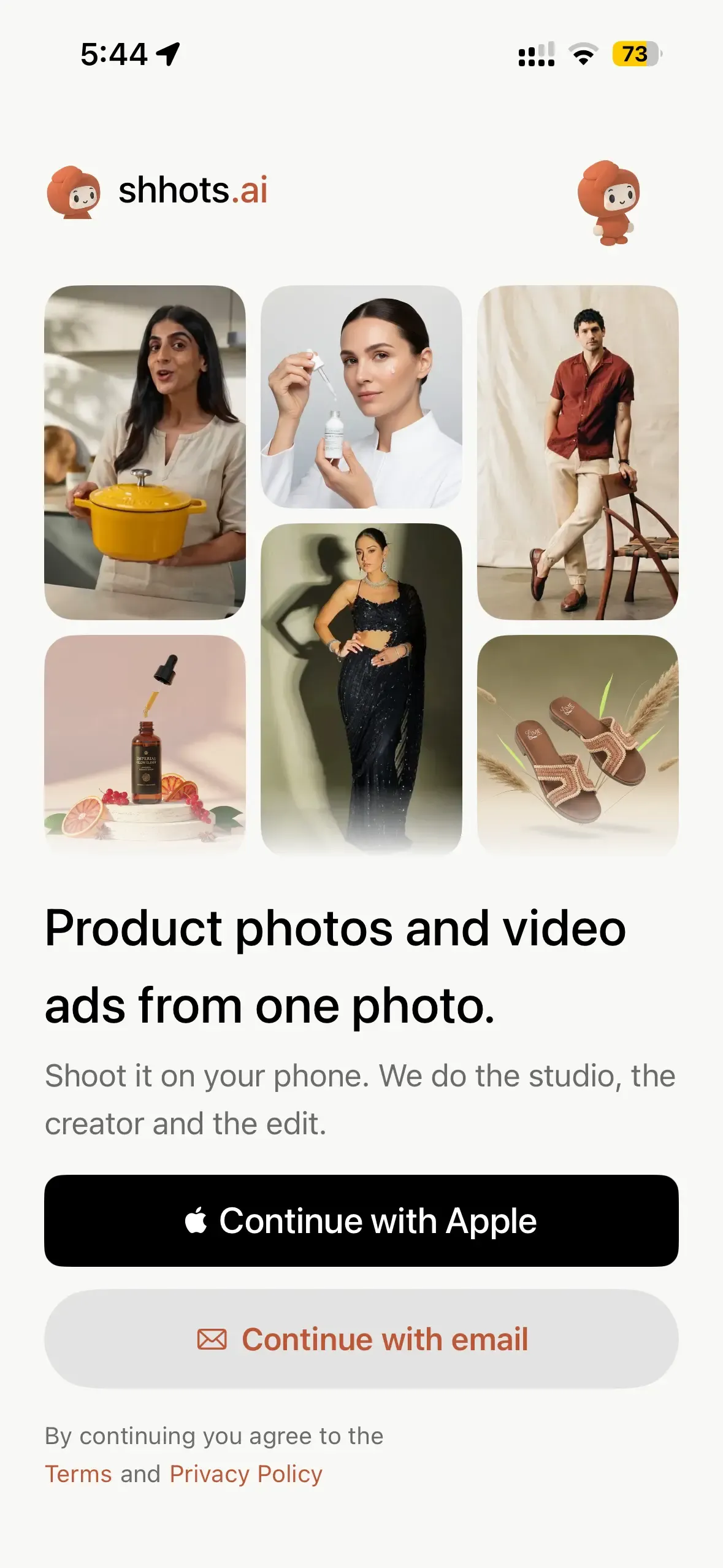
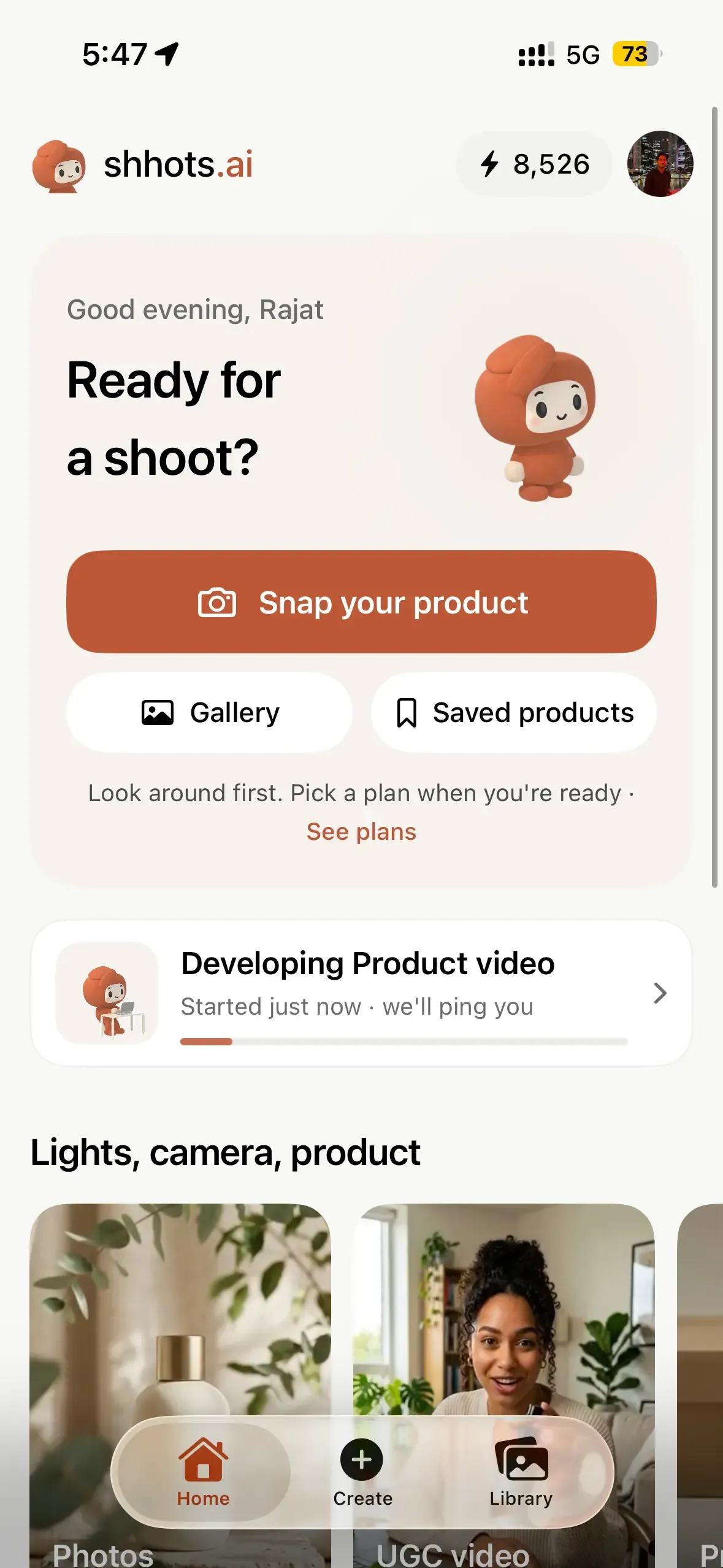
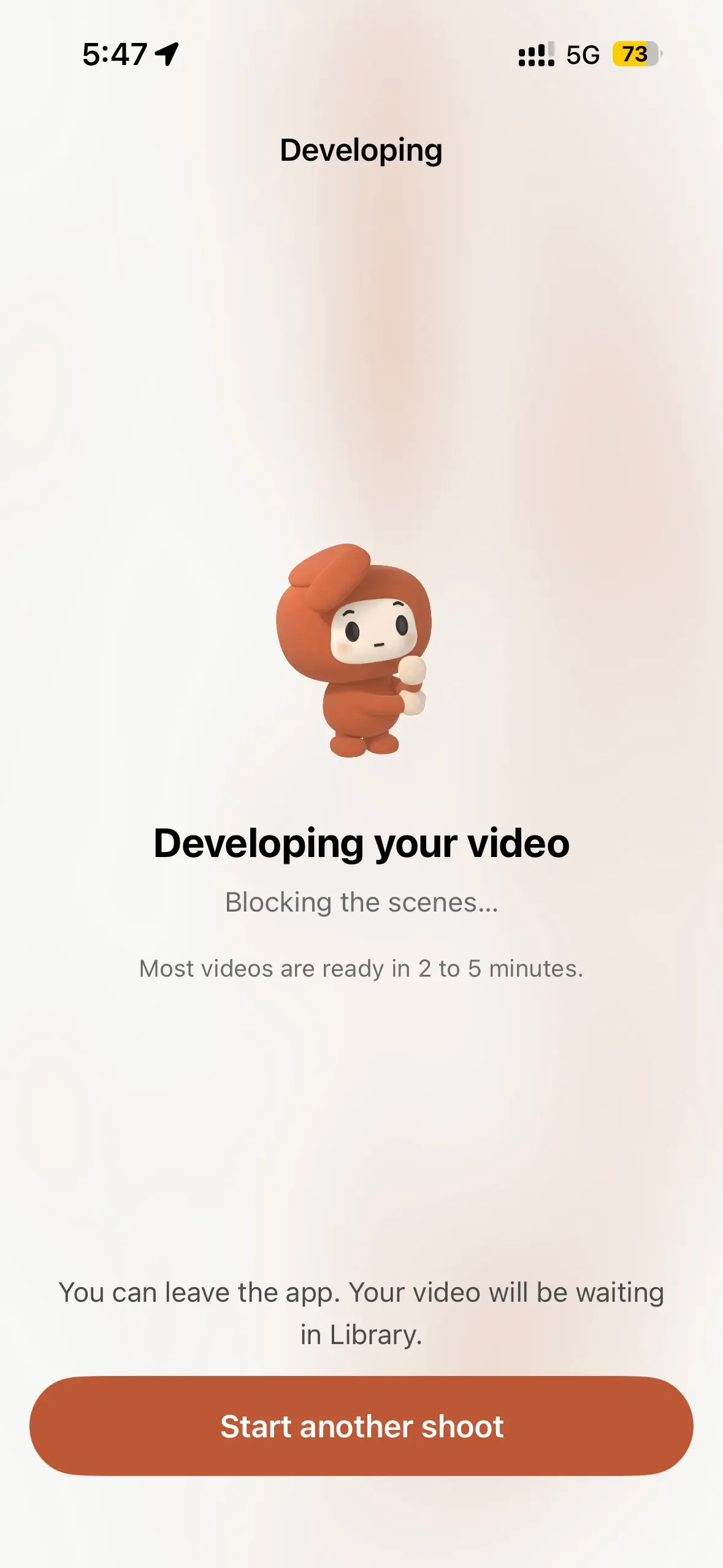
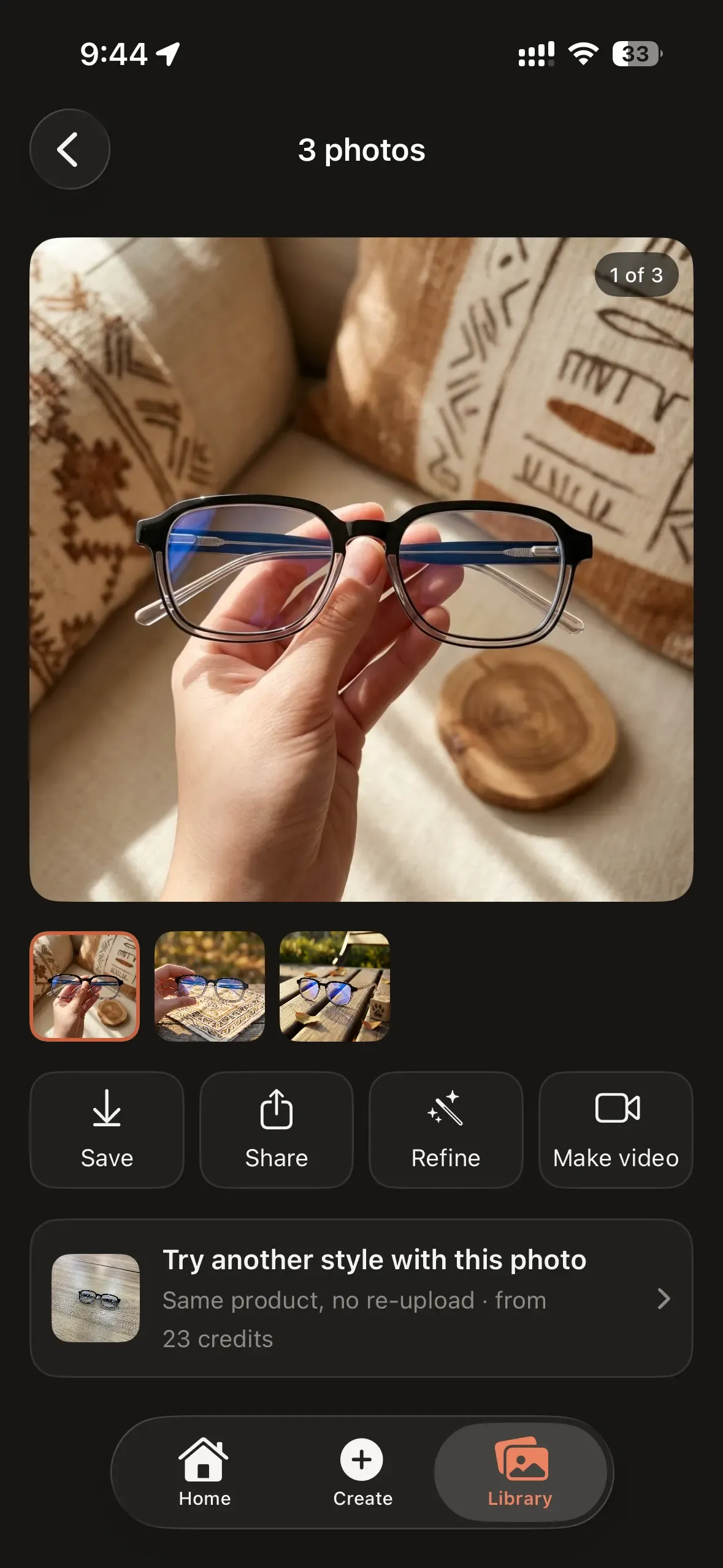
See the Shhots AI iPhone app in 45 seconds
The launch video shows the whole flow on a phone: snap a product, pick a studio photo, a UGC video or a cinematic product film, and share the result.

What can you make in the Shhots AI iPhone app?
The Shhots AI iPhone app makes four kinds of ads, each from one photo of your product.
Studio photos
47 styles, from clean white backgrounds to lifestyle scenes, made from one photo of your product.
UGC video ads
A realistic AI creator presents your product, on camera or as a voiceover, in 12 languages.
Product videos
Cinematic ads of 10, 15 or 30 seconds in 10 visual styles.
Podcast ads
A host, or a host and a guest, talk about your product in a studio set.
Each format also has a page about the web app: AI product photography, AI UGC ads, AI product videos and AI podcast ads.
How does the Shhots AI app work?
You take a photo, pick a look, and Shhots AI makes the ad. There is no shoot to book and no footage to edit.
- 01
Snap your product
Sign in with Apple or email, then take one photo of your product with your phone.
- 02
Pick a look
Choose what to make: a studio photo, a UGC video ad, a product video or a podcast ad, then pick the style.
- 03
Shhots AI makes the ad
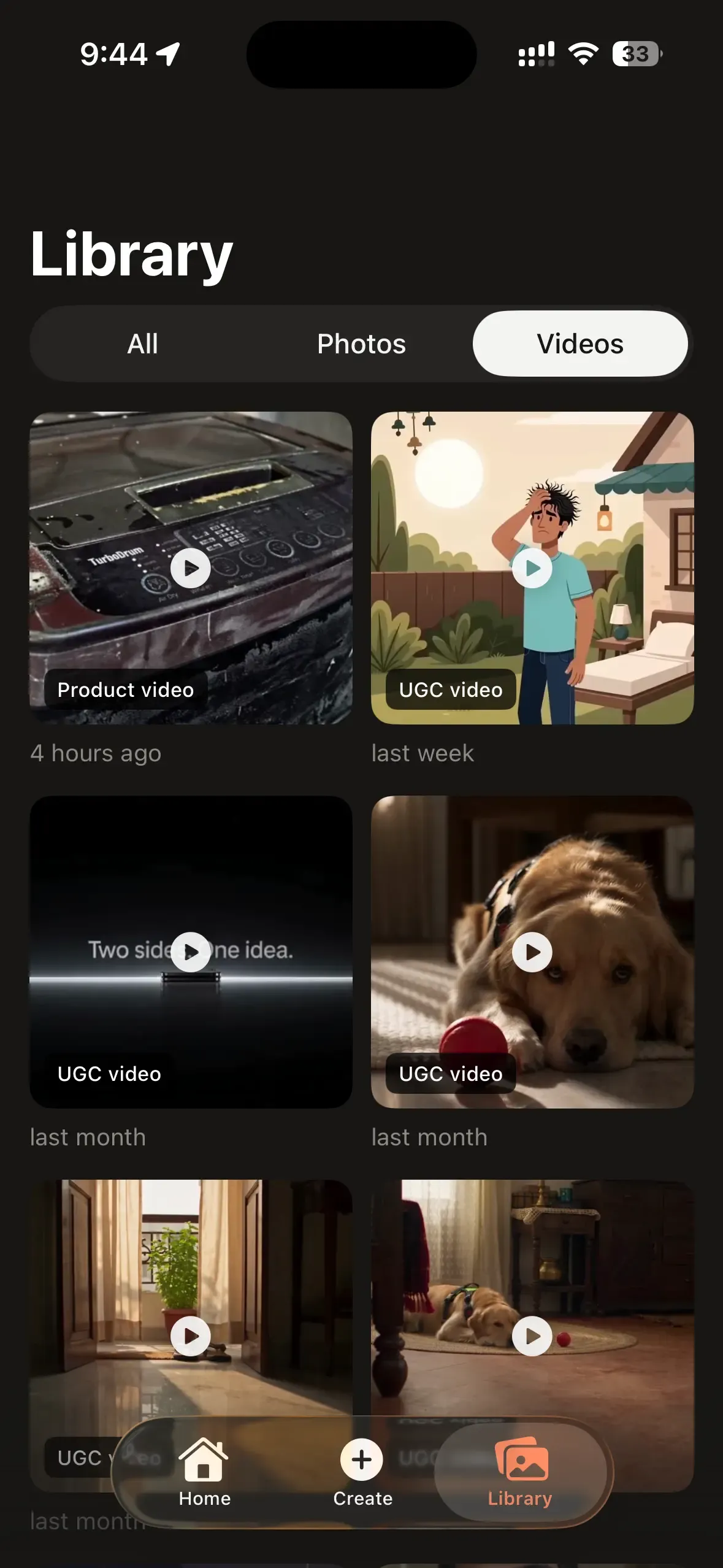
Shhots AI handles the studio, the creator and the edit. Most videos are ready in 2 to 5 minutes, and you can leave the app while it works: the finished ad waits in your Library.
- 04
Save, share or refine
Every result has Save, Share, Refine and Make video buttons. Share sends it straight to TikTok, Instagram, X or any app on your phone, and Make video turns a finished photo into a video.
Best mobile apps for creating UGC videos for TikTok
The best mobile app for UGC videos depends on whether anyone is going to film. Shhots AI makes UGC-style video ads from one product photo with an AI creator, so nobody films anything. CapCut and Captions edit videos you record, HeyGen puts an AI avatar of you on camera, and Zeely makes UGC-style ads with AI avatars and launches Meta campaigns.
Prices, ratings and devices are from each app's US App Store listing, verified 26 November 2026. The App Store shows each app's top in-app purchases, so a listing may not show every plan.
| App | Best for | Price (lowest listed in-app purchase) | Rating | Devices |
|---|---|---|---|---|
| Shhots AI | UGC-style product ads without filming anyone | Free; from $19.00 | Not enough ratings yet | iPhone and iPad; iOS 17.0 or later |
| CapCut | Editing footage you film yourself | Free; from $7.99 | 4.6 (1.1M ratings) | iPhone, iPad and Mac; iOS 15.0 or later |
| Captions | Talking-head videos you record or generate | Free; from $5.99 | 4.7 (39K ratings) | iPhone and Mac; iOS 16.0 or later |
| HeyGen | Videos starring an AI avatar of you | Free; from $4.99 | 4.8 (35K ratings) | iPhone only; iOS 17.5 or later |
| Zeely | Making ads and launching Meta campaigns from one app | Free; from $9.99 | 4.6 (24K ratings) | iPhone only; iOS 18.0 or later |
1. Shhots AI: UGC-style product ads without filming
Shhots AI starts from one photo of your product instead of footage. It makes UGC video ads with a realistic AI creator in 12 languages, cinematic product videos of 10, 15 or 30 seconds, podcast ads and studio photos in 47 styles. It suits brand owners who need product ads for TikTok without hiring creators.
Price: free to download, with in-app purchases for Starter ($19.00 monthly, $199.00 annual), Pro ($49.00, $499.00) and Scale ($99.00, $999.00). Rating: not enough ratings yet for the App Store to show one. iPhone and iPad, iOS 17.0 or later. App Store listing.
2. CapCut: editing footage you film yourself
A full video and photo editor: trim, split and merge clips, add music, text, stickers and effects, and start from templates. Its AI tools auto-edit clips into highlights and turn text or images into video. The listing says it exports for TikTok, YouTube, Instagram, WhatsApp and Facebook.
Price: Free, with in-app purchases including a Monthly Subscription at $7.99, Standard Monthly $9.99, Pro Monthly $19.99 and a Yearly Subscription at $89.99. Rating: 4.6 (1.1M ratings). iPhone, iPad and Mac; iOS 15.0 or later. Listed as CapCut: Video & Photo Editor by Bytedance Pte. Ltd.. App Store listing.
3. Captions: talking-head videos you record or generate
An AI video editor and generator built by Mirage. It edits raw footage in one tap or from a chat instruction, builds an AI Twin from one selfie, offers AI Actors, writes subtitles in 91+ languages and dubs into 29.
Price: Free, with in-app purchases including Captions Basic at $5.99 a week, $9.99 a month or $64.99 a year, and Captions Max at $24.99. Rating: 4.7 (39K ratings). iPhone and Mac; iOS 16.0 or later. Listed as Captions: AI Edits Your Video by Captions, LLC. App Store listing.
4. HeyGen: videos starring an AI avatar of you
Record one short clip and HeyGen builds an avatar with your face and voice, then you type a script and the avatar speaks it. It also has thousands of stock avatars, a Video Agent that turns a prompt and an image into a video, and video translation into 100+ languages.
Price: Free, with in-app purchases including HeyGen Creator Credit Monthly $29.00, HeyGen Pro 1000 Credit Monthly $49.00 and credit packs from $4.99. Rating: 4.8 (35K ratings). iPhone only; iOS 17.5 or later. Listed as AI Avatar Generator - HeyGen by HeyGen Technology Inc.. App Store listing.
5. Zeely: making ads and launching Meta campaigns from one app
An AI marketing app with a chat agent, static ads from a product image or link, and UGC-style video ads with a gallery of 1,200+ AI avatars. The listing says you can launch Meta campaigns and track performance from your phone.
Price: Free, with in-app purchases including a 1-Week Plan at $19.99, a 1-Month Plan at $59.99, a 1-Year Plan at $199.99 and 2000 Credits at $9.99. Rating: 4.6 (24K ratings). iPhone only; iOS 18.0 or later. Listed as Zeely: AI Marketing Platform by Zeely, Inc.. App Store listing.
Shhots AI app facts
From the US App Store listing, verified 26 November 2026.
- Price
- Free to download, with in-app purchases
- Devices
- iPhone and iPad
- Requires
- iOS 17.0 or later
- Account
- One account and one credit pool across the app and the web app
- Size
- 14.7 MB
- Category
- Photo & Video
- Language
- English
- Age rating
- 4+
- Released
- 30 October 2026
- Latest version
- 2.0.2, released 19 November 2026
- Ratings
- Not enough ratings yet for the App Store to show a score
In-app purchases
| Plan | Monthly | Annual |
|---|---|---|
| Starter | $19.00 | $199.00 |
| Pro | $49.00 | $499.00 |
| Scale | $99.00 | $999.00 |
In-app plans have the same prices, credits and features as the web plans on the pricing page, including the commercial license and watermark-free exports. Your subscription and credits are shared between the app and the web app.
Shhots AI iPhone app FAQ
Is the Shhots AI app free?
The Shhots AI app is free to download, and the App Store lists in-app purchases for three plans: Starter at $19 a month or $199 a year, Pro at $49 or $499, and Scale at $99 or $999. Shhots AI has no free plan and no free trial.
Are credits shared between the Shhots AI app and the web app?
Yes. One Shhots AI account works in the iPhone app and the web app at app.shhots.ai, with one subscription and one credit pool, so a plan bought in the app also works on the web and the other way round. Pro and Scale tools such as Real Estate Studio and the MCP server are part of the same plan and open in the web app.
Do plans bought in the app get the same credits and features as the web?
Yes. Starter, Pro and Scale bought in the app have the same prices, credits and features as on the web: 2,000, 6,000 and 12,000 credits a month. Every plan includes the commercial license and watermark-free exports.
Is Shhots AI available on iPad or Android?
Shhots AI runs on iPhone and iPad with iOS 17.0 or later. There is no Shhots AI app on Google Play as of November 2026, so on an Android phone or a computer, use the web app at app.shhots.ai in your browser.
Can I post straight to TikTok from the Shhots AI app?
Yes. Every finished photo and video has a Share button that sends it straight to TikTok, Instagram, X or any other app on your phone. You can also save it to your phone and upload it in TikTok Ads Manager.
What iPhone or iPad do I need for the Shhots AI app?
Any iPhone or iPad that runs iOS 17.0 or later. The app is 14.7 MB and in English, according to the App Store listing on 26 November 2026.
What is the best mobile app for creating UGC videos for TikTok?
It depends on whether you want to film. Shhots AI makes UGC-style video ads from one product photo with an AI creator, so nobody films anything. CapCut and Captions edit videos you record, HeyGen makes videos with an AI avatar of you, and Zeely makes UGC-style ads with AI avatars and launches Meta campaigns.
Make your next TikTok ad from a photo on your phone.
Free to download, for iPhone and iPad.